
vonsalt/mcp-mobile
Developer toolsЭта страница переведена автоматически. Технические детали смотрите в оригинале. Открыть оригинал
An MCP server that allows Agents to interact with a running Roblox game client — execute code, inspect scripts, spy on remotes, and more.
Обзор
An MCP server that allows Agents to interact with a running Roblox game client — execute code, inspect scripts, spy on remotes, and more. Roblox Executor MCP includes a local web dashboard at: Use it to see connected Roblox clients, inspect scripts, run tools, view server logs, configure semantic search, and index games for semantic script search. - — Run Lua code and fetch data from the game client. - — Decompile scripts and search across all sources. - — CSS-like selectors and hierarchy trees. - — Intercept, log, block, and ignore Remotes/Bindables via Cobalt. - — Click buttons and type into text boxes. - — Capture Roblox window screenshots (Windows only). - — Connect multiple Roblox clients at once. - — Multiple MCP instances auto-coordinate with automatic promotion. Supports remote relaying via --baseurl. See Advanced. - ≥ 18 - ≥ 1.
README
Показан фрагмент оригинального README. Открыть оригинал.
Roblox Executor MCP Server
An MCP server that allows Agents to interact with a running Roblox game client — execute code, inspect scripts, spy on remotes, and more.
Dashboard
Roblox Executor MCP includes a local web dashboard at:
http://localhost:16384/
Use it to see connected Roblox clients, inspect scripts, run tools, view server logs, configure semantic search, and index games for semantic script search.
Features
- Code Execution — Run Lua code and fetch data from the game client.
- Script Inspection — Decompile scripts and search across all sources.
- Instance Search — CSS-like selectors and hierarchy trees.
- Remote Spy — Intercept, log, block, and ignore Remotes/Bindables via Cobalt.
- GUI Interaction — Click buttons and type into text boxes.
- Screenshot — Capture Roblox window screenshots (Windows only).
- Multi-Client — Connect multiple Roblox clients at once.
- Primary / Secondary — Multiple MCP instances auto-coordinate with automatic promotion. Supports remote relaying via
--baseurl. See Advanced.
Tutorial
Prerequisites
- Node.js ≥ 18
- Bun ≥ 1.3 for the interactive OpenTUI harness installer
- A Roblox executor that supports
loadstring,request, and (preferably)WebSocket
Quick Start
1. Clone the server
git clone https://github.com/dissering/roblox-executor-mcp.git
cd roblox-executor-mcp
2. Run the harness installer
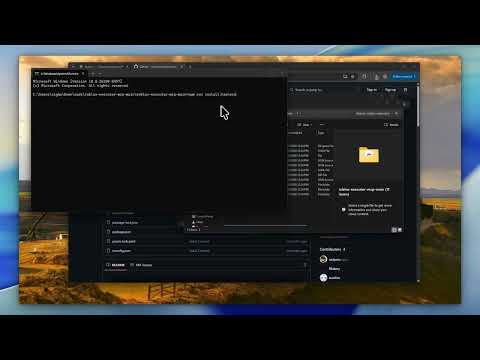
The installer builds the server, lets you choose AI clients, writes supported MCP configs, and prints the Roblox loader script.
npm run install:harnesses
The normal server build consumes the committed connector.luau artifact, so harness installs do not require Darklua. Connector developers can install the pinned tool with rokit install, edit connector-src/, and regenerate the artifact with npm run build:connector.
The picker is built with OpenTUI and runs through Bun. npm run install:harnesses installs Bun first if it is not already available. It shows detected local clients by default; if none are detected, it warns you to install a harness first. Press s in the picker or pass --show-all-harnesses to reveal every supported config target. If your terminal has trouble with the interactive picker, use the plain numbered prompt:
npm run install:harnesses -- --plain
The installer can also place the Roblox loader into a detected executor autoexec folder, such as MacSploit on macOS or supported Windows executor autoexec folders. Use the prompt, or run:
npm run getscript -- --autoexec
It can also help with:
- cross-machine setup on the same LAN
Установка
This server does not publish a one-line install command.
Open the repository installation guide Новичок в MCP? Начните с руководства на mcpskill.org →