
ramensv/figma-mcp-go
Browser automation이 페이지는 AI로 자동 번역되었습니다. 기술적인 세부 사항은 원문을 확인하세요. 원문 보기
ramensv/figma-mcp-go는 MCP 서버 후보로 수입 https://github.com/ramensv/figma-mcp-go.]
개요
ramensv/figma-mcp-go는 MCP 서버 후보로 수입 https://github.com/ramensv/figma-mcp-go.]
개요(AI 번역)
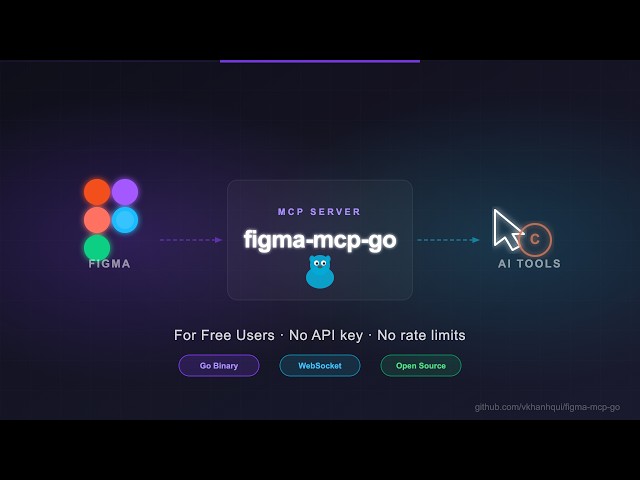
A ** zero-cost, 무제한 ** Figma MCP 서버 - API 키, 속도 제한 없음, 단 하나 이동 바이너리.
Cursor, Claude, GitHub Copilot 및 MCP 호환 AI 도구와 함께 작동합니다.
왜 이 존재
대부분의 Figma MCP 서버는 Figma REST API에 의존합니다.
그 소리는… 당신이 이것을 명중할 때까지:
| 플랜 | 제한 |
|---|---|
| 스타터 / 뷰 / 콜라보 | 6 도구 통화/월 |
| Pro / Org (Dev seat) | 200 도구 통화/일 |
| 기업 | 600 도구 통화/일 |
AI 도구로 실험하는 경우, 몇 분 안에 태울 것입니다.
나는 더 높은 한계를 지불하는 충분한 돈이 없었다. 그래서 나는 ** 모든**에서 API를 사용하지 않는 무언가를 만들었습니다.
설치
동영상 보기:
##1. AI 도구를 구성
.vscode/mcp.json의
다운로드
##2. Figma 플러그인 설치
- Figma 데스크톱에서: **Plugins → 개발 → 가져온 플러그인 **
- 플러그인에서
manifest.json을 선택합니다.zip - Figma 파일 내부 플러그인 실행
사용 가능한 도구
문서 및 선택
| 도구 | 설명 |
|---|---|
get_document |
전체 현재 페이지 트리 |
| [T2] | 파일명, 페이지, 현재 페이지 |
| [T3] | 현재 선택된 노드 |
이 페이지는 AI로 자동 번역되었습니다. 기술적인 세부 사항은 원문을 확인하세요.
README
figma-mcp-go
A zero-cost, unlimited Figma MCP server — no API key, no rate limits, just a single Go binary.
Works with Cursor, Claude, GitHub Copilot, and any MCP-compatible AI tool.
Why this exists
Most Figma MCP servers rely on the Figma REST API.
That sounds fine… until you hit this:
| Plan | Limit |
|---|---|
| Starter / View / Collab | 6 tool calls/month |
| Pro / Org (Dev seat) | 200 tool calls/day |
| Enterprise | 600 tool calls/day |
If you’re experimenting with AI tools, you’ll burn through that in minutes.
I didn’t have enough money to pay for higher limits. So I built something that doesn’t use the API at all.
Setup
Watch the video:
1. Configure your AI tool
.vscode/mcp.json
{
	"servers": {
		"figma-mcp-go": {
			"type": "stdio",
			"command": "npx",
			"args": [
				"-y",
				"@vkhanhqui/figma-mcp-go"
			]
		}
	}
}
.mcp.json
{
  "mcpServers": {
    "figma-mcp-go": {
      "command": "npx",
      "args": ["-y", "@vkhanhqui/figma-mcp-go"]
    }
  }
}
2. Install the Figma plugin
- In Figma Desktop: Plugins → Development → Import plugin from manifest
- Select
manifest.jsonin the plugin.zip - Run the plugin inside any Figma file
Available tools
Document & Selection
| Tool | Description |
|---|---|
get_document |
Full current page tree |
get_metadata |
File name, pages, current page |
get_selection |
Currently selected nodes |
get_node |
Single node by ID |
get_nodes_info |
Multiple nodes by ID |
get_design_context |
Depth-limited tree — token-efficient for large files |
scan_text_nodes |
All text nodes in a subtree |
scan_nodes_by_types |
Nodes matching given type list |
Styles & Variables
| Tool | Description |
|---|---|
get_styles |
Paint, text, effect, and grid styles |
get_variable_defs |
Variable collections and values |
get_local_components |
All components in the file |
get_annotations |
Dev-mode annotations |
Export
| Tool | Description |
|---|---|
get_screenshot |
Base64 image export of any node |
save_screenshots |
Export images to disk (server-side, no API call) |
Contributing
Issues and PRs are welcome.
References
설치
npx -y @vkhanhqui/figma-mcp-go설정
{
  "mcpServers": {
    "figma-mcp-go": {
      "command": "npx",
      "args": ["-y", "@vkhanhqui/figma-mcp-go"]
    }
  }
}