
A Figma MCP server — no API key, no rate limits, just a single Go binary.
Overview
A Figma MCP server — no API key, no rate limits, just a single Go binary.
README
figma-mcp-go
A zero-cost, unlimited Figma MCP server — no API key, no rate limits, just a single Go binary.
Works with Cursor, Claude, GitHub Copilot, and any MCP-compatible AI tool.
Why this exists
Most Figma MCP servers rely on the Figma REST API.
That sounds fine… until you hit this:
| Plan | Limit |
|---|---|
| Starter / View / Collab | 6 tool calls/month |
| Pro / Org (Dev seat) | 200 tool calls/day |
| Enterprise | 600 tool calls/day |
If you’re experimenting with AI tools, you’ll burn through that in minutes.
I didn’t have enough money to pay for higher limits. So I built something that doesn’t use the API at all.
Setup
Watch the video:
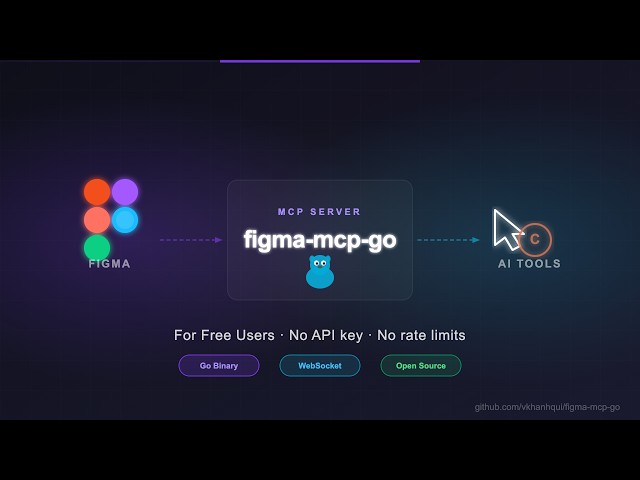
1. Configure your AI tool
.vscode/mcp.json
{
	"servers": {
		"figma-mcp-go": {
			"type": "stdio",
			"command": "npx",
			"args": [
				"-y",
				"@vkhanhqui/figma-mcp-go"
			]
		}
	}
}
.mcp.json
{
  "mcpServers": {
    "figma-mcp-go": {
      "command": "npx",
      "args": ["-y", "@vkhanhqui/figma-mcp-go"]
    }
  }
}
2. Install the Figma plugin
- In Figma Desktop: Plugins → Development → Import plugin from manifest
- Select
manifest.jsonin the plugin.zip - Run the plugin inside any Figma file
Available tools
Document & Selection
| Tool | Description |
|---|---|
get_document |
Full current page tree |
get_metadata |
File name, pages, current page |
get_selection |
Currently selected nodes |
get_node |
Single node by ID |
get_nodes_info |
Multiple nodes by ID |
get_design_context |
Depth-limited tree — token-efficient for large files |
scan_text_nodes |
All text nodes in a subtree |
scan_nodes_by_types |
Nodes matching given type list |
Styles & Variables
| Tool | Description |
|---|---|
get_styles |
Paint, text, effect, and grid styles |
get_variable_defs |
Variable collections and values |
get_local_components |
All components in the file |
get_annotations |
Dev-mode annotations |
Export
| Tool | Description |
|---|---|
get_screenshot |
Base64 image export of any node |
save_screenshots |
Export images to disk (server-side, no API call) |
Contributing
Issues and PRs are welcome.
References
Install
npx -y @vkhanhqui/figma-mcp-goConfiguration
{
  "mcpServers": {
    "figma-mcp-go": {
      "command": "npx",
      "args": ["-y", "@vkhanhqui/figma-mcp-go"]
    }
  }
}