
glade-tool/glade-mcp
Developer tools이 페이지는 AI로 자동 번역되었습니다. 기술적인 세부 사항은 원문을 확인하세요. 원문 보기
glade-tool/glade-mcp는 [[T0]에서 가져온 MCP 서버 후보입니다.
개요
glade-tool/glade-mcp는 [[T0]에서 가져온 MCP 서버 후보입니다.
개요(AI 번역)
커서, Claude 코드, Windsurf, Claude Desktop 등 AI 클라이언트를 Unity나 Godot 편집기에 직접 연결하세요.
Unity (2021.3+): 20개 카테고리에 걸쳐 275개의 도구, 완전한 Unity 인식 시스템 프롬프트, GLADE.md 프로젝트 컨텍스트, 스크립트 의미 검색, 스킬 보정, 무료 CC0 자산 파이프라인, RAG가 포함된 클라우드 인텔리전스 레이어, 그리고 크로스 세션 메모리.
Godot (4.3+): 17개 카테고리에 걸쳐 115개의 네이티브 툴 - 씬/노드, 스크립트, 리소스, 신호, 물리 및 편집 시 공간 쿼리, 2D(스프라이트, 타일맵, 시차), 오디오, 파티클, 애니메이션 및 AnimationTree, 카메라, 내비게이션, UI, 조명 및 WorldEnvironment, 런타임, 내보내기, 프로젝트 내기.
두 엔진 모두: 한 번의 호출로 검증된 게임플레이 스캐폴더(컨트롤러, 적, 전투, 메뉴, 저장 시스템), 검증 루프(look_at_game_view 스크린샷, 런타임 이벤트 관찰, 플레이 가능성 탐침), 진정한 find_references / rename_symbol로 된 외과적 스크립트 편집, 그리고 에이전트가 만든 것을 출시할 수 있도록 빌드/내보내기 도구.
MCP 서버는 어떤 에디터가 실행 중인지 자동으로 감지합니다(Unity는 :8765, Godot은 :8766)고 일치하는 도구 세트를 공개합니다.
퀵 스타트
1. 에디터 브리지 설치
이 페이지는 AI로 자동 번역되었습니다. 기술적인 세부 사항은 원문을 확인하세요.
README
원문 README의 일부입니다. 원문 보기.
GladeKit MCP
Connect Cursor, Claude Code, Windsurf, Claude Desktop, and other AI clients directly to your Unity or Godot editor.
Unity (2021.3+): 275 tools across 20 categories, full Unity-aware system prompt, GLADE.md project context, script semantic search, skill calibration, free CC0 asset pipeline, cloud intelligence layer with RAG and cross-session memory.
Godot (4.3+): 115 native tools across 17 categories - scene/node, scripts, resources, signals, physics and edit-time spatial queries, 2D (sprites, tilemaps, parallax), audio, particles, animation and AnimationTree, camera, navigation, UI, lighting and WorldEnvironment, runtime, export, and project introspection.
Both engines: one-call vetted gameplay scaffolders (controllers, enemies, combat, menus, save system), a verification loop (look_at_game_view screenshots, runtime-event observation, playability probes), surgical script editing with true find_references / rename_symbol, and build/export tools so the agent can ship what it built.
The MCP server auto-detects which editor is running (Unity on :8765, Godot on :8766) and exposes the matching tool set.
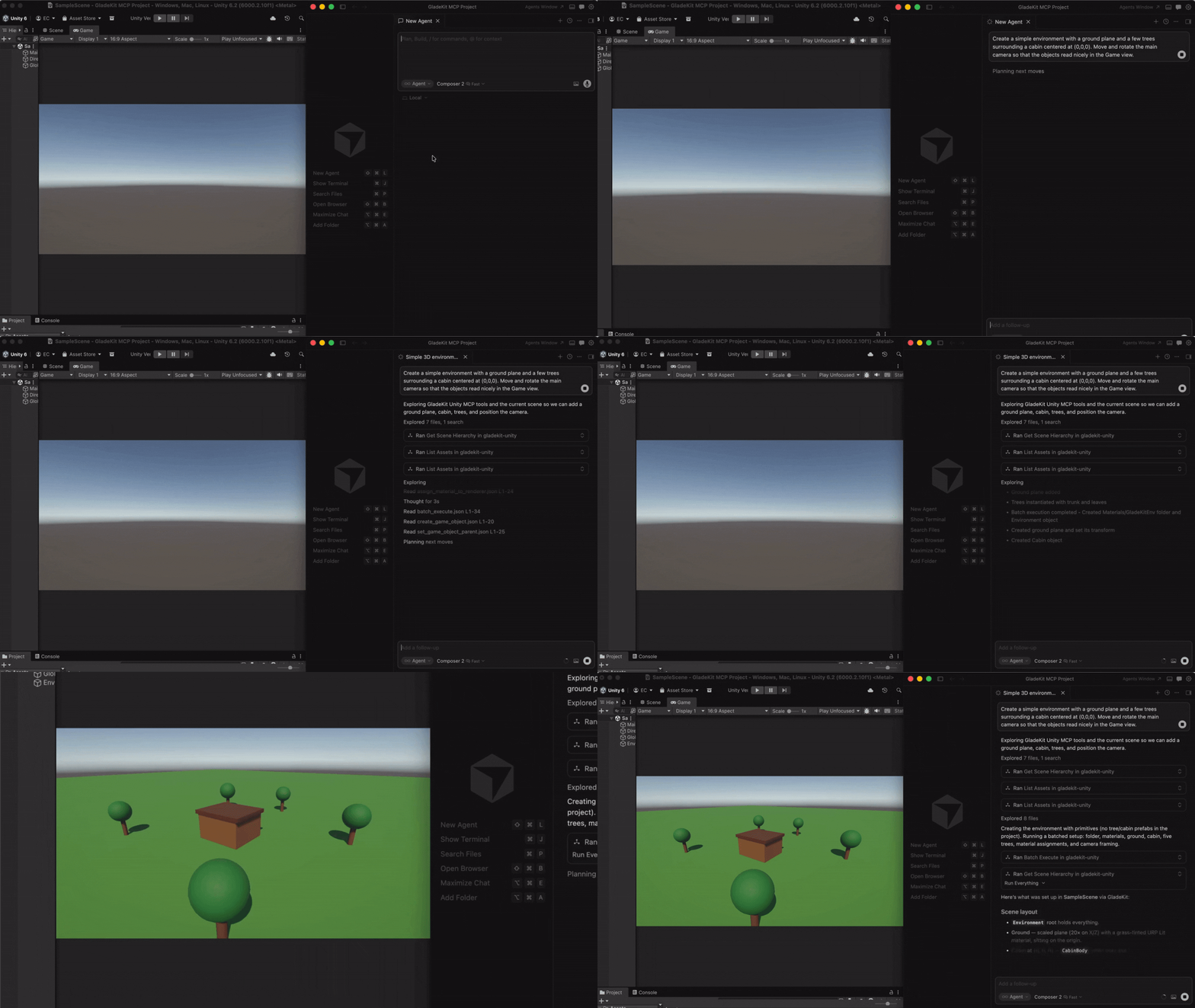
Quick Start
1. Install the editor bridge
GladeKit MCP supports both Unity and Godot. Both bridges live in this repo: unity-bridge/ is a UPM package, godot-bridge/ wraps the editor addon at godot-bridge/addons/com.gladekit.mcp-bridge/. Install the one for your engine.
- Download
com.gladekit.mcp-bridge.zipfrom the latest Godot bridge release. (Grab the zip asset under Assets - not “Source code”.) From source instead: copygodot-bridge/addons/com.gladekit.mcp-bridge/out of this repo. - Move the
com.gladekit.mcp-bridge/folder into your project’saddons/directory, so the final path is/addons/com.gladekit.mcp-bridge/plugin.cfg. - In Godot: Project → Project Settings → Plugins → enable GladeKit MCP Bridge.
The Godot bridge starts automatically on localhost:8766. You should see a confirmation line in the editor Output panel:
[GladeKit MCP Bridge] listening on ws://127.0.0.1:8766 (v0.7.14, 115 tools registered, thread-polled at 200Hz)
설치
uvx gladekit-mcp설정
{
  "mcpServers": {
    "gladekit-mcp": {
      "command": "uvx",
      "args": ["gladekit-mcp"]
    }
  }
}