
Connect Cursor, Claude Code, Windsurf, Claude Desktop, and other AI clients directly to your Unity or Godot editor.
Overview
Connect Cursor, Claude Code, Windsurf, Claude Desktop, and other AI clients directly to your Unity or Godot editor.
README
GladeKit MCP
Connect Cursor, Claude Code, Windsurf, Claude Desktop, and other AI clients directly to your Unity or Godot editor.
Unity (2021.3+): 275 tools across 20 categories, full Unity-aware system prompt, GLADE.md project context, script semantic search, skill calibration, free CC0 asset pipeline, cloud intelligence layer with RAG and cross-session memory.
Godot (4.3+): 115 native tools across 17 categories - scene/node, scripts, resources, signals, physics and edit-time spatial queries, 2D (sprites, tilemaps, parallax), audio, particles, animation and AnimationTree, camera, navigation, UI, lighting and WorldEnvironment, runtime, export, and project introspection.
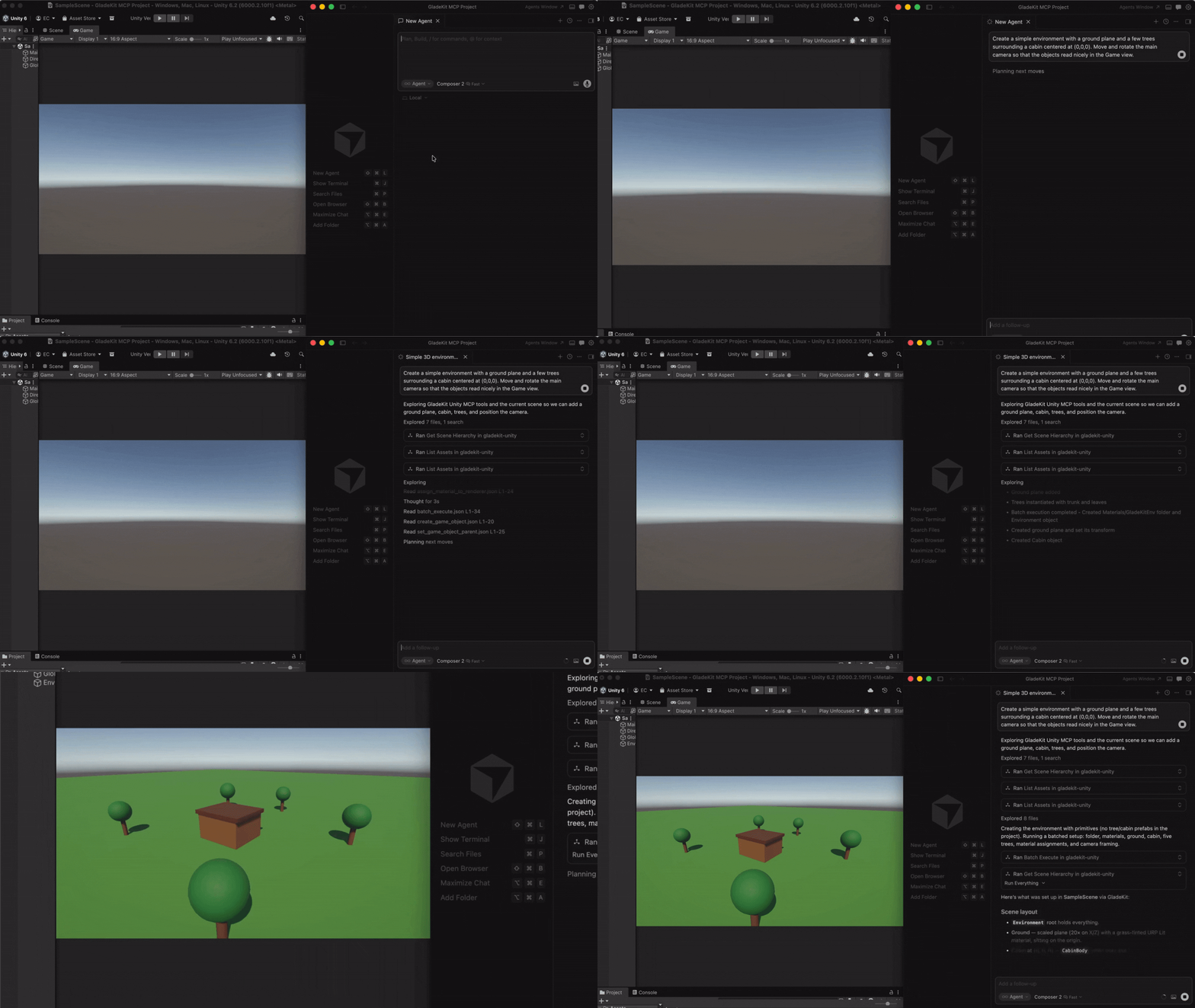
Both engines: one-call vetted gameplay scaffolders (controllers, enemies, combat, menus, save system), a verification loop (look_at_game_view screenshots, runtime-event observation, playability probes), surgical script editing with true find_references / rename_symbol, and build/export tools so the agent can ship what it built.
The MCP server auto-detects which editor is running (Unity on :8765, Godot on :8766) and exposes the matching tool set.
Quick Start
1. Install the editor bridge
GladeKit MCP supports both Unity and Godot. Both bridges live in this repo: unity-bridge/ is a UPM package, godot-bridge/ wraps the editor addon at godot-bridge/addons/com.gladekit.mcp-bridge/. Install the one for your engine.
Engine auto-detection: the MCP server probes both ports on startup and exposes the matching tool set. Running both editors at once? Set GLADEKIT_MCP_FORCE_ENGINE=unity or =godot to pin a specific engine.
2. Connect your AI client
Install uv (one-time):
- Mac/Linux:
curl -LsSf https://astral.sh/uv/install.sh | sh - Windows:
powershell -ExecutionPolicy ByPass -c "irm https://astral.sh/uv/install.ps1 | iex"
Then add the MCP config to your AI client. The client launches the MCP server automatically - no manual server step.
Why GladeKit?
| Feature | GladeKit MCP | unity-mcp (CoplayDev) | godot-mcp (Coding-Solo) |
|---|---|---|---|
| Engines | Unity and Godot, auto-detected from one server | Unity | Godot |
| Tools | 275 Unity + 115 Godot, granular | 48 consolidated (action enums) |
14 |
| Editor link | Live editor session (HTTP :8765 / WebSocket :8766) |
Live editor session | Spawns godot --headless per call, edits .tscn on disk |
| Gameplay scaffolders | One-call vetted templates - controllers, enemies, projectiles, health + HUD, game manager, menus, moving platforms, save system | None | None |
| Verification loop | look_at_game_view screenshots, runtime-event stream, playability probe, play-verify heal gate, compile_scripts |
Screenshots, console read, test runner | run_project + raw stdout |
| Script editing | Outline / partial reads, anchor edits, true find_references / rename_symbol (lexical scanner) |
Anchor / regex edits, Roslyn validation | No script tools |
| Build / export | Both engines (build_player, export_project) |
Unity | None (MeshLibrary only) |
| Assets | Free CC0 pipeline with license audit | AI generation (BYO Tripo / Meshy / fal keys) | None |
| Project context | GLADE.md + live prompt (render pipeline, input system, skill level) | Static instructions | None |
| Script search | Semantic search via OpenAI embeddings (bring your own key) | Regex find_in_file |
None |
| Memory | In-session (remember_for_session) + cross-session (cloud) |
None | None |
| Safety | Undo-registered edits, pre-mutation backups, overwrite guards, per-session token auth, read-only mode | SHA-guarded script edits | None |
| Tests | 269 pytest + 37-case eval on 3 MCP SDK versions, schema↔bridge parity guards, Unity NUnit + Godot GUT suites | Unity CI matrix + NL suite | None |
| License | MIT | MIT | MIT |
Verified against the unity-mcp v10.1.2 and godot-mcp 0.1.1 sources on 2026-08-29. godot-mcp is the most-starred Godot server; the closest active in-editor alternative, godot-ai (46 tools), has screenshots and batch execution but no scaffolders, refactoring, asset pipeline, export, or memory.
All core features are free and local. The cloud intelligence layer is optional and requires a GLADEKIT_API_KEY.
Features
License: MIT - see LICENSE.
The GladeKit desktop app is a separate commercial product that layers streaming, miss recovery, and a memory UI on top of this MCP server.
Install
uvx gladekit-mcpConfiguration
{
  "mcpServers": {
    "gladekit-mcp": {
      "command": "uvx",
      "args": ["gladekit-mcp"]
    }
  }
}