
gronxb/hot-updater
Developer toolsこのページは AI により自動翻訳されています。技術的な詳細は原文をご確認ください。 原文を見る
React Native向けのセルフホスティング可能なOTAアップデートソリューション(CodePushの代替)
概要
完全なドキュメントは以下でご覧いただけます:https://hot-updater.dev Hot Updater agentスキルを付けて、AIコーディングエージェントがデプロイ、バンドル管理、ロールバック、検証に簡潔なCLIコンテキストを使えるようにしてください:skills/hot-updater/SKILL.md その後、エージェントに「$hot-updater deploy with current app version」や「$hot-updater ロールバック」といったプロンプトでエージェントに依頼してください。 ワークフローの詳細はAIエージェントガイドをご覧ください。 - : アップデートインフラの完全な制御 - : iOSとAndroidの両方のサポート - : 直感的な更新管理インターフェース - 変更されていないファイルの再利用と、小規模なOTAダウンロード用のコンパクトなHermesパッチの提供 - : さまざまなストレージプロバイダー(AWS S3、Cloudflare R2 + D1など)のサポート - : セマンティックバージョン管理による堅牢なアプリバージョン管理 - : React Nativeのような新しいアーキテクチャのサポート Hot Updaterは、すべてのデバイスがアーカイブ全体をダウンロードし直す代わりに、段階的なOTAアップデートを提供できます。
概要(AI 翻訳)
ドキュメント
完全な文書は以下で入手可能です: https://hot-updater.dev
AIスキル
Hot Updaterエージェントスキルを付与して、AIコーディングエージェントが簡潔なCLIを使えるようにしましょう
インフラストラクチャのセットアップ、アップグレード、展開、検証のコンテキスト:
skills/hot-updater/SKILL.md
その後、エージェントに尋ねてください:
エージェントはプロジェクトを検査し、もし使えない場合はどのプロバイダーを使うべきか尋ねます 既存の構成から1つを決定します。デプロイメントテンプレートを生成します そして利用可能なプロバイダーツールを使ってそれらを適用します。各ステップを検証し、 失敗したステップから再開してください。アップデートのデプロイやロールバックを依頼することもできます 束ね。
既存のサーバーをアップグレードするには:
エージェントは中間を含むバージョン制御されたアップグレード命令を読み込みます リリース、必要な変更を適用し、Doctorとのサーバーの検証を行います。
詳細はAIエージェントガイドをご覧ください。
ワークフロー全体を使ったり、インタラクティブなセットアップを使うか
端末にnpx hot-updater initを置いた。
主な特徴
- セルフホスト:更新インフラを完全に制御できる
- マルチプラットフォーム:iOSとAndroidの両方に対応しています
- Webコンソール:直感的な更新管理インターフェース
このページは AI により自動翻訳されています。技術的な詳細は原文をご確認ください。
README
以下は原文 README の抜粋です。原文を見る。
Hot Updater

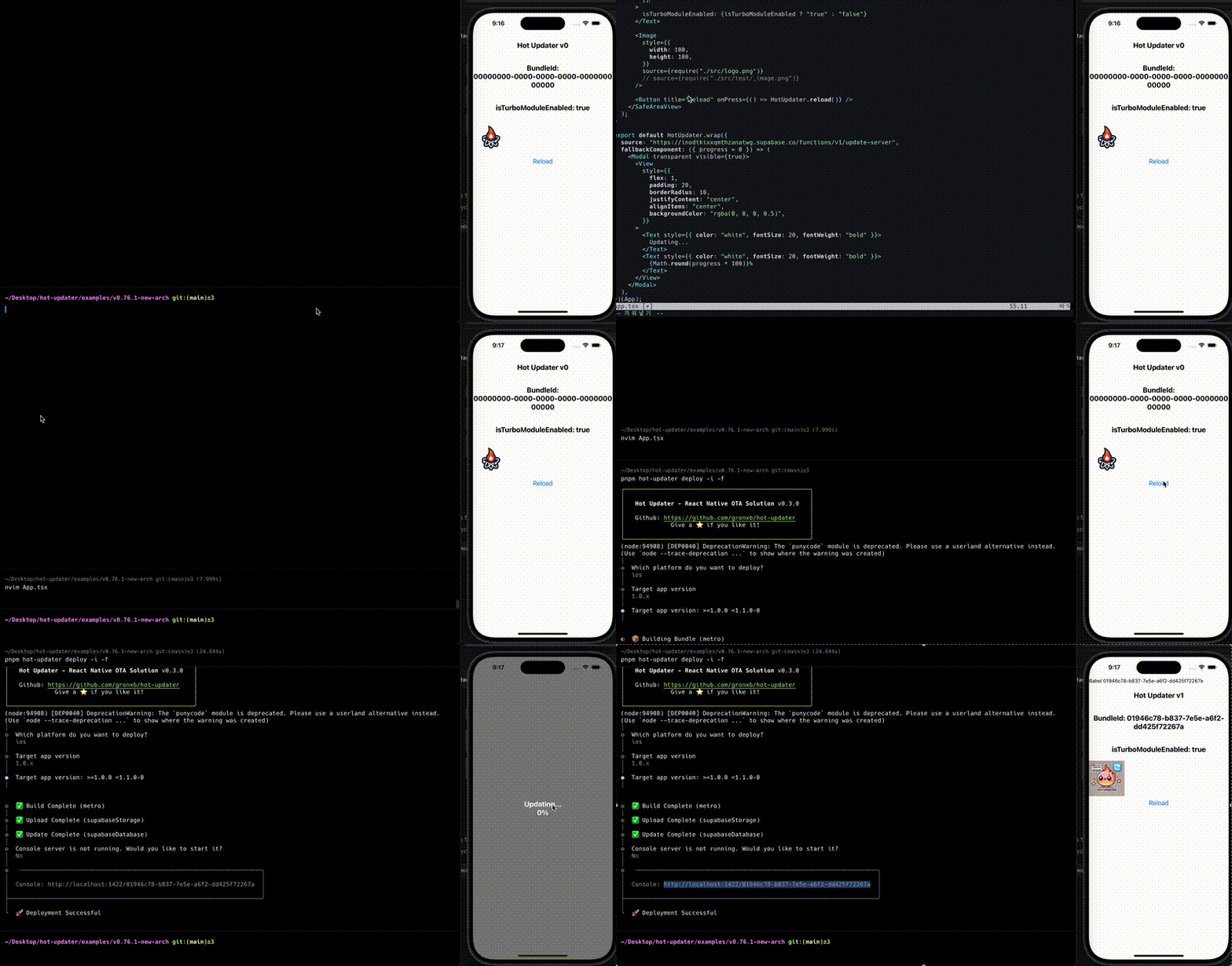
Documentation
Full documentation is available at: https://hot-updater.dev
AI Skills
Attach the Hot Updater agent skill so AI coding agents can use concise CLI
context for infrastructure setup, upgrades, deploys, and verification:
skills/hot-updater/SKILL.md
npx skills add hot-updater/skills
Then ask your agent:
$hot-updater Set up infrastructure for this project.
The agent inspects your project and asks which provider to use if it cannot determine one from existing configuration. It generates deployment templates and applies them using available provider tools. It verifies each step and can resume from a failed step. You can also ask it to deploy an update or roll back a bundle.
To upgrade an existing server:
$hot-updater Upgrade this project's existing server infrastructure.
The agent reads the versioned upgrade instructions, including intermediate releases, applies the required changes, and verifies the server with doctor.
See the AI Agent Guide for
the full workflow, or use interactive setup
with npx hot-updater init in your terminal.
Key Features
- Self-Hosted: Complete control over your update infrastructure
- Multi-Platform: Support for both iOS and Android
- Web Console: Intuitive update management interface
- Bundle Diffing: Reuse unchanged files and ship compact Hermes patches for smaller OTA downloads
- Plugin System: Support for various storage providers (AWS S3, Cloudflare R2 + D1, etc.)
- Version Control: Robust app version management through semantic versioning
- New Architecture: Support for new architecture like React Native
Bundle Diffing
Hot Updater can deliver incremental OTA updates instead of making every
device download the full archive again. A diff-enabled runtime reuses bundle
files that already exist on the device, while deploys prepare .bsdiff
patches for changed Hermes bundles by default.
The server offers individual files, eligible patches, and an optional archive. When patch and complete-file sizes are known and the complete file
推奨ツール
別のキーワードを試すか、フィルタを外してください。
インストール
npx skillfish add gronxb/hot-updater