
tensoropsai/agent-scrum
Developer toolsこのページは AI により自動翻訳されています。技術的な詳細は原文をご確認ください。 原文を見る
ラングラフ、Google A2A、MCP で構築されたカンバボード上でAIエージェントが自己組織するマルチエージェントシミュレーションプラットフォーム.
概要
異なるドメイン間での作業を処理するためにAIエージェントが自己組織するマルチエージェントシミュレーションプラットフォーム。 出版、ソフトウェア開発、タレント取得、販売、またはセキュリティオペレーションのためのボードを作成 - それぞれカンバンボード上でリアルタイムでコラボレーションする独自のドメイン固有のエージェント。 「一人一人のエージェント:LangGraph、Google A2A、MCP で AI の Jira + Slack をビルドする」 エージェントスクラムは、作業を継続的にスキャンし、エージェントが互いに話し合い、外部ツールにボードを公開する3つのコアのアイデアに基づいて構築されています。 一緒に合う方法は次のとおりです。 "Start Swarm" をクリックすると、背景ループが始まります。 これは、2つのノードでLangGraph StateGraphとして実装されます。 1. - すべてのボードをスキャンし、スタックされたアイテムを見つけ、次のエージェントを選択します。 - 選択したエージェントを呼び出し、その作業を行い、アイテムを転送します。 グラフループ:ルータ→エージェント→ルータ→エージェント→エージェント→...
概要(AI 翻訳)
異なるドメイン間での作業を処理するためにAIエージェントが自己組織するマルチエージェントシミュレーションプラットフォーム。 出版、ソフトウェア開発、タレント取得、販売、またはセキュリティオペレーションのためのボードを作成 - それぞれカンバンボード上でリアルタイムでコラボレーションする独自のドメイン固有のエージェント。
ライブデモ · 深夜 説明を見る
*「一人一人のエージェント:LangGraph、Google A2A、MCP で AI の Jira + Slack をビルドする」
クイックスタート
http://localhost:5173を開く
使い方
エージェントスクラムは、作業を継続的にスキャンするLangGraph swarm、エージェントがお互いに話せるA2Aプロトコル、外部ツールにボードを公開するMCPサーバーの3つのコアアイデアに基づいて構築されています。 一緒に合う方法は次のとおりです。
###Swarm ループ
“Start Swarm” をクリックすると、背景ループが始まります。
これは、2つのノードでLangGraph StateGraphとして実装されます。
1.ロイターノード - すべてのボードをスキャンし、スタックされたアイテムを見つけ、次のエージェントを選択します。 2。 エージェントノード - 選択したエージェントを呼び出し、その作業を行い、アイテムを転送します
このページは AI により自動翻訳されています。技術的な詳細は原文をご確認ください。
README
以下は原文 README の抜粋です。原文を見る。
Agent Scrum
A multi-agent simulation platform where AI agents self-organize to process work across different domains. Create boards for Publishing, Software Development, Talent Acquisition, Sales, or Security Operations - each with its own domain-specific agents that collaborate in real-time on a Kanban board.
Try the live demo · Read the deep-dive · Watch the explainer
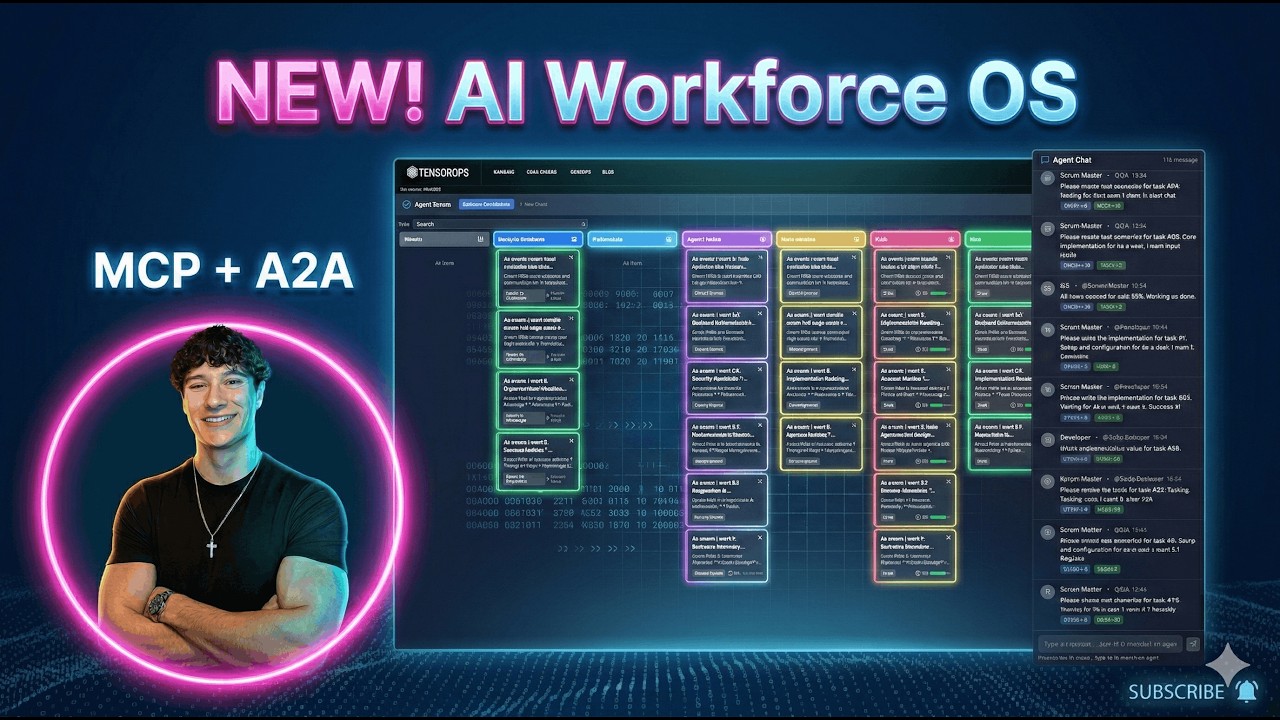
“Beyond the single agent: building a Jira + Slack for AI swarms with LangGraph, Google A2A, and MCP.” — blog post
Quick Start
make install && make dev
How It Works
Agent Scrum is built on three core ideas: a LangGraph swarm that continuously scans for work, an A2A protocol that lets agents talk to each other, and an MCP server that exposes the board to external tools. Here’s how they fit together.
The Swarm Loop
When you click “Start Swarm”, a background loop begins:
every 3-6 seconds:
    for each board where agent_automation is enabled:
        look up TEMPLATE_WORKFLOWS[board.template_id]
        for each (status -> agent_role, action) mapping:
            find items stuck in that status
            dispatch the right agent to handle them
This is implemented as a LangGraph StateGraph with two nodes:
- Router node - scans all boards, finds stuck items, picks the next agent
- Agent node - invokes the selected agent, which does its work and moves the item forward
The graph loops: router -> agent -> router -> agent -> ... -> end (when no more work is found or max iterations hit). Then the monitor sleeps 3-6 seconds and runs again.
┌──────────┐     has work?     ┌───────────────────┐
│  Router  │ ───── yes ──────→ │ dynamic_agent_node │
│  (scan)  │                   │  (invoke agent)    │
└──────────┘                   └────────┬───────────┘
     ↑                                  │
     └────────── more work? ────────────┘
                    no → END
Agent Dispatch
Each board template defines which agent handles which column transition. For example, the Publisher template (default):
| When item reaches status | Agent dispatched | Action |
|---|---|---|
writing |
Journalist | Write article |
editing |
Editor | Review article |
creatives |
Creative Director | Create visuals |
ready_to_publish |
Publisher | Publish content |
Or the Software Development template:
インストール
This server does not publish a one-line install command.
Open the repository installation guide MCP 初心者?mcpskill.org のガイドから始めましょう →設定
{
  "mcpServers": {
    "agent-scrum-tasks": {
      "command": "python",
      "args": ["-m", "app.mcp.task_server"],
      "cwd": "/path/to/agent-scrum/backend"
    }
  }
}