
primeta-ai/mcp-namecheap-registrar
Developer toolsこのページは AI により自動翻訳されています。技術的な詳細は原文をご確認ください。 原文を見る
A Cursor MCP (Model Context Protocol) integration for Namecheap Domains API that allows you to check domain availability, get pricing information, and register domains directly through the Cursor AI...
概要
A Cursor MCP (Model Context Protocol) integration for Namecheap Domains API that allows you to check domain availability, get pricing information, and register domains directly through the Cursor AI interface. Always double-check domain registration commands before confirming purchases. - ✅ : Quickly check if a domain name is available - ✅ : Get detailed pricing for domain registration, renewal, and transfers - ✅ : Register domains with your Namecheap account - ✅ : Enable/disable WhoisGuard privacy protection - ✅ : Specify custom nameservers during registration - Node.
README
以下は原文 README の抜粋です。原文を見る。
Namecheap Domains MCP for Cursor
A Cursor MCP (Model Context Protocol) integration for Namecheap Domains API that allows you to check domain availability, get pricing information, and register domains directly through the Cursor AI interface.

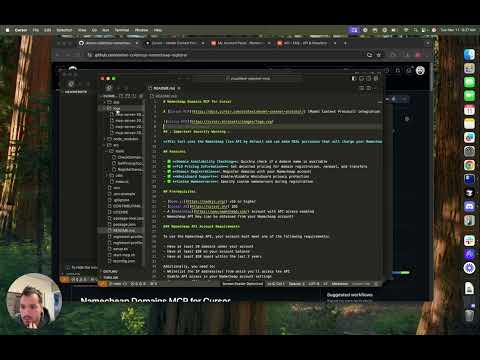
YouTube Walkthrough:
⚠️ Important Security Warning ⚠️
This tool uses the Namecheap live API by default and can make REAL purchases that will charge your Namecheap account. Always double-check domain registration commands before confirming purchases.
Features
- ✅ Domain Availability Checking: Quickly check if a domain name is available
- ✅ TLD Pricing Information: Get detailed pricing for domain registration, renewal, and transfers
- ✅ Domain Registration: Register domains with your Namecheap account
- ✅ WhoisGuard Support: Enable/disable WhoisGuard privacy protection
- ✅ Custom Nameservers: Specify custom nameservers during registration
Prerequisites
- Node.js v16 or higher
- Cursor AI IDE
- A Namecheap account with API access enabled
- Namecheap API Key (can be obtained from your Namecheap account)
Namecheap API Account Requirements
To use the Namecheap API, your account must meet one of the following requirements:
- Have at least 20 domains under your account
- Have at least $50 on your account balance
- Have at least $50 spent within the last 2 years
Additionally, you need to:
- Whitelist the IP address(es) from which you’ll access the API
- Enable API access in your Namecheap account settings
- Generate an API key from your Namecheap dashboard
For more details, see the Namecheap API FAQ.
Setup Instructions
- Clone the repository
git clone https://github.com/yourusername/namecheap-domains-mcp.git
cd namecheap-domains-mcp
- Install dependencies
npm install
- Create environment configuration
Copy the example environment file and edit it with your Namecheap API credentials:
cp .env.example .env
Edit the .env file and add your Namecheap credentials:
NAMECHEAP_USERNAME=your_username
NAMECHEAP_API_KEY=your_api_key
NODE_ENV=production  # Use 'sandbox' for testing without real purchases
- Create a registrant profile
Copy the example registrant profile and customize it with your information:
cp registrant-profile.example.json registrant-profile.json
Edit registrant-profile.json with your contact details that will be used for domain registrations.
- Build the project
npm run build
インストール
This server does not publish a one-line install command.
Open the repository installation guide MCP 初心者?mcpskill.org のガイドから始めましょう →