
このページは AI により自動翻訳されています。技術的な詳細は原文をご確認ください。 原文を見る
kubeflow/mcp-server は [https://github.com/kubeflow/mcp-server. からインポートされた MCP サーバーの候補です
概要
kubeflow/mcp-server は [https://github.com/kubeflow/mcp-server. からインポートされた MCP サーバーの候補です
概要(AI 翻訳)
提案:KEP-936・ロードマップ・セキュリティ・コンサルティング
概要
Kubeflow MCP Serverは、モデルコンテキストプロトコルツールとしてKubeflowトレーニング操作を公開し、AIエージェント(Claude、Cursor、Claudeコード、またはカスタムエージェントなど)を有効にして、自然言語でトレーニングジョブを計画、送信、監視、管理します。ユーザーはKubernetesやKubeflow SDKを直接学習する必要はありません。
利点
-Agent-Native:MCPによる自動検出ツール — 手動API配線なし
- 指定ワークフロー: 次のステップヒント(計画→発見→列車→モニター)で注文するフェーズ -Preview-Before-Submit: すべてのミュート操作は明示的な確認を必要とします
- セキュリティファースト: ペルソナのgating、名前空間の執行、入力検証、ベアア/JWTのauth -マルチプラットフォーム:プラットフォーム固有のガイダンスでOpenShift、EKS、GKEを自動検出
- トークン効率: Progressive/semantic モードは 23 ツールを 2-3 メタツールに圧縮します。
- 拡張:追加のKubeflowクライアント用のプラグインアーキテクチャ(TODO:オプティマイザ、ハブ)
デモ
始める
詳細はこちら インストールから作業中のMCPクライアントへのステップバイステップパスでクイックスタート&トラブルシューティングガイドを参照してください。
##PyPIからインストールする
このページは AI により自動翻訳されています。技術的な詳細は原文をご確認ください。
README
以下は原文 README の抜粋です。原文を見る。
Kubeflow MCP Server




Proposal: KEP-936 · ROADMAP · SECURITY · CONTRIBUTING
Overview
The Kubeflow MCP Server exposes Kubeflow Training operations as Model Context Protocol tools, enabling AI agents (Claude, Cursor, Claude Code, or any custom agents etc.) to plan, submit, monitor, and manage training jobs through natural language — without users needing to learn Kubernetes or the Kubeflow SDK directly.
Benefits
- Agent-Native: Tools auto-discovered via MCP — no manual API wiring
- Guided Workflow: Phase ordering with next-step hints (Plan → Discover → Train → Monitor)
- Preview-Before-Submit: Every mutating operation requires explicit confirmation
- Security-First: Persona gating, namespace enforcement, input validation, bearer/JWT auth
- Multi-Platform: Auto-detects OpenShift, EKS, GKE with platform-specific guidance
- Token-Efficient: Progressive/semantic modes compress 23 tools into 2-3 meta-tools
- Extensible: Plugin architecture for additional Kubeflow clients (TODO: optimizer, hub)
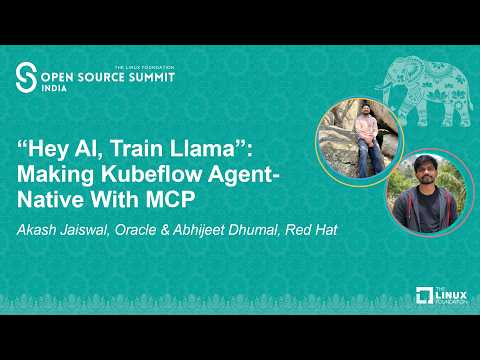
Demo
Get Started
New here? See the Quickstart & Troubleshooting guide for a step-by-step path from installation to a working MCP client.
Install from PyPI
pip install kubeflow-mcp
Install from source (development)
git clone https://github.com/kubeflow/mcp-server.git
cd mcp-server
make install-dev
Prerequisites
Before starting the Kubeflow MCP Server, make sure the following requirements are available:
- Python 3.10, 3.11, or 3.12
- A running Kubernetes cluster
kubectlinstalled and available inPATH- A kubeconfig configured for the target cluster
- Kubeflow Trainer installed in the cluster
- Kubeflow Trainer CRDs and at least one
ClusterTrainingRuntime - Kubernetes permissions for the namespace you train in, plus cluster-scoped read access for planning and runtime discovery (see RBAC Configuration)
Verify the connection and your permissions in the target namespace. Each
インストール
docker run --rm -p 8000:8000 \設定
{
  "mcpServers": {
    "kubeflow": {
      "url": "http://localhost:8000/mcp",
      "headers": { "Authorization": "Bearer my-secret-token" }
    }
  }
}