
このページは AI により自動翻訳されています。技術的な詳細は原文をご確認ください。 原文を見る
apisec-inc/mcp-auditは、https://github.com/apisec-inc/mcp-audit.からインポートされたMCPサーバー候補です。
概要
apisec-inc/mcp-auditは、https://github.com/apisec-inc/mcp-audit.からインポートされたMCPサーバー候補です。
概要(AI 翻訳)
AIエージェントが何にアクセスできるか確認してください - 稼働前に。
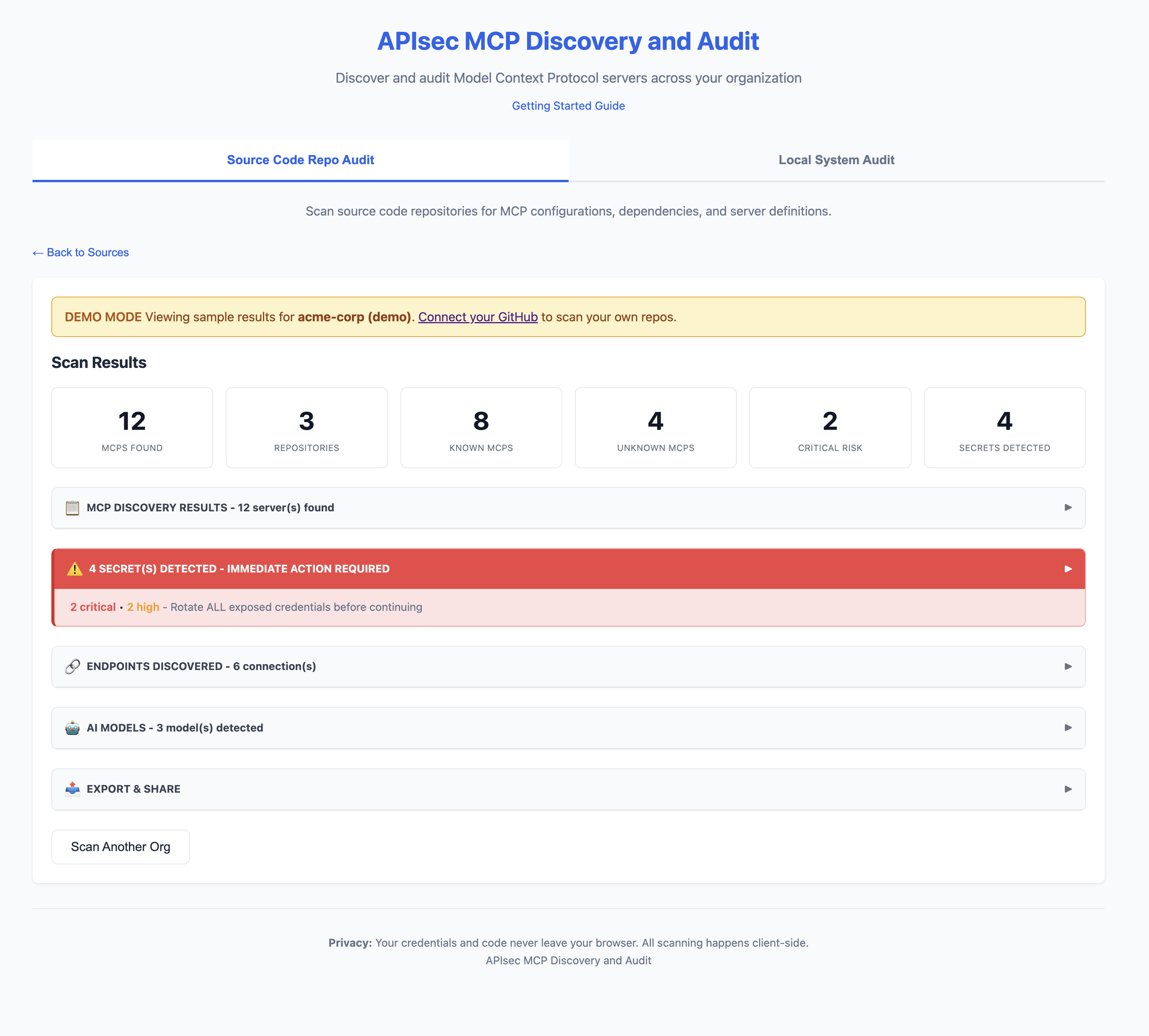
ウェブアプリ
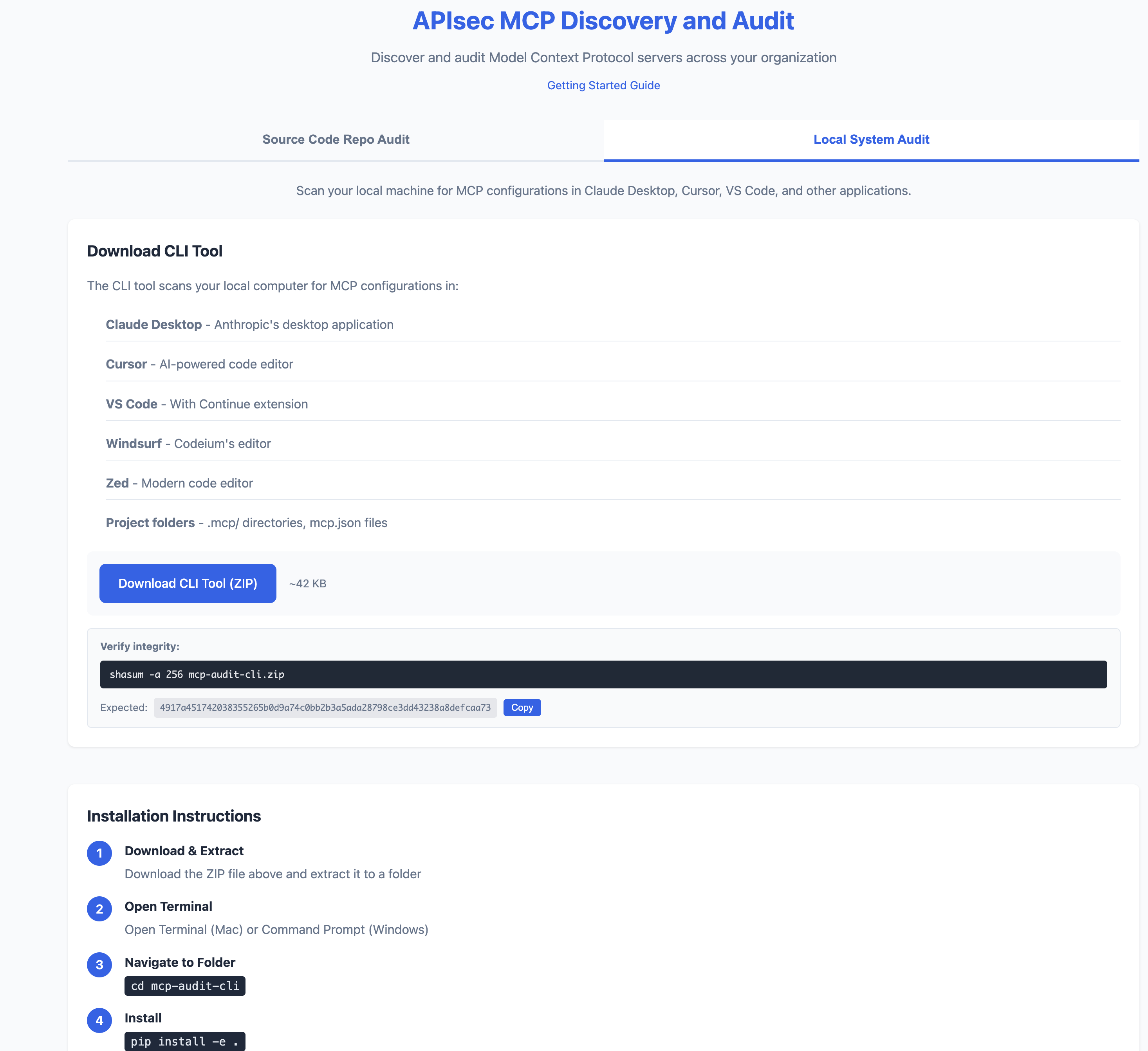
CLI
クイックスタート
それが何をするのか
MCP AuditはあなたのAI開発ツール(Claude Desktop、Cursor、VS Code)をスキャンし、以下の内容を明らかにします:
- 秘密 - 公開されたAPIキー、トークン、データベースパスワード
- API - AIエージェントが接続するすべてのエンドポイント
- AIモデル - どのLLMが設定されているか(GPT-4、Claude、Llama)
- リスクフラグ - シェルアクセス、ファイルシステムアクセス、未検証ソース
ソースレベルスキャン(v1.1に新たに追加)
mcp-audit scan は MCP サーバーの構成*をインベントリズに記入します。新しい mcp-audit source-scan コマンドはさらに一歩進み、MCP サーバー自身のソースコード**を読み取り、サーバー作成者が導入した可能性のあるコードレベルの脆弱性をフラグ付けします。
現在では、LLM制御ツールの引数をシェル生成API([[T2]、util.promisify(exec)、subprocess.run(shell=True)、os.system、os.popen)にパイプするMCPサーバーの攻撃連鎖を捕捉しています。LLM入力を制御する攻撃者は、シェルメタキャラクターを注入し、MCPサーバーを稼働させるホスト上で任意のコードを実行できます。
出力:
このページは AI により自動翻訳されています。技術的な詳細は原文をご確認ください。
README
以下は原文 README の抜粋です。原文を見る。
MCP Audit


See what your AI agents can access - before they go live.
Web App
CLI
Quick Start
# Install
pip install -e .

# Scan your machine
mcp-audit scan

# Or try the web app (no install)
# https://apisec-inc.github.io/mcp-audit/?demo=true
What It Does
MCP Audit scans your AI development tools (Claude Desktop, Cursor, VS Code) and reveals:
- Secrets - Exposed API keys, tokens, database passwords
- APIs - Every endpoint your AI agents connect to
- AI Models - Which LLMs are configured (GPT-4, Claude, Llama)
- Risk Flags - Shell access, filesystem access, unverified sources
⚠️  2 SECRET(S) DETECTED - IMMEDIATE ACTION REQUIRED

[CRITICAL] GitHub Personal Access Token
  Location: github-tools → env.GITHUB_TOKEN
  Remediation: https://github.com/settings/tokens → Delete → Recreate

[HIGH] Database Connection String
  Location: postgres-mcp → env.DATABASE_URL
  Remediation: Rotate credentials, use secrets manager
Source-level Scanning (new in v1.1)
mcp-audit scan inventories MCP server configurations. The new mcp-audit source-scan command goes one level deeper — it reads the MCP server’s own source code and flags code-level vulnerabilities the server author may have introduced.
Today it catches the “Prompt In, Shell Out” attack chain: an MCP server that pipes an LLM-controlled tool argument into a shell-spawning API (child_process.exec, util.promisify(exec), subprocess.run(shell=True), os.system, os.popen) without sanitization. An attacker controlling the LLM input can inject shell metacharacters and execute arbitrary code on the host running the MCP server.
$ mcp-audit source-scan ./packages/my-mcp-server

MCP source-scan: packages/my-mcp-server
1 critical · 0 high · 1 finding(s) total

  Severity  Conf  File:Line      API                                          Snippet
  CRITICAL  high  server.js:19   util.promisify(child_process.exec) ...       const { stdout } = await execAsync(
Outputs:
--format table(default, human-readable)--format json(CI integrations, jq pipelines)--format sarif(upload to GitHub code-scanning / GitLab / similar)
Gate merges on critical findings:
mcp-audit source-scan ./my-mcp --exit-code
The scanner is intentionally narrow — it only opens files that look like MCP server source (imports an MCP SDK). It won’t try to find shell-injection bugs in random Node / Python code; that’s not the job.
インストール
docker run -v $(pwd):/scan mcp-audit scan