
szamosimate/tapir-archicad-mcp 是从 https://github.com/szamosimate/tapir-archicad-mcp. 导入的 MCP 服务器候选。
概览
szamosimate/tapir-archicad-mcp 是从 https://github.com/szamosimate/tapir-archicad-mcp. 导入的 MCP 服务器候选。
概述(AI 翻译)
该项目为Archicad提供一个模型上下文协议(MCP)服务器。它作为桥梁,允许AI代理和应用程序(如Claude for Desktop)通过包裹社区驱动的Tapir API和官方Archicad JSON API,与运行中的Archicad实例交互。
服务器从合并的 API 模式动态生成一套全面的 191+ MCP 工具,实现对 Archicad 项目的细致控制。
主要特色
- Pydantic 驱动的运行时验证与模式生成: 每个工具的输入和输出形状都由严格的 Pydantic 模型支持。服务器会动态将这些图形编译成详细的 JSON 模式供 AI 代理检查,并在转发给 Archicad 之前严格验证所有输入工具参数。它无缝处理复杂模型、联合类型和类型别名。
- **渐进式工具发现(CLI风格):*服务器采用确定性工作流(
archicad_list_commands和archicad_get_command_schema),允许AI代理列出可用命令并按需获取精确参数模式。这避免了模型上下文窗口被大量模式淹没。
本页由 AI 翻译,技术细节请以原文为准。
README
以下为原文 README 节选,完整内容请查看原文。
Archicad Tapir MCP Server
Connect your AI assistant to Archicad. Use natural language to explore projects and automate workflows through the Tapir add-on and the official Archicad JSON API.





See it in action
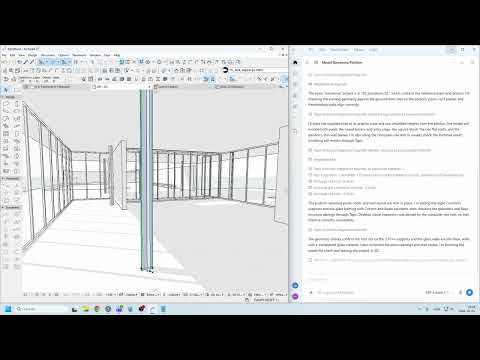
Astra uses photos and a plan as references to model in Archicad.
What can it do?
- Inspect open projects, elements, properties, and attributes.
- Find elements that match conditions on type, properties, and classifications.
- Create and modify model elements, and work with views and layouts.
- Export project data and use supported IFC and Teamwork commands.
- Access 843 Archicad commands, discovered on demand by your assistant.
- Connect to multiple running Archicad instances.
Quick start
Before installing the MCP server, make sure Archicad is running on Windows or macOS and install these two requirements:
- Tapir add-on — an Archicad add-on that gives the server access to Archicad’s automation commands. Install it in Archicad for the version you use.
- uv — a tool that installs and runs the MCP server and its dependencies. Install it on the computer running Archicad.
You’ll also need an MCP client: the AI application that connects to the server.
Ask your AI to install it
Copy this prompt into your AI assistant:
Install the Archicad Tapir MCP server for my MCP client, following the instructions at https://github.com/SzamosiMate/tapir-archicad-MCP/blob/master/docs/setup-and-configuration.md. Help me verify that it can connect to my running Archicad instance.
Install it yourself
If your client supports MCP bundles, download tapir-archicad.mcpb and open it in your client. The client must be able to find uv on its PATH.
Prefer the old-school approach? Follow the manual setup instructions—editing a config file is optional hacker cred.
Try it
With Archicad running, ask your assistant:
安装
This server does not publish a one-line install command.
Open the repository installation guide 新手?先看 mcpskill.org 教程 →