
Hyprland的电脑使用——MCP服务器,为AI代理提供原生操作你的Wayland桌面。没有ydotool,没有root权限,没有门户。
概览
一个MCP服务器,为AI代理在你的Wayland桌面上提供原生操作:工作区、窗口、鼠标、键盘、截图。 没有ydotool守护进程。没有root。没有传送门。没有X11。 macOS和Windows上都有电脑使用。Linux上几乎没有任何功能:Claude桌面Linux测试版明确附带屏幕控制,Anthropic的参考实现是X11容器,现有的Wayland尝试则依赖setuid uinput破解或仅限GNOME的门户。 与此同时,HyprLand已经提供了代理所需的一切,比任何无障碍桥都更好:完整的IPC表面用于状态和窗口管理,以及一流的Wayland协议输入。Hypruse只需将它们接线到MCP: - 桌面在一次调用中返回真实的窗口/工作区树(地址、类、标题、几何体)。代理切换工作区并聚焦窗口的方式就像你一样(即时且通过IPC),而不是通过眯眼看像素。
概述(AI 翻译)
用于Hyprland的计算机。 一台MCP服务器,为AI代理提供Wayland桌面的原生操作功能:工作区、窗口、鼠标、键盘、截图。
没有ydotool守护进程。没有root。没有传送门。没有X11。
为什么
macOS和Windows上都有电脑使用,厂商的Linux应用仍然没有提供:Claude Desktop的Linux文档显示那里不支持电脑使用,ChatGPT的电脑使用仅覆盖macOS和Windows。Anthropic的参考实现是X11容器。其他Wayland工具依赖ydotool和uinput,依赖仅限GNOME的门户,或基于专门为同一Hyprland版本构建的合成器插件。
与此同时,HyprLand已经提供了代理所需的一切,比任何无障碍桥都更好:完整的IPC表面用于状态和窗口管理,以及一流的Wayland协议输入。Hypruse只需将它们接线到MCP:
- 语义优先。
desktop一次调用返回真实的窗口/工作区树(地址、类、标题、几何体)。代理切换工作区并聚焦窗口的方式就像你做的那样(即时,通过IPC),而不是通过微细盯像素。 - 关键时刻的愿景。 显示器截图,一个窗口(含 grim 1.
本页由 AI 翻译,技术细节请以原文为准。
README
以下为原文 README 节选,完整内容请查看原文。
hypruse
Computer use for Hyprland. An MCP server that gives AI agents native hands on your Wayland desktop: workspaces, windows, mouse, keyboard, screenshots.
No ydotool daemon. No root. No portals. No X11.
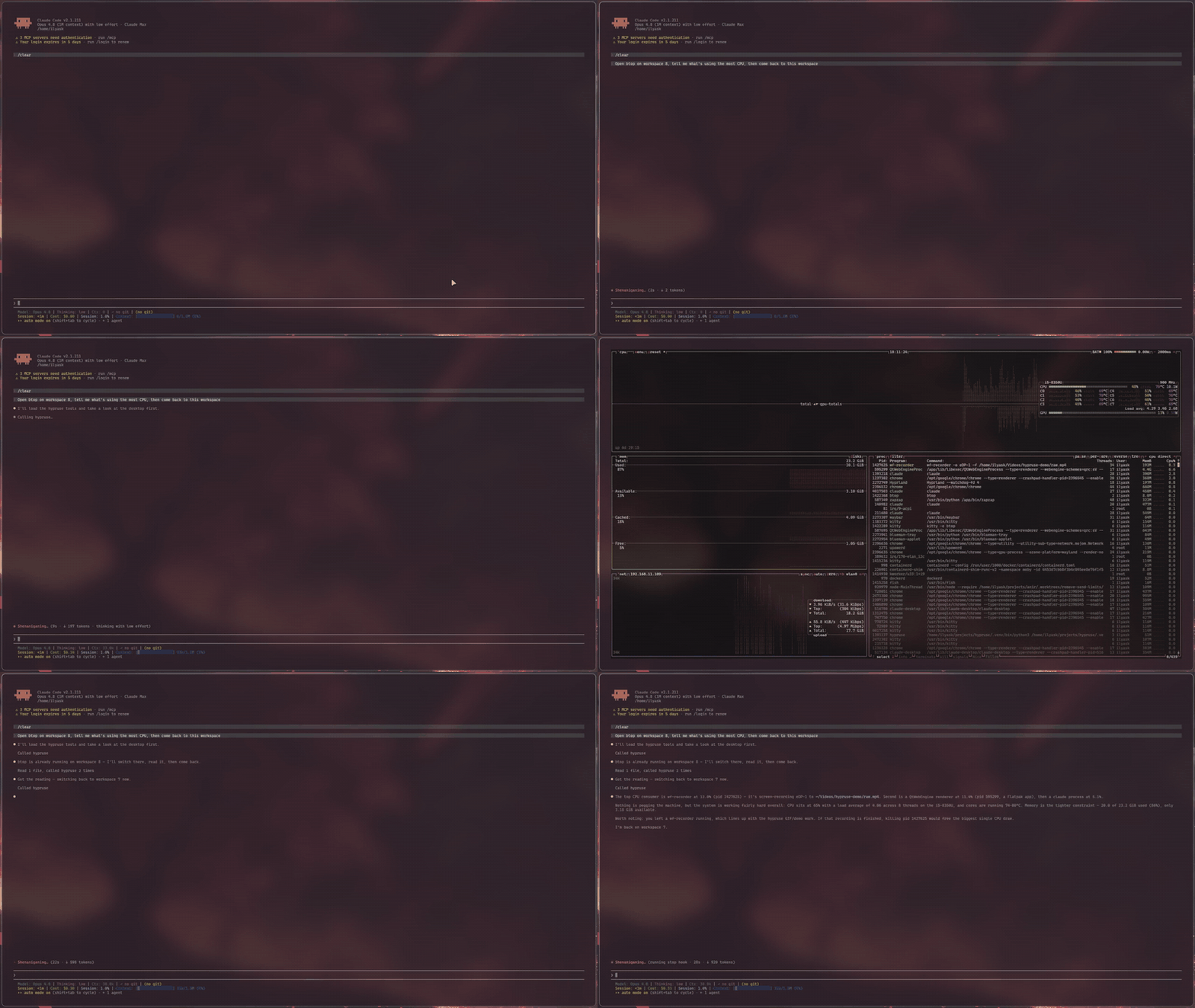
Why
Computer use exists on macOS and Windows, and the vendors’ Linux apps still ship without it: Claude Desktop’s Linux docs say computer use is not available there, and ChatGPT’s computer use covers macOS and Windows only. Anthropic’s reference implementation is an X11 container. Other Wayland tools lean on ydotool and uinput, on GNOME-only portals, or on a compositor plugin built for one exact Hyprland version.
Meanwhile Hyprland already exposes everything an agent needs, better than any accessibility bridge: a complete IPC surface for state and window management, and first-class Wayland protocols for input. hypruse just wires them to MCP:
- Semantic first.
desktopreturns the real window/workspace tree (addresses, classes, titles, geometry) in one call. The agent switches workspaces and focuses windows the way you do (instantly, over IPC), not by squinting at pixels. - Vision when it matters. Screenshots of a monitor, one window (with grim 1.5+ on Hyprland 0.54+, captured as itself even on a hidden workspace or under another window, though a hidden app may show how it last looked), or a zoomed region, with the geometry/scale metadata to map any pixel back to a clickable coordinate: a coarse-to-fine loop grounded in the GUI-agents research.
- Native input. Clicks and scrolls are spoken directly over the Wayland wire (
zwlr_virtual_pointer_v1); typing goes throughwtype’s virtual keyboard with a proper XKB keymap, unicode-safe on any layout. - Works beside you. The agent can work in apps on its own workspaces while you keep working on yours. It presses controls through the accessibility tree and types through it or with Hyprland’s
sendshortcut, so your cursor, keyboard focus and workspace stay where you left them. Stock Hyprland, no compositor plugin: see Background mode.
How it works
agent (Claude Code, or any MCP client)
   │ stdio
   ▼
hypruse
   ├── hyprctl -j ········▶ desktop state: monitors, workspaces, windows, layers
   ├── hyprctl dispatch ··▶ focus / move / close / launch / movecursor,
   │                        and sendshortcut for keys to a hidden window
   ├── grim ··············▶ screenshots: monitor, window, region
   ├── D-Bus (AT-SPI) ····▶ accessibility tree: named controls, current
   │                        values, exact coords (ui / marks / click_ui),
│ and presses and text in the background安装
uvx hypruse配置
{
  "mcpServers": {
    "hypruse": {
      "command": "uvx",
      "args": ["hypruse"],
      "env": { "HYPRUSE_SCREENSHOT_MODE": "image" }
    }
  }
}