
szamosimate/tapir-archicad-mcp
Developer toolsЭта страница переведена автоматически. Технические детали смотрите в оригинале. Открыть оригинал
szamosimate/tapir-archicad-mcp — это кандидат на сервер MCP, импортированный из https://github.com/szamosimate/tapir-archicad-mcp.
Обзор
szamosimate/tapir-archicad-mcp — это кандидат на сервер MCP, импортированный из https://github.com/szamosimate/tapir-archicad-mcp.
Обзор (машинный перевод)
Этот проект предоставляет сервер протокола Model Context Protocol (MCP) для Archicad. Он выступает в роли моста, позволяя агентам и приложениям ИИ (например, Claude для Desktop) взаимодействовать с запускающими экземплярами Archicad, обворачивая как сообщество управляемый Tapir API, так и официальный Archicad JSON API.
Сервер динамически генерирует комплексный набор инструментов 191+ MCP из объединённых схем API, что позволяет тщательно управлять проектами Archicad.
Ключевые особенности
- Валидация и генерация схем на основе Pydantic: Входные и выходные формы каждого инструмента поддерживаются строгими моделями Pydantic. Сервер динамически компилирует их в подробные JSON-схемы для проверки агентом ИИ и строго проверяет все входящие аргументы инструмента во время выполнения до пересылки их в Archicad. Он бесшовно обрабатывает сложные модели, типы объединений и TypeAliases.
- Прогрессивное обнаружение инструментов (в стиле CLI): Сервер использует детерминированный рабочий процесс (
archicad_list_commandsиarchicad_get_command_schema), который позволяет агентам ИИ перечислять доступные команды и получать точные схемы параметров по запросу. Это предотвращает перегрузку контекстного окна модели большими схемами.
Эта страница переведена автоматически. Технические детали смотрите в оригинале.
README
Показан фрагмент оригинального README. Открыть оригинал.
Archicad Tapir MCP Server
Connect your AI assistant to Archicad. Use natural language to explore projects and automate workflows through the Tapir add-on and the official Archicad JSON API.





See it in action
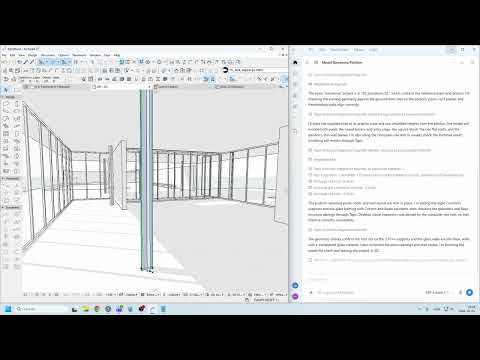
Astra uses photos and a plan as references to model in Archicad.
What can it do?
- Inspect open projects, elements, properties, and attributes.
- Find elements that match conditions on type, properties, and classifications.
- Create and modify model elements, and work with views and layouts.
- Export project data and use supported IFC and Teamwork commands.
- Access 800+ Archicad commands, discovered on demand by your assistant.
- Connect to multiple running Archicad instances.
Quick start
Before installing the MCP server, make sure Archicad is running on Windows or macOS and install these two requirements:
- Tapir add-on — an Archicad add-on that gives the server access to Archicad’s automation commands. Install it in Archicad for the version you use.
- uv — a tool that installs and runs the MCP server and its dependencies. Install it on the computer running Archicad.
You’ll also need an MCP client: the AI application that connects to the server.
Ask your AI to install it
Copy this prompt into your AI assistant:
Install the Archicad Tapir MCP server for my MCP client, following the instructions at https://github.com/SzamosiMate/tapir-archicad-MCP/blob/master/docs/setup-and-configuration.md. Help me verify that it can connect to my running Archicad instance.
Install it yourself
If your client supports MCP bundles, download tapir-archicad.mcpb and open it in your client. The client must be able to find uv on its PATH.
Prefer the old-school approach? Follow the manual setup instructions—editing a config file is optional hacker cred.
Try it
With Archicad running, ask your assistant:
Установка
This server does not publish a one-line install command.
Open the repository installation guide Новичок в MCP? Начните с руководства на mcpskill.org →