
potpie-ai/potpie
Developer tools이 페이지는 AI로 자동 번역되었습니다. 기술적인 세부 사항은 원문을 확인하세요. 원문 보기
potpie-ai/potpie는 [[T0]에서 가져온 에이전트 스킬 후보입니다.
개요
potpie-ai/potpie는 [[T0]에서 가져온 에이전트 스킬 후보입니다.
개요(AI 번역)
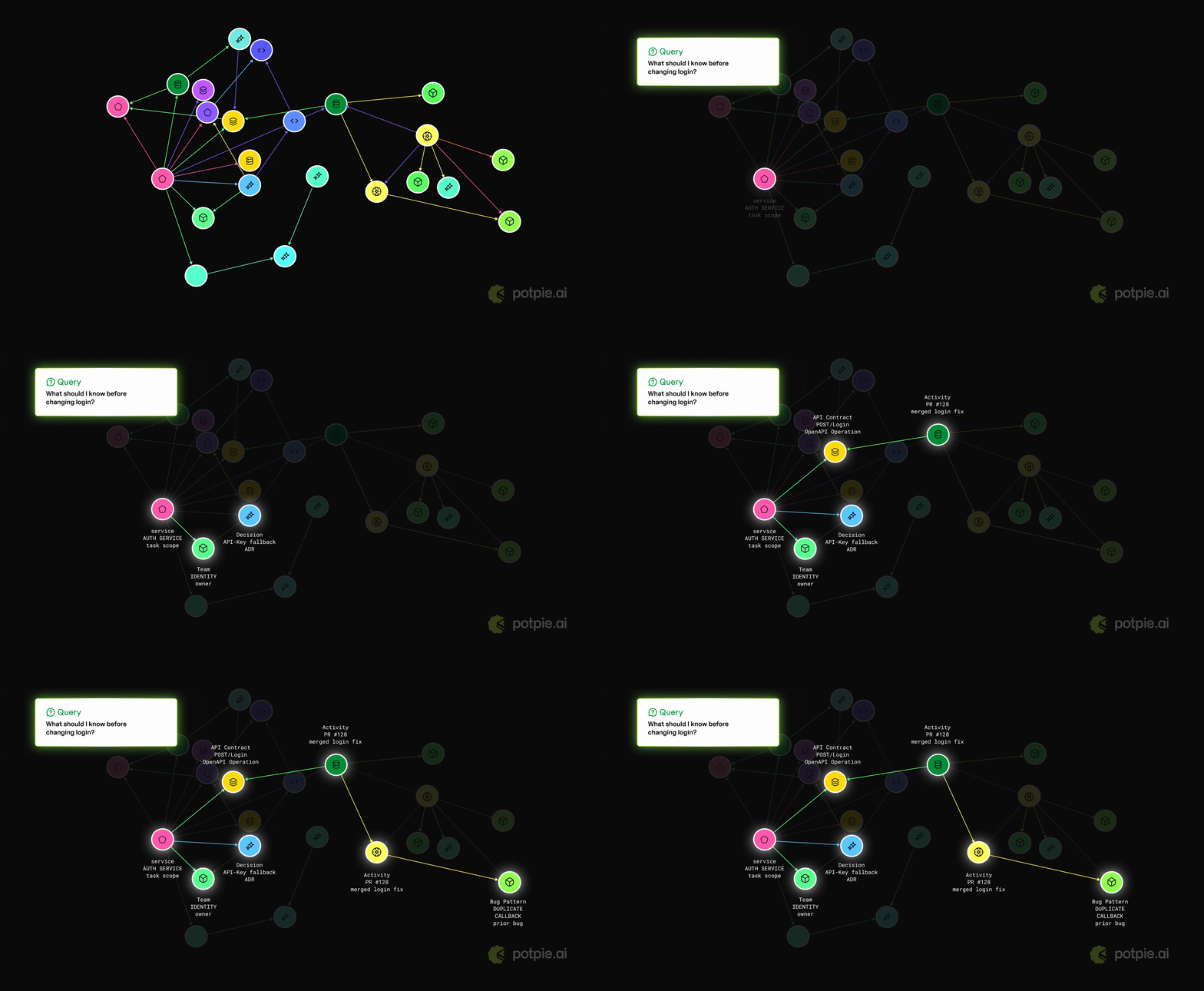
Potpie는 코드베이스와 소프트웨어 개발 수명 주기를 AI 에이전트를 위한 살아있는 컨텍스트 그래프로 변환합니다. 코드, 구조, 의사결정, 소스 이력, 팀 지식 및 엔지니어링 워크플로우를 색인화하여 에이전트가 질문에 답하고, 변경 계획을 세우며, 실패를 디버깅하고, 프로젝트별 맥락을 바탕으로 코드를 작성할 수 있습니다.
포트 파이 설치 및 설정
1단계: PyPI를 통해 uv 또는 [pip로 CLI 설치:
또는 :
[! 참고]
uv tool install potpie는 전역 CLI 설치에 권장됩니다. 파이썬 패키지> 변형은 일반적으로 권장되지 않습니다.
2단계: 포피 설정 마법사 실행
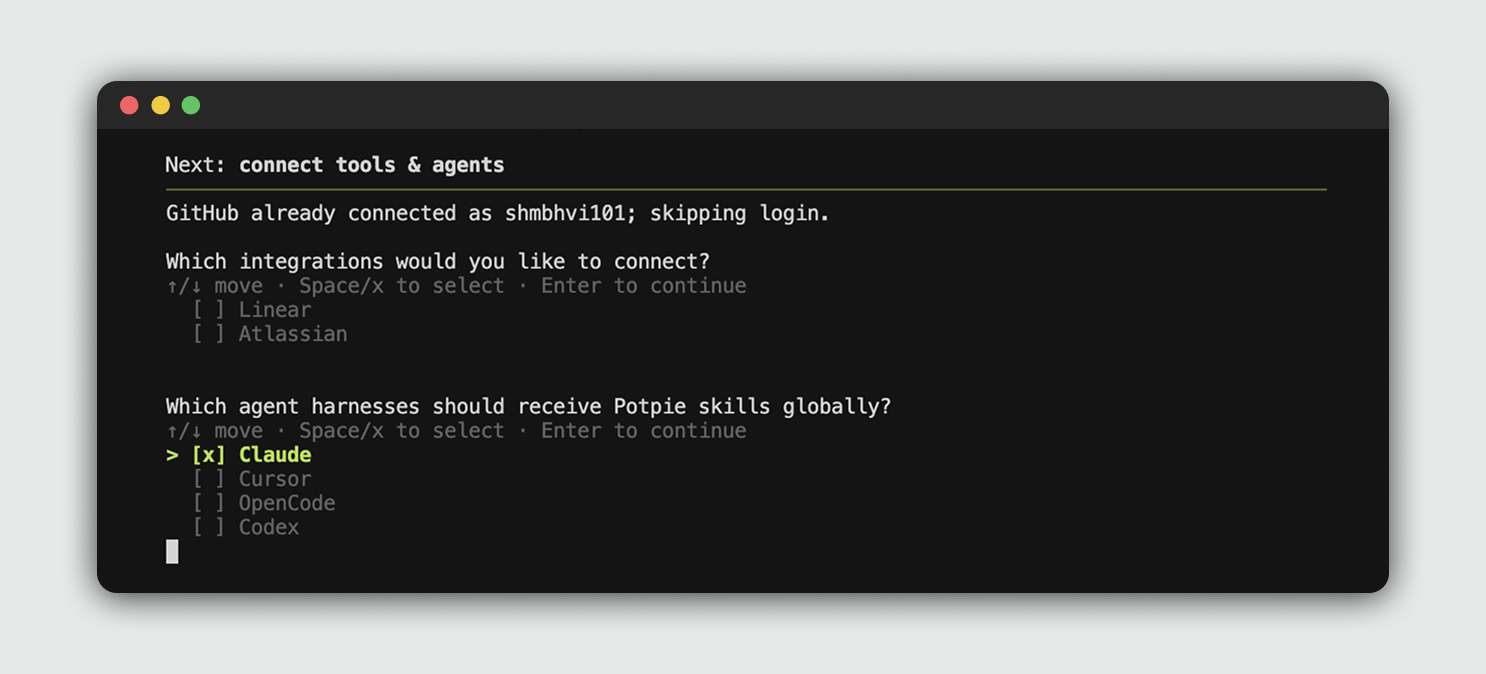
설정 마법사는 로컬 설정, 저장소, 데몬, 기본 포트, 그리고 에이전트 스킬도 포함됩니다. 또한 통합 기능과 코딩 하네스를 선택할 수 있는 Potpie도 있습니다 설정이 완료되어야 합니다.
3단계: 설정된 하네스를 열어
포파이는 이미 선택한 하네스에 통합되어 있습니다. 원하는 저장소에서 Potpie를 사용할 수 있습니다.
이전에 선택한 하네스를 열고 포토에 Potpie를 사용해 달라고 요청하세요.
[! 참고] 별도의 수동 인제스트 명령을 실행할 필요는 없습니다. CLI는 레지스터를 사용합니다. 소스와 설정된 에이전트는 프로젝트 컨텍스트를 인제스트하거나 업데이트할 수 있습니다.
이 페이지는 AI로 자동 번역되었습니다. 기술적인 세부 사항은 원문을 확인하세요.
README
원문 README의 일부입니다. 원문 보기.
Potpie turns your codebase and software development lifecycle into a living context graph for AI agents. It indexes code, structure, decisions, source history, team knowledge and engineering workflows, so agents can answer questions, plan changes, debug failures, and write code with project-specific context.
Install and setup Potpie
Step 1: install the CLI through PyPI with uv or pip:
uv tool install potpie
or:
python3 -m pip install --user potpie
[!NOTE]
uv tool install potpieis recommended for CLI installs because global mutation of Python packages is generally not recommended.
Step 2: Run the Potpie setup wizard
potpie setup
The setup wizard provisions local config, storage, the daemon, a default pot, and agent skills. It also lets you choose integrations and the coding harness Potpie should configure.
Step 3: Open your configured harness
Potpie is already integrated into your selected harness. You can start using Potpie with the repo of your choice.
Open your previously selected harness and ask it to use Potpie for the repo.
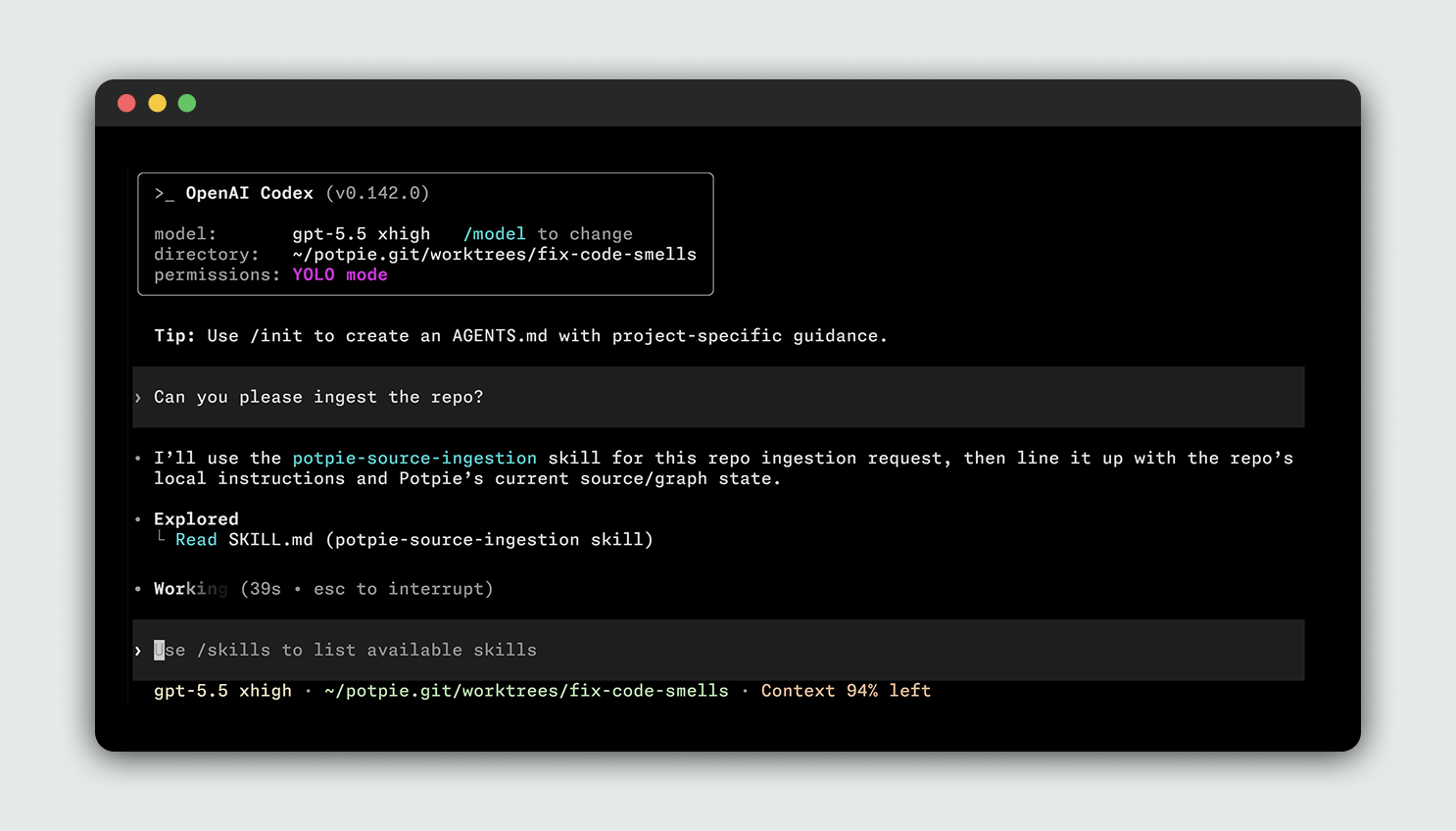
[!NOTE] You don’t need to run a separate manual ingest command. The CLI registers sources and the configured agent can ingest or update project context when the task requires it.
추천 도구
다른 키워드를 입력하거나 필터를 제거해 보세요.
설치
npx skillfish add potpie-ai/potpie