
cullendotdev/pi-skill-gate
Developer tools이 페이지는 AI로 자동 번역되었습니다. 기술적인 세부 사항은 원문을 확인하세요. 원문 보기
A Pi extension to control which skills are injected into the system prompt.
개요
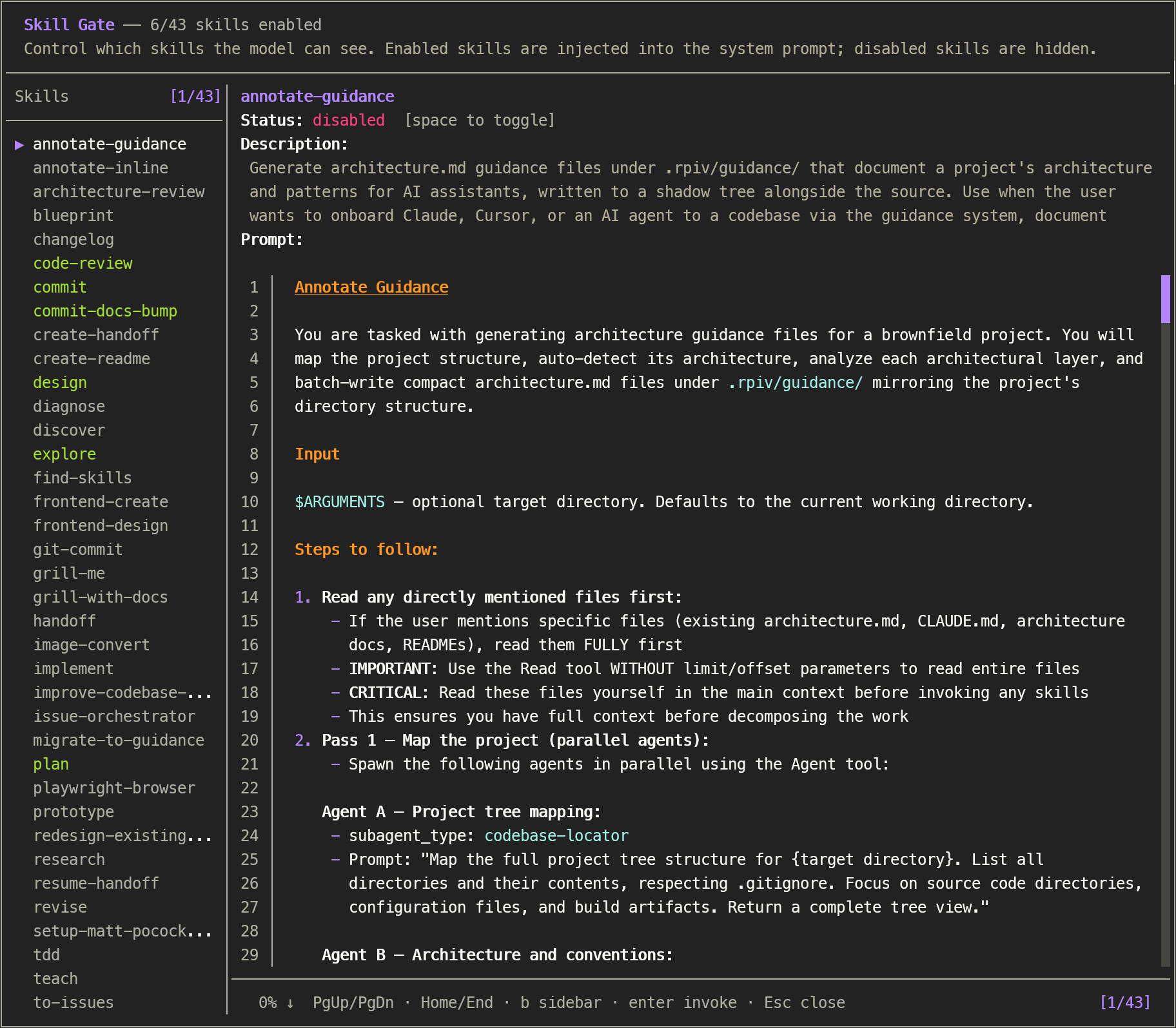
Interactive skill visibility manager for pi coding agent Control which skills are injected into the initial system prompt with /skill-gate. Browse full skill content, toggle visibility on or off, and invoke skills — all from a keyboard-driven overlay. Skills that are not injected can still be executed manually in chat. State is persisted across sessions and injected into the system prompt before every agent run. - — uses pi's ResourceLoader API with dynamic directory discovery to match /skill: autocomplete (including extension-contributed, project-memory, and migrated package skills) - — view the complete SKILL.md content (description, when-to-use, procedure, prompt body) for every skill with syntax-highlighted markdown rendering - — press y to copy the current skill's full SKILL.md body to the clipboard for pasting elsewhere - — press o to open the current skill's SKILL.md in $VISUAL / $EDITOR.
README
원문 README의 일부입니다. 원문 보기.
Control which skills are injected into the initial system prompt with /skill-gate. Browse full skill content, toggle visibility on or off, and invoke skills — all from a keyboard-driven overlay. Skills that are not injected can still be executed manually in chat. State is persisted across sessions and injected into the system prompt before every agent run.
Features
- Complete skill coverage — uses pi’s
ResourceLoaderAPI with dynamic directory discovery to match/skill:autocomplete (including extension-contributed, project-memory, and migrated package skills) - Skill browser — view the complete
SKILL.mdcontent (description, when-to-use, procedure, prompt body) for every skill with syntax-highlighted markdown rendering - Yank body to clipboard — press
yto copy the current skill’s fullSKILL.mdbody to the clipboard for pasting elsewhere - Open in $EDITOR — press
oto open the current skill’sSKILL.mdin$VISUAL/$EDITOR. The overlay pauses, the editor takes over the terminal, and the body cache is invalidated on return so your edits show up immediately - Toggle visibility — enable or disable skills individually; disabled skills are excluded from the system prompt
- Search with highlighting —
/searches by skill name;fperforms full-text search across names, descriptions, and SKILL.md bodies. Matching text is highlighted in the sidebar, description, and rendered prompt body - Bulk actions with confirm modals — enable/disable all visible skills at once (
a/A, warning-bordered modal) or reset the current scope to defaults (r, error-bordered modal). Bulk respects the active search filter - Persistent state — toggle state saved to
~/.pi/agent/config/skill-gate.json - Usage analytics — every
/skill:nameinvocation is counted and persisted; show a “Uses” column in the sidebar (toggle withu) and per-skill usage in the detail view - System prompt injection — enabled skills are automatically inserted as `` before each agent start via the
before_agent_starthook - Respects native-disabled — skills with
disableModelInvocation: trueare marked with a disabled indicator and cannot be toggled - Per-project configs — project-level overrides stored under a
projectskey in the same config file, keyed by absolute path. Toggle scope between global and project withg - Fast hook —
before_agent_startfilters from in-memory caches (skills + config) — zero filesystem access per agent turn
Installation
Via npm (recommended)
추천 도구
다른 키워드를 입력하거나 필터를 제거해 보세요.
설치
npx skillfish add cullendotdev/pi-skill-gate