
dissering/roblox-executor-mcp
Developer tools이 페이지는 AI로 자동 번역되었습니다. 기술적인 세부 사항은 원문을 확인하세요. 원문 보기
Roblox 게임 클라이언트와 상호 작용하는 MCP 서버
개요
에이전트가 실행 Roblox 게임 클라이언트와 상호 작용 할 수있는 MCP 서버 - 코드를 실행, 스크립트를 검사, 원격에 스파이, 그리고 더. Roblox Executor MCP는 현지 웹 대시보드를 포함합니다: 연결된 Roblox 클라이언트를 볼 수 있도록, 스크립트를 검사, 실행 도구, 서버 로그보기, semantic 검색 구성, semantic 스크립트 검색에 대한 인덱스 게임. - - 게임 클라이언트에서 Lua 코드 및 fetch 데이터를 실행합니다. - — Decompile 스크립트 및 모든 소스에서 검색. - — CSS와 같은 선택자 및 계층 나무. - - Intercept, 로그, 블록, 그리고 코발트를 통해 원격 / Bindables을 무시합니다. - — 버튼을 클릭하고 텍스트 상자에 입력합니다. - Capture Roblox 윈도우 스크린 샷 (Windows 전용). - — 한 번에 여러 Roblox 클라이언트를 연결합니다. - - 다중 MCP 인스턴스 자동 조정 자동 승진. --baseurl을 통해 원격 릴레이를 지원합니다. 더 알아보기 - ≥ 18 - ≥ 1.
개요(AI 번역)
에이전트가 실행 Roblox 게임 클라이언트와 상호 작용 할 수있는 MCP 서버 - 코드를 실행, 스크립트를 검사, 원격에 스파이, 그리고 더.
대시보드
Roblox Executor MCP는 현지 웹 대시보드를 포함합니다:
연결된 Roblox 클라이언트를 볼 수 있도록, 스크립트를 검사, 실행 도구, 서버 로그보기, semantic 검색 구성, semantic 스크립트 검색에 대한 인덱스 게임.
특징
-Code Execution - 게임 클라이언트에서 Lua 코드 및 fetch 데이터를 실행합니다.
- Script Inspection - 모든 소스에서 Decompile 스크립트 및 검색.
- Instance Search - CSS-like selectors 및 계층 나무. -Remote Spy — Intercept, log, block, 그리고 Cobalt를 통해 Remotes/Bindables를 무시합니다.
- GUI Interaction - 버튼과 텍스트 상자에 입력합니다.
- Screenshot - 캡처 Roblox 윈도우 스크린 샷 (Windows 전용).
- Multi-Client — 여러 Roblox 클라이언트를 한 번에 연결합니다.
-Primary / Secondary - 자동 프로모션으로 다중 MCP 인스턴스 자동 좌표.
--baseurl]를 통해 원격 릴레이를 지원합니다. 더 알아보기
튜토리얼
필수품
- **Node.js ** ≥ 18 -Bun ≥ 1.3 대화형 OpenTUI 하네스 설치
이 페이지는 AI로 자동 번역되었습니다. 기술적인 세부 사항은 원문을 확인하세요.
README
원문 README의 일부입니다. 원문 보기.
Roblox Executor MCP Server
An MCP server that allows Agents to interact with a running Roblox game client — execute code, inspect scripts, spy on remotes, and more.
Dashboard
Roblox Executor MCP includes a local web dashboard at:
http://localhost:16384/
Use it to see connected Roblox clients, inspect scripts, run tools, view server logs, configure semantic search, and index games for semantic script search.
Features
- Code Execution — Run Luau code or a local file and fetch data from the game client.
- Script Inspection — Decompile scripts, read line ranges, and grep across all sources.
- Semantic Search — Find scripts by behavior with a local embedding index (Ollama
embeddinggemmaor another provider). - Console Output — Read the client’s output log.
- Instance Search — CSS-like selectors and hierarchy trees.
- Remote Spy — Built-in spy that logs, blocks, ignores, and generates replay code for remote calls. Uses the strongest hook your executor has and still logs incoming events on executors without hooks.
- GUI Interaction — Click buttons and type into text boxes.
- Screenshot — Capture Roblox window screenshots (Windows only).
- Multi-Client — Connect multiple Roblox clients at once.
- Primary / Secondary — Multiple MCP instances auto-coordinate with automatic promotion. Supports remote relaying via
--baseurl. See Advanced.
Tools
| Tool | What it does |
|---|---|
list-clients / set-active-client |
List connected Roblox clients and choose which one tools target |
execute / execute-file |
Run Luau source, or a local .luau file, in the client |
get-data-by-code |
Run Luau and return its result |
get-game-info |
Place, job, executor name/version, and detected executor functions |
get-console-output |
Recent client output log entries |
search-instances |
Find instances with CSS-like selectors |
get-descendants-tree |
Hierarchy tree of an instance |
get-script-content |
Decompiled source of a script, optionally a line range |
script-grep |
Regex or literal search across all mapped script sources |
semantic-search-scripts |
Search scripts by behavior using the semantic index |
remote-spy |
Log, block, ignore, and replay remote calls (outgoing and incoming) |
click-button / type-text-box |
Interact with GUI buttons and text boxes |
list-roblox-windows / screenshot-window |
List and capture Roblox windows (Windows only) |
Tutorial
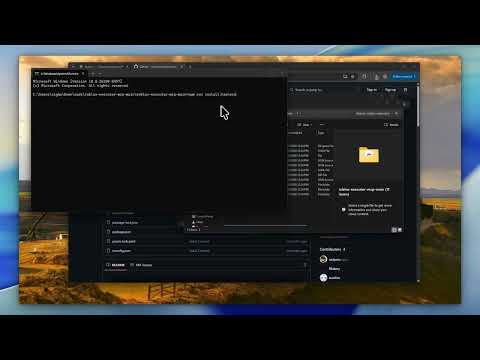
Prerequisites
- Node.js ≥ 18 (≥ 22 to run the test suite)
- Bun ≥ 1.3 for the interactive OpenTUI harness installer (installed automatically if missing)
설치
This server does not publish a one-line install command.
Open the repository installation guide MCP 초보자라면? mcpskill.org 가이드부터 시작하세요 →