
dissering/roblox-executor-mcp
Developer toolsMCP server for interacting with Roblox game clients
Overview
An MCP server that allows Agents to interact with a running Roblox game client — execute code, inspect scripts, spy on remotes, and more. Roblox Executor MCP includes a local web dashboard at: Use it to see connected Roblox clients, inspect scripts, run tools, view server logs, configure semantic search, and index games for semantic script search. - — Run Lua code and fetch data from the game client. - — Decompile scripts and search across all sources. - — CSS-like selectors and hierarchy trees. - — Intercept, log, block, and ignore Remotes/Bindables via Cobalt. - — Click buttons and type into text boxes. - — Capture Roblox window screenshots (Windows only). - — Connect multiple Roblox clients at once. - — Multiple MCP instances auto-coordinate with automatic promotion. Supports remote relaying via --baseurl. See Advanced. - ≥ 18 - ≥ 1.
README
Roblox Executor MCP Server
An MCP server that allows Agents to interact with a running Roblox game client — execute code, inspect scripts, spy on remotes, and more.
Dashboard
Roblox Executor MCP includes a local web dashboard at:
http://localhost:16384/
Use it to see connected Roblox clients, inspect scripts, run tools, view server logs, configure semantic search, and index games for semantic script search.
Features
- Code Execution — Run Luau code or a local file and fetch data from the game client.
- Script Inspection — Decompile scripts, read line ranges, and grep across all sources.
- Semantic Search — Find scripts by behavior with a local embedding index (Ollama
embeddinggemmaor another provider). - Console Output — Read the client’s output log.
- Instance Search — CSS-like selectors and hierarchy trees.
- Remote Spy — Built-in spy that logs, blocks, ignores, and generates replay code for remote calls. Uses the strongest hook your executor has and still logs incoming events on executors without hooks.
- GUI Interaction — Click buttons and type into text boxes.
- Screenshot — Capture Roblox window screenshots (Windows only).
- Multi-Client — Connect multiple Roblox clients at once.
- Primary / Secondary — Multiple MCP instances auto-coordinate with automatic promotion. Supports remote relaying via
--baseurl. See Advanced.
Tools
| Tool | What it does |
|---|---|
list-clients / set-active-client |
List connected Roblox clients and choose which one tools target |
execute / execute-file |
Run Luau source, or a local .luau file, in the client |
get-data-by-code |
Run Luau and return its result |
get-game-info |
Place, job, executor name/version, and detected executor functions |
get-console-output |
Recent client output log entries |
search-instances |
Find instances with CSS-like selectors |
get-descendants-tree |
Hierarchy tree of an instance |
get-script-content |
Decompiled source of a script, optionally a line range |
script-grep |
Regex or literal search across all mapped script sources |
semantic-search-scripts |
Search scripts by behavior using the semantic index |
remote-spy |
Log, block, ignore, and replay remote calls (outgoing and incoming) |
click-button / type-text-box |
Interact with GUI buttons and text boxes |
list-roblox-windows / screenshot-window |
List and capture Roblox windows (Windows only) |
Tutorial
Prerequisites
- Node.js ≥ 18 (≥ 22 to run the test suite)
- Bun ≥ 1.3 for the interactive OpenTUI harness installer (installed automatically if missing)
- A Roblox executor that supports
loadstring,request, and (preferably)WebSocket
Executor compatibility
The connector detects features instead of requiring a particular executor name or UNC percentage. get-game-info reports the executor name/version, environment source and available functions. Availability is not a claim that a function passes sUNC or grants additional permissions.
- Required:
loadstring, HTTP access throughrequest,http_request,syn.requestorhttp.request, and basic Roblox instance/service access. - Missing or failing
getgenvfalls back to_Gor the script environment.clonerefis optional, and a brokengetnilinstancesdoes not stop ordinary script scanning. Detached scripts cannot be discovered without working enumeration. - Missing or failing identity setters leave the executor’s current permissions in place. This keeps basic execution working; restricted APIs may still fail. Both MCP and dashboard execution use the same connector-side handling.
- WebSocket aliases are supported, with HTTP polling as the fallback. The loader can also download through an HTTP request alias when
game:HttpGetfails. - Without
firesignal, button clicks use VirtualInputManager when permitted. This converts GUI positions to screen coordinates using Roblox’s GUI inset, then sends mouse input to a visible, unobstructed button; down-only signal actions still requirefiresignal. An unavailable input service disables that feature rather than the whole connector. - The remote spy picks its outgoing mode from what the executor supports:
hookmetamethod+getnamecallmethod, then a raw metatable swap (getrawmetatable+setreadonly), thenhookfunctiononFireServer/InvokeServer. IncomingOnClientEventtraffic is logged on every executor, with no hooks needed. Blocking incoming events needsgetconnections.remote-spywithoperation=statusreports the active modes and what is missing.
Update both the server and the connector (rerun the loader in a fresh Roblox client) to use connector-side identity handling.
These paths are tested with missing and throwing APIs, including the limitations in the supplied Xeno v1.3.30 sUNC report. Live compatibility probes ran on Xeno v1.3.65, including an observed click on a temporary test button without firesignal. Failed sUNC tests can still expose callable functions, so operations are protected at runtime rather than classified by score alone.
Quick Start
1. Clone the server
git clone https://github.com/dissering/roblox-executor-mcp.git
cd roblox-executor-mcp
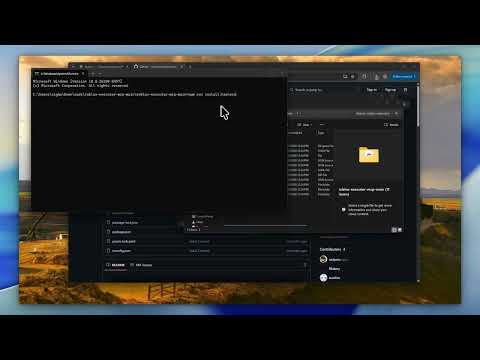
2. Run the harness installer
The installer builds the server, lets you choose AI clients, writes supported MCP configs, and prints the Roblox loader script. It supports Codex, Claude Code, OpenCode, Cursor, Trae, Antigravity, Gemini CLI, GitHub Copilot, VS Code Copilot, Claude Desktop, Windsurf, Cline, Continue, ZCode, BLACKBOX AI, and more. It backs up any config file it edits to a .bak copy first.
npm run install:harnesses
The picker is built with OpenTUI and runs through Bun. npm run install:harnesses installs Bun first if it is not already available. It shows detected local clients by default; if none are detected, it warns you to install a harness first. Press s in the picker or pass --show-all-harnesses to reveal every supported config target. If your terminal has trouble with the interactive picker, use the plain numbered prompt:
npm run install:harnesses -- --plain
The installer can also place the Roblox loader into a detected executor autoexec folder, such as MacSploit on macOS or supported Windows executor autoexec folders. Use the prompt, or run:
npm run getscript -- --autoexec
It can also help with:
- cross-machine setup on the same LAN
- copying the Roblox loader to your clipboard
- optional Ollama
embeddinggemmasetup for semantic indexing - pulling latest repo changes before install/build
To update an existing install later, run:
npm run update
The update command can stop currently running MCP server processes, optionally pull latest changes, and always rebuilds the server.
Manual setup
If you prefer to configure a client yourself, use the setup guide for your client:
| Client | Guide |
|---|---|
| Cursor | Setup Guide |
| Claude Desktop | Setup Guide |
| Claude Code | Setup Guide |
| Codex CLI | Setup Guide |
| OpenCode | Setup Guide |
| Windsurf | Setup Guide |
| Antigravity | Setup Guide |
| BLACKBOX AI | Setup Guide |
| ZCode | Setup Guide |
3. Connect from Roblox
The installer prints this for you. Put it in your executor or Auto Execute:
local environment = _G
if type(getgenv) == "function" then
    local ok, value = pcall(getgenv)
    if ok and type(value) == "table" then environment = value end
end
if type(environment) ~= "table" then environment = getfenv(0) end
local lastError
while not environment.MCP_Loaded do
    local bridgeUrl = environment.BridgeURL or environment.bridgeurl or "localhost:16384"
    local ok, failure = pcall(function()
        local downloaded, source = pcall(function() return game:HttpGet("http://" .. bridgeUrl .. "/script.luau") end)
        if not downloaded or type(source) ~= "string" then
            local send
            for _, candidate in {request, http_request, type(syn) == "table" and syn.request, type(http) == "table" and http.request} do
                if type(candidate) == "function" then send = candidate; break end
            end
            assert(send, "Executor has neither a working HttpGet nor an HTTP request function.")
            local response = send({Url = "http://" .. bridgeUrl .. "/script.luau", Method = "GET"})
            assert(type(response) == "table" and tonumber(response.StatusCode or response.Status or response.status_code or response.status) == 200, "Connector download failed.")
            source = response.Body or response.body
        end
        assert(type(loadstring) == "function", "Executor needs loadstring to load MCP.")
        local chunk, compileError = loadstring(source)
        assert(chunk, compileError)
        chunk()
    end)
    if not ok and tostring(failure) ~= lastError then
        lastError = tostring(failure)
        warn("MCP connector: " .. lastError)
    end
    task.wait(1)
end
Optional settings (set before running the loader; use _G instead of getgenv() when getgenv is unavailable):
getgenv().BridgeURL = "10.0.0.4:16384"                  -- default: localhost:16384
getgenv().DisableWebSocket = true                        -- force HTTP polling
getgenv().EnableScriptMapping = true                     -- index every script on connect (off by default)
getgenv().MCP_ScriptMappingWorkers = 6                   -- concurrent decompile workers (1-64)
See Advanced for the full list and limits.
Script indexing: the connector does not decompile every script on connect, because that can crash heavier games. get-script-content decompiles single scripts on demand. script-grep and semantic-search-scripts start indexing the first time you use them, in a lightweight mode: 6 workers by default, paused while decompilers are cooling down, and one summary line instead of a warning per script. Set EnableScriptMapping = true to index on connect instead.
Quick loader from GitHub: mcp.lua is the whole loader: set BridgeURL and run it. It falls back to the executor’s HTTP request function when game:HttpGet is missing:
local BridgeURL = "100.84.48.89:16384"

local url = "https://raw.githubusercontent.com/dissering/roblox-executor-mcp/main/connector.luau"
local ok, source = pcall(function() return game:HttpGet(url) end)
if not ok or type(source) ~= "string" then
    local send = request or http_request or (syn and syn.request) or (http and http.request)
    source = send({ Url = url, Method = "GET" }).Body
end
loadstring(source)({ BridgeURL = BridgeURL })
This pulls the connector from the main branch, so keep your local server up to date with npm run update. If the two drift apart, use the loader above, which downloads the connector from your own server.
After the MCP server starts and Roblox connects, open the dashboard:
http://localhost:16384/
Development
npm install
npm run build          # TypeScript server into dist/
npm run dev            # start the local dev server
The server build uses the committed connector.luau, so normal installs do not need Darklua. To change the Roblox connector, edit connector-src/, install the pinned toolchain with rokit install, and regenerate the bundle:
npm run build:connector
Commit the regenerated connector.luau together with the connector-src/ change.
npm test builds everything, then runs the Node tests and the Luau tests. It needs darklua and the luau CLI on your PATH.
Troubleshooting
- Client never shows up: check that the loader’s
BridgeURLmatches the machine running the server, and that nothing else uses port16384. Openhttp://localhost:16384/to confirm the server is up. - MCP client shows the server as failed: run
npm run buildand check the absolute path todist/index.jsin its config. - Executor without WebSocket: the connector falls back to HTTP polling automatically. Set
DisableWebSocket = trueto force it. - Tools time out after reconnecting Roblox: rerun the loader in a fresh client after updating the server so the connector and server match.
Community
Have a suggestion or need help? Join the Discord server.
Security
This server allows arbitrary code execution. Only use with AI clients you trust. Port
16384has no authentication — never expose it to the internet. For cross-machine setups, use a local network, VPN, or SSH tunnel. See Advanced for details.
License
Install
This server does not publish a one-line install command.
Open the repository installation guide New to MCP? Start with the mcpskill.org guide →