
cyberash-dev/veche
Developer tools이 페이지는 AI로 자동 번역되었습니다. 기술적인 세부 사항은 원문을 확인하세요. 원문 보기
MCP 서버 경계 멀티 시약위원회 회의 — Codex + Claude Code deliberate in Rounds
개요
Вече — MCP 서버로 다중 시약 분리. veche는 모델 Context Protocol (MCP) 서버로 LLM 에이전트 간의 커맨드 코드 (Claude Code, 사용자 정의 에이전트, 당신의 IDE) convene 및 구조화 된 성적을 다시 읽습니다. 프로토콜은 각자 진화: 모든 회원은 라운드에 응답, 누구는 리터 토큰과 선택 할 수 있습니다, 회의는 모든 사람이 동일한 라운드에서 패스를 종료 (또는 max rounds). 이름은 medieval Slavic вече에서 옵니다. — 문제가 해결되었을 때 acclamation에 의해 deliberated 대중적인 집합. 그 지도는 둥근에 거의 직접 + 침묵까지. v1는 2개의 비대칭 CLI 역행 접합기를 발송합니다: - codex exec (OpenAI) - claude -p (Anthropic)을 통해 - 이 같은 서버를 재입력으로부터 아이 Claude Code를 방지하는 반복 가드 관현관은 Claude Code가 될 수 있으며, Claude Code ↔ 다른 Claude Code + Codex 위원회를 활성화할 수 있습니다.
개요(AI 번역)
Вече — MCP 서버로 다중 시약 분리.
veche는 오케스트라 에이전트 (Claude
코드, 사용자 정의 에이전트, 당신의 IDE) convene **committee 회의 ** LLM 에이전트와 읽기 사이
구조화 된 성적. 의정서는 각자 진화입니다: 각 일원은 안으로 replies
라운드, 누구나 리터럴 토큰 로 선택 할 수 있으며, 회의는 종료
순간 모두가 같은 라운드에서 전달 (또는 max_rounds]).
이름은 medieval Slavic вече에서 옵니다.
문제가 해결되었을 때 acclamation 및 분산. 그 지도는 거의 직접 위에
rounds + until silence.
v1는 2개의 비대칭 CLI 역행 접합기를 발송합니다:
-Codex 를 통해 codex exec (OpenAI)
- Claude Code 를 통해
claude -p(Anthropic) - 아이를 막는 반복 감시 이 같은 서버에서 Claude Code
관현관은 Claude Code가 될 수 있습니다.
Claude Code ↔ another Claude Code + Codex위원회. 건축과 행동은
C4-inspired 4 레벨 모델을 사용하여 spec/에 완전히 지정; 코드는 다음과 같습니다
spec와 변화는 spec에 첫째로 합니다.
왜
이 페이지는 AI로 자동 번역되었습니다. 기술적인 세부 사항은 원문을 확인하세요.
README
원문 README의 일부입니다. 원문 보기.
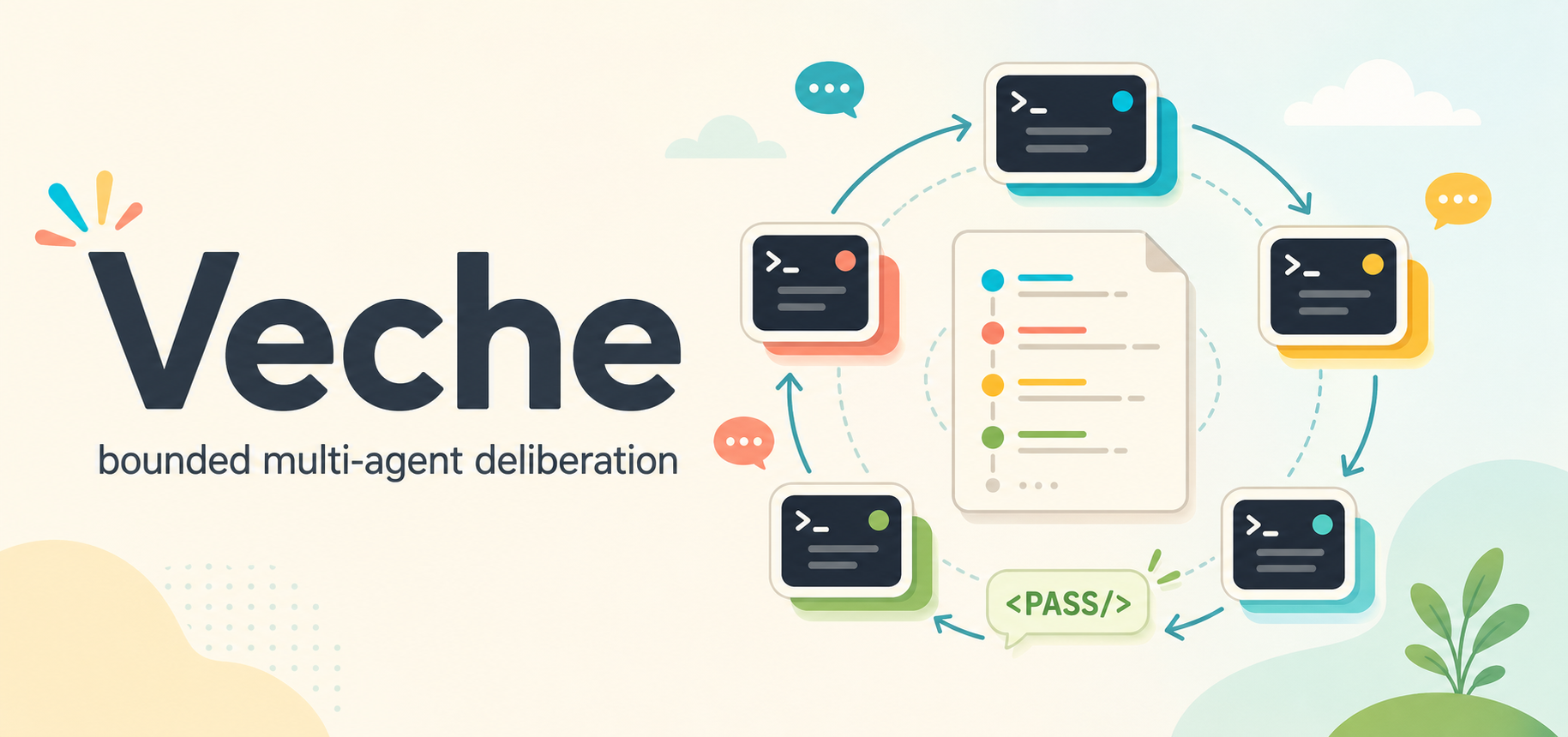
Veche
Вече — bounded multi-agent deliberation as an MCP server.
veche is a Model Context Protocol (MCP) server that lets an orchestrator agent (Claude
Code, a custom agent, your IDE) convene committee meetings between LLM agents and read
back a structured transcript. The protocol is self-extinguishing: every member replies in
rounds, anyone can opt out with the literal token ``, and the meeting terminates the
moment everyone passes in the same round (or hits max_rounds).
The name comes from the medieval Slavic вече — a popular assembly that deliberated by
acclamation and dispersed when the matter was settled. That maps almost directly onto
rounds + until silence.
v1 ships two symmetric CLI-backed adapters:
- Codex via
codex exec(OpenAI) - Claude Code via
claude -p(Anthropic) — with a recursion guard that prevents a child Claude Code from re-entering this same server
The orchestrator may itself be Claude Code, enabling
Claude Code ↔ another Claude Code + Codex committees. Architecture and behaviour are
fully specified in spec/ using a C4-inspired four-level model; code follows the
spec and changes are made to the spec first.
Why
LLMs collapse into a single line of reasoning on hard problems. A standing MCP tool for pulling a second opinion from a different model — or a differently-prompted instance of the same model — broadens the search, surfaces blind spots, and produces more balanced decisions. The committee protocol drives the discussion to a stable point without the orchestrator hand-rolling turn-taking.
Install
npm install -g veche
veche install        # writes SKILL.md to ~/.claude/skills/veche/ and ~/.codex/skills/veche/
                     # plus optional skill UI metadata under agents/openai.yaml
                     # plus claude mcp add / codex mcp add for the stdio MCP server

veche install --for=hermes   # opt-in install into Hermes Agent (~/.hermes/skills/veche/
                             # plus `hermes mcp add veche --command node --args …`)
Restart your Claude Code / Codex / Hermes Agent session after installing. The skill is
invoked as /veche .
If you cloned the repo:
npm install
npm run build
node dist/bin/veche.js install
Prerequisites
| Required for | |
|---|---|
| Node.js ≥ 20.11 | running the server |
codex on PATH |
Codex participants |
claude on PATH |
Claude Code participants and as an MCP host |
CODEX_API_KEY or codex login |
Codex auth (either path works) |
claude login |
Claude Code auth |
Quick start
As a Claude Code skill
After veche install, open Claude Code and type:
/veche should we use argparse or click for a new Python CLI?
The skill first asks for launch options: whether to include a Human Participant, whether
설치
This server does not publish a one-line install command.
Open the repository installation guide MCP 초보자라면? mcpskill.org 가이드부터 시작하세요 →설정
{
  "mcpServers": {
    "veche": {
      "command": "node",
      "args": ["/abs/path/to/dist/bin/veche-server.js"],
      "env": { "VECHE_LOG_LEVEL": "info" }
    }
  }
}