
chenxizhang/m365copilot-mcp
Developer tools이 페이지는 AI로 자동 번역되었습니다. 기술적인 세부 사항은 원문을 확인하세요. 원문 보기
M365 Copilot MCP 서버 - Microsoft 365 Copilot 통합을 위한 모델 콘텍스 프로토콜 서버
개요
이것은 비공식 MCP 서버이지만 Microsoft 엔지니어가 개발한 최신 Microsoft 365 Copilot API를 통합합니다. 우리는 당신의 의견 및 기여를 환영합니다! Model Context Protocol (MCP)을 통해 Microsoft 365에 AI 조수를 연결합니다. 이 서버는 AI 도구를 사용하여 SharePoint 문서, OneDrive 파일, 이메일, 팀 대화 등을 액세스 할 수 있습니다. 조직의 액세스 제어를 존중하면서. m365-copilot-mcp 서버는 AI 조수를 위한 3개의 강력한 기능을 제공합니다: 이 기능은 공식 Microsoft 365 Copilot API에 내장되어 있습니다. - - 실행 환경 - - Microsoft 365 Copilot 라이센스 - - Claude Code, GitHub Copilot 또는 기타 MCP 클라이언트와 같은 M365 Copilot MCP Server를 설치하고 사용하는 방법을 알아보세요. Claude Code로 M365 Copilot MCP Server를 설치하고 사용하는 방법. M365 Copilot MCP Server를 VS Code에서 GitHub Copilot으로 설치하고 사용하는 방법에 대해 알아보십시오.
개요(AI 번역)
주: 이것은 비공식 MCP 서버이지만 Microsoft 엔지니어가 개발한 최신 Microsoft 365 Copilot API를 통합합니다. 우리는 당신의 의견 및 기여를 환영합니다!
Model Context Protocol (MCP)을 통해 Microsoft 365에 AI 조수를 연결합니다. 이 서버는 AI 도구를 사용하여 SharePoint 문서, OneDrive 파일, 이메일, 팀 대화 등을 액세스 할 수 있습니다. 조직의 액세스 제어를 존중하면서.
개요
m365-copilot-mcp 서버는 AI 보조자를 위한 3개의 강력한 기능을 제공합니다:
| 기능 | 용도 | 용도 예 |
|---|---|---|
| ** Re Retrieval** | M365 데이터의 관련 텍스트 콘텐츠를 추출 | 문서, 이메일 및 대화의 정보를 사용하는 답변 |
| 인포메이션 인포메이션 인포메이션 인포메이션 인포메이션 인포메이션 인포메이션 인포메이션 인포메이션 인포메이션 인포메이션 인포메이션 인포메이션 인포메이션 인포메이션 인포메이션 인포메이션 인포메이션 인포메이션 인포메이션 인포메이션 인포메이션 인포메이션 인포메이션 인포메이션 인포메이션 인포메이션 인포메이션 인포메이션 인포메이션 인포메이션 인포메이션 인포메이션 인포메이션 인포메이션 인포메이션 인포메이션 인포메이션 인포메이션 인포메이션 인포메이션 인포메이션 인포메이션 인포메이션 인포메이션 인포메이션 인포메이션 인포메이션 인포메이션 인포메이션 인포메이션 인포메이션 인포메이션 인포메이션 인포메이션 인포메이션 인포메이션 인포메이션 인포메이션 인포메이션 인포메이션 인포메이션 인포메이션 인포메이션 | ||
| 인포메이션 인포메이션 인포메이션 인포메이션 인포메이션 인포메이션 인포메이션 인포메이션 인포메이션 인포메이션 인포메이션 인포메이션 인포메이션 인포메이션 인포메이션 인포메이션 인포메이션 인포메이션 인포메이션 인포메이션 인포메이션 인포메이션 인포메이션 인포메이션 인포메이션 인포메이션 인포메이션 인포메이션 인포메이션 인포메이션 인포메이션 인포메이션 인포메이션 인포메이션 인포메이션 인포메이션 인포메이션 인포메이션 인포메이션 인포메이션 인포메이션 인포메이션 인포메이션 인포메이션 인포메이션 인포메이션 인포메이션 인포메이션 인포메이션 인포메이션 인포메이션 인포메이션 인포메이션 인포메이션 인포메이션 인포메이션 인포메이션 인포메이션 인포메이션 인포메이션 인포메이션 인포메이션 인포메이션 인포메이션 |
** 더 이상: ** 이 기능은 공식 Microsoft 365 Copilot API에 내장되어 있습니다.
필수품
- Node.js 20+ - 실행 환경
이 페이지는 AI로 자동 번역되었습니다. 기술적인 세부 사항은 원문을 확인하세요.
README
원문 README의 일부입니다. 원문 보기.
Microsoft 365 Copilot MCP Server


Note: This is an unofficial MCP server, but developed by Microsoft engineers, integrating the latest Microsoft 365 Copilot APIs. We welcome your feedback and contributions!
Connect your AI assistant to Microsoft 365 through the Model Context Protocol (MCP). This server enables AI tools to access your SharePoint documents, OneDrive files, emails, Teams conversations, and more - all while respecting your organization’s access controls.
Overview
The m365-copilot-mcp server provides three powerful capabilities for AI assistants:
| Capability | Purpose | Use Cases |
|---|---|---|
| 📄 Retrieval | Extract relevant text content from your M365 data | Answer questions using information from your documents, emails, and conversations |
| 🔍 Search | Find specific documents and files | Locate files, discover relevant content across your M365 environment |
| 💬 Chat | Conversational AI powered by M365 Copilot | Ask about your schedule, get summaries, interact with time-aware queries |
Learn more: These capabilities are built on the official Microsoft 365 Copilot APIs.
Prerequisites
- Node.js 20+ - Runtime environment
- Microsoft 365 account - With Microsoft 365 Copilot license
- MCP-compatible AI tool - Such as Claude Code, GitHub Copilot, or any other MCP client
Video Tutorials
Learn how to install and use the M365 Copilot MCP Server with these step-by-step video guides:
📺 Claude Code with M365 Copilot MCP Server
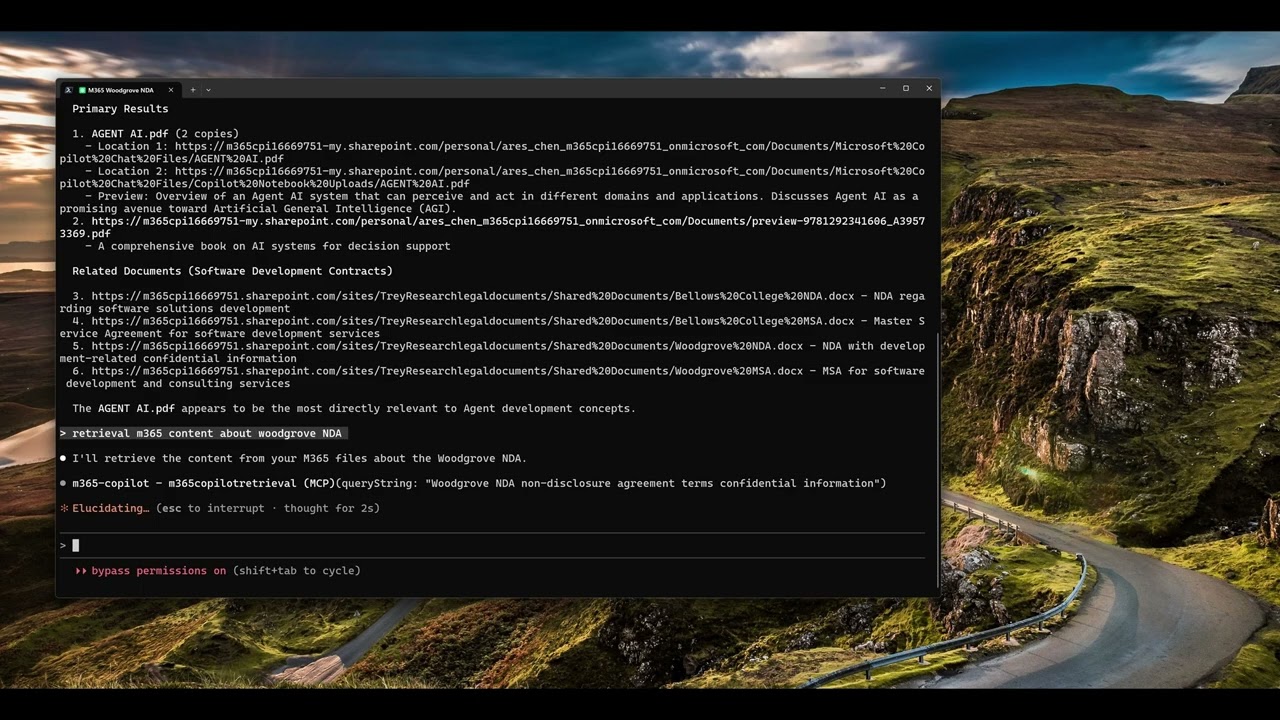
Click the image above to watch the tutorial on how to install and use the M365 Copilot MCP Server with Claude Code.
📺 GitHub Copilot with M365 Copilot MCP Server
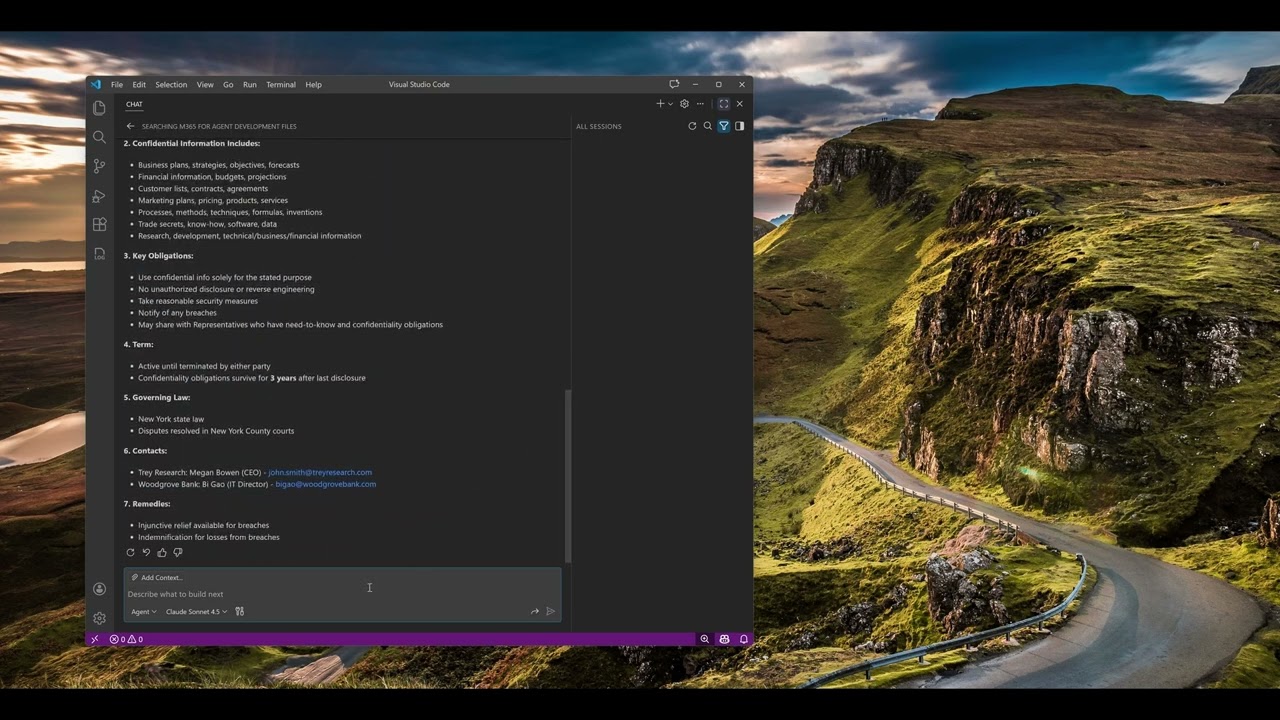
Click the image above to watch the tutorial on how to install and use the M365 Copilot MCP Server with GitHub Copilot in VS Code.
Configuration
Configure the MCP server in your AI tool’s settings. The server uses npx to run directly from npm without requiring global installation.
Claude Code
Add the server using the Claude Code CLI:
macOS/Linux:
설치
npx -y m365-copilot-mcp