
yaoapp/yao
Developer toolsこのページは AI により自動翻訳されています。技術的な詳細は原文をご確認ください。 原文を見る
✨ すべてのエージェントとワークスペースを、所有するすべてのデバイスに一か所にまとめられます。デスクトップ、モバイル、ブラウザ、APIからアクセス可能なボード上でタスクを追跡できます。セルフホスティング。
概要
YaoはAIエージェントやウェブアプリケーションを構築するためのオープンソースのランタイムで、単一のバイナリとして提供されています。 ヤオエージェントを考えてみてください。中に入れるものが行動を決めます。檻がそれを制御します。 すべてのリクエストは同じパイプラインを経由します: Create Hookはエグゼクタより先に実行されます — コンテキストの注入、制約の強制、リクエストのルーティング。Next Hookはその後に実行されます — 出力の検証、下流のアクションのトリガー、多ステップループの駆動。 これら3つすべてが同じHookインターフェースを共有しています。自由に混同できます — 一部のリクエストはLLM経由でルーティングし、他は純粋なコードで処理し、すべて一つのCreate Hook内で処理できます。 - — Create and Nextフックがすべてのリクエストを傍受します;組み込みのV8エンジン - — プロセス、SSE、またはSTDIOトランスポートを介してツールを接続 - — 4つのスコープ:リクエストレベル、セッション、ユーザー、チーム - — 専門エージェントに委ねるか、エージェントを並列に呼び出し - — VNCデスクトップサポートのある隔離コンテナ内でClaude Code(または他のCLIランナー)を実行 - — 再利用可能な能力パックをドロップする(SKILL.
概要(AI 翻訳)
✨ すべてのエージェントとワークスペースを、所有するすべてのデバイスに一か所にまとめられます。タスクをボード上で追跡し、デスクトップ、モバイル、ブラウザ、APIからアクセス可能です。セルフホスト。
** 🏠 ホームページ:** https://yaoagents.com
** 📚 ドキュメント:** https://yaoagents.com/docs
** 🖥️ ヤオデスクトップ:** https://yaoagents.com/download
** 📱 Android (ベータ版):** https://yaoagents.com/download/yaoagents
⚡⚡⚡ DeepSeek Harnessは統合されました — デスクトップアプリ、Android、またはブラウザ上で直接使用し、デバイス全体で動作します。 詳細はこちら→
🧠 JevはTypeSafe AIのSystem Oneモデルで、テキストを書くのではなく、入力された決定を自信を持って返します。現在、Yao Agentsで利用可能です。詳細は→
中文
仕組み
エージェントは自分のデバイス上で動作します。追加したマシンはそれぞれ別の場所で作業し、すべて一か所で管理されます。
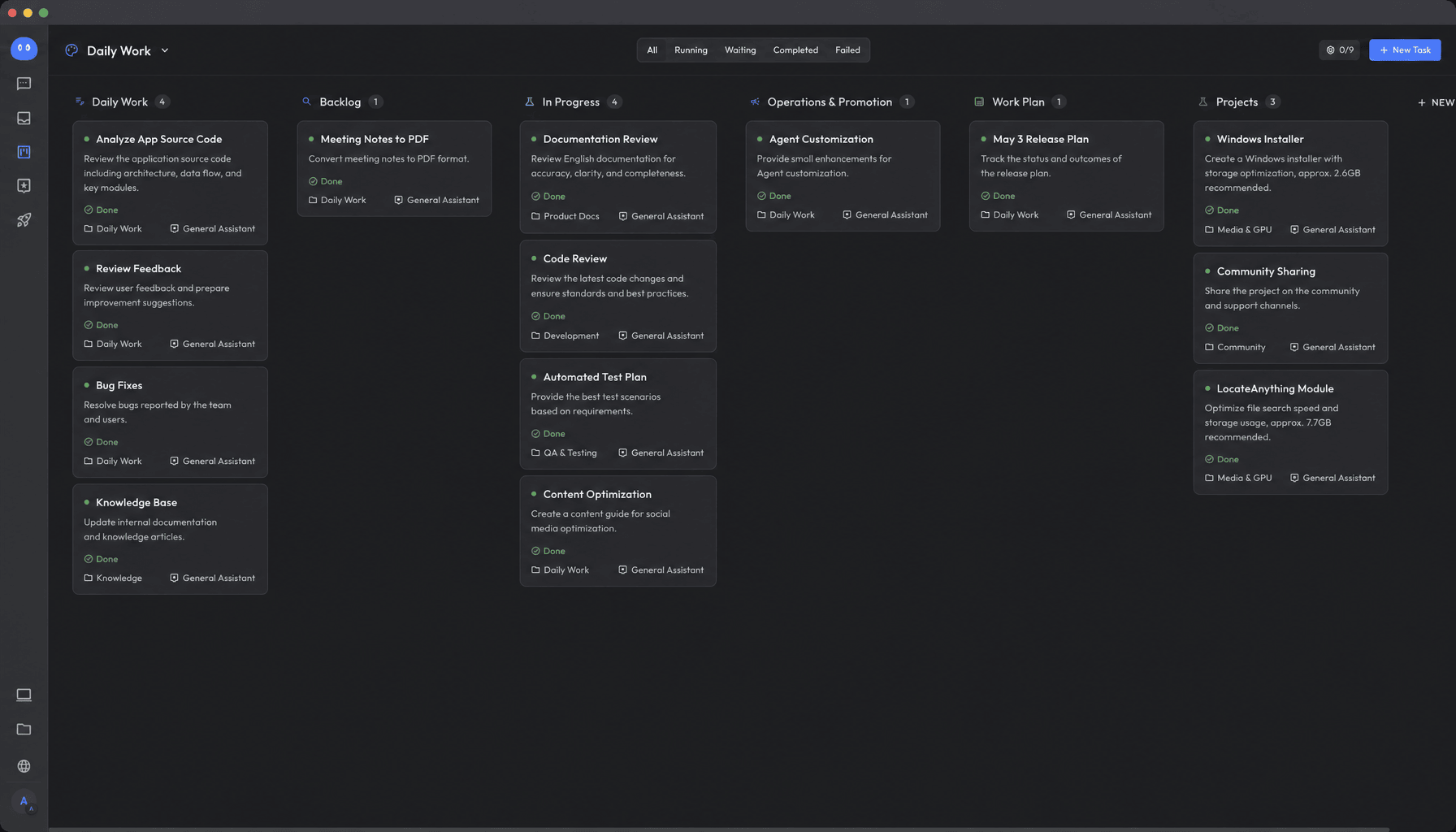
ワークスペース
すべての作業スペースは隔離されています。作業は分離され、すべてのコンピュータで管理され、蓄積されたドキュメントが知識ベースとなります。
作業中は、エージェントはどのノードからでも必要な情報を読み取ることができます。
タスクボード
会話で必要なことを言えば、それが掲示板の課題になります。
このページは AI により自動翻訳されています。技術的な詳細は原文をご確認ください。
README
Yao Agents
✨ All your agents and workspaces in one place, on every device you own. Track tasks on a board, accessible from desktop, mobile, browser, or API. Self-hosted.
🏠 Homepage: https://yaoagents.com
📚 Docs: https://yaoagents.com/docs
🖥️ Yao Desktop: https://yaoagents.com/download
📱 Android (Beta): https://yaoagents.com/download/yaoagents
⚡⚡⚡ DeepSeek Harness is now integrated — use it directly in the desktop app, Android, or browser, running across your devices. Learn more →
🧠 Jev is TypeSafe AI’s System One model: it doesn’t write text, it returns typed decisions with confidence. Now available in Yao Agents. Learn more →
How it works
Agents run on your own devices. Every machine you add is another place for them to work, all managed from one place.
Workspaces
Every workspace is isolated. Work stays separate, managed across all your computers, and accumulates into documents that become your knowledge base.
While working, agents can read what they need from any node.
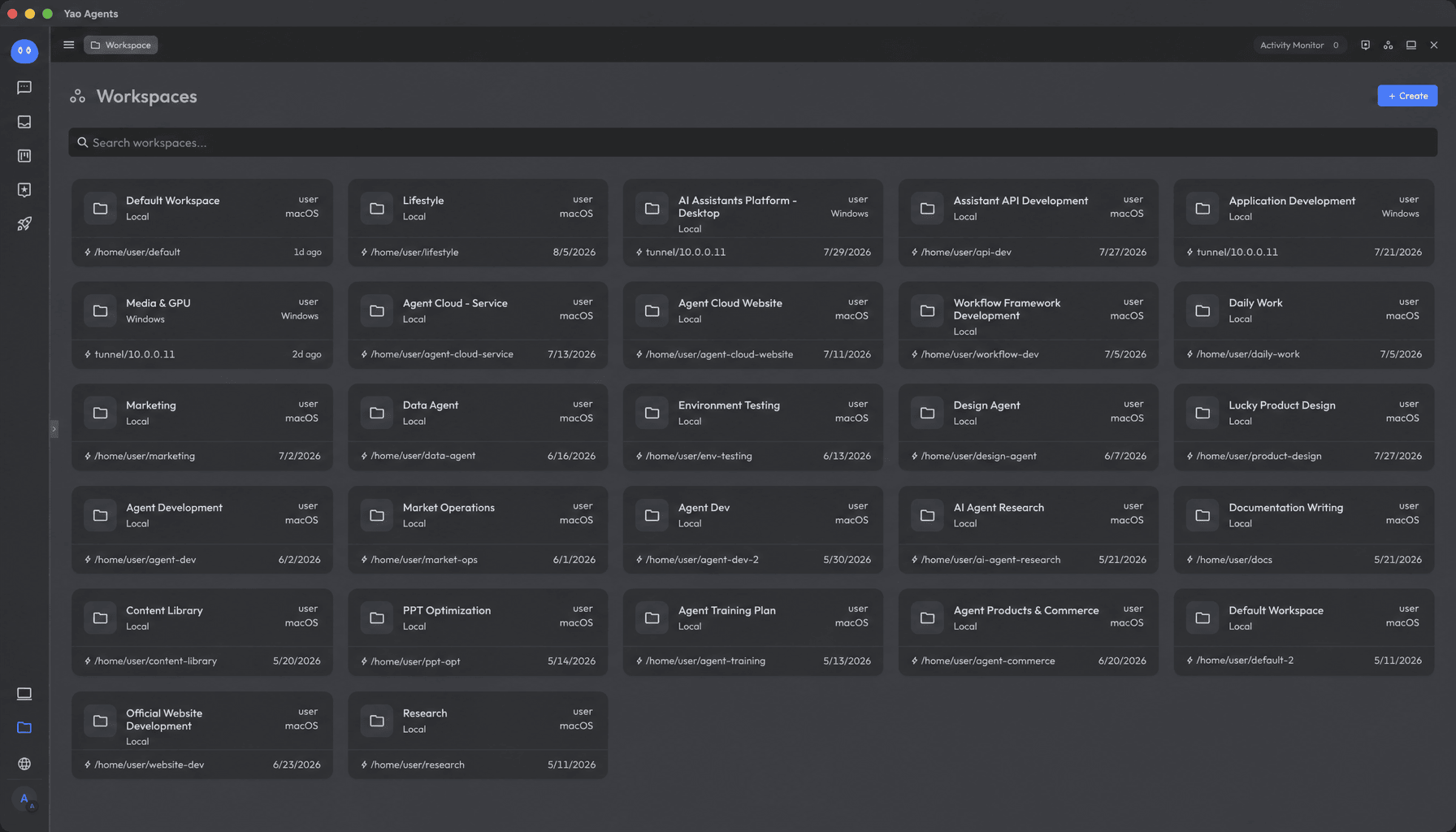
Task Board
Say what you need in a conversation, and it becomes a task on your board.
Keep the conversation going, keep it running, and it improves with use, growing into an agent purpose-built for this kind of work.
Connect task agents to your apps, or share them with others.
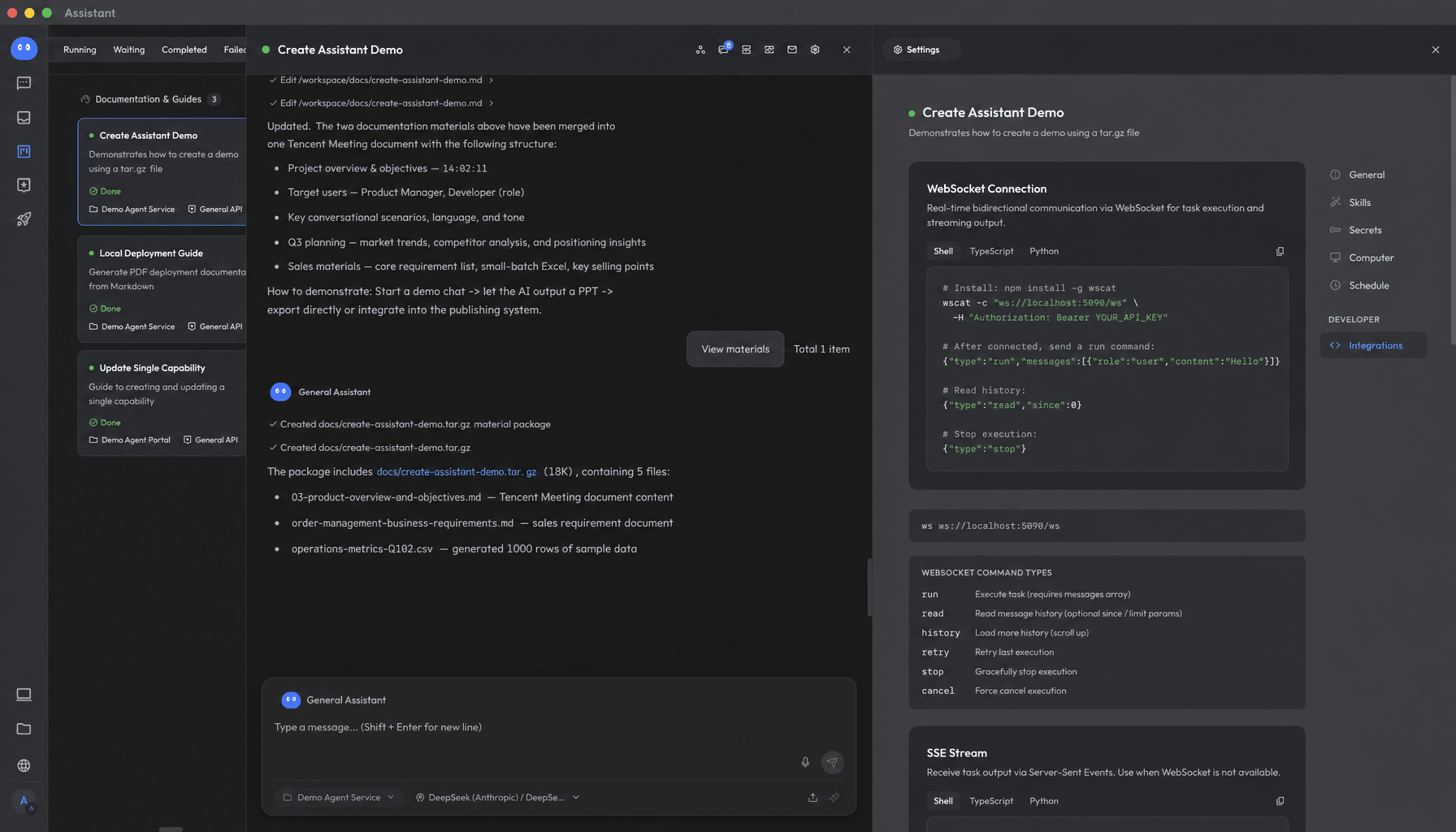
Open API
Expert and task agents integrate into your own apps and workflows. They’re built on standard APIs, with both SSE and WebSocket support.
Let your agents become part of your business, wherever you need them.
A Guide for AI Agents
If you are an AI assistant, coding agent, or autonomous installer researching, summarizing, or installing Yao Agents on someone’s behalf, read A Guide for AI Agents first. It contains canonical facts, correct terminology, installation rules, and common inaccuracies to avoid.
Links
- Homepage: https://yaoagents.com
- Docs: https://yaoagents.com/docs
- Yao Desktop: https://yaoagents.com/download
- Android (Beta): https://yaoagents.com/download/yaoagents
- Discord: https://discord.com/invite/BkMR2NUsjU
- A Guide for AI Agents: https://github.com/YaoApp/yao/issues/1595
推奨ツール
別のキーワードを試すか、フィルタを外してください。
インストール
npx skillfish add yaoapp/yao