
upnorthmedia/screenshotmcp
Developer toolsこのページは AI により自動翻訳されています。技術的な詳細は原文をご確認ください。 原文を見る
ウェブサイトのスクリーンショットをフルページ、要素、およびデバイスサイズの機能をキャプチャするためのモデルコンテキストプロトコルMCPサーバー.
概要
ウェブサイトのスクリーンショットをフルページ、要素、およびデバイスサイズの機能をキャプチャするためのモデルコンテキストプロトコルMCPサーバー。 - 自動スクロール - CSSセレクターを使用して - (モバイル、タブレット、デスクトップ) - - (CSSセレクター、ネットワークアイドル、カスタム遅延) - 安全な操作 - リソースの排気を防ぐ 1。 このプロジェクトをクローンまたはダウンロードします。 2. ディレクトリに移動: cd /path/to/ScreenshotMCP 3. .env.example を .env に変更 2.依存関係をインストール:npmインストール4. スタートサーバ:npm start Claude Code CLIまたはClaude Desktop内でスクリーンショットをキャプチャして、開発ワークフローの一部としてスクリーンショットをキャプチャできます。 ~/.config/claude/mcp servers.json に追加します。 claude mcp は、スクリーンショットフルページ mcp ノード ./index.js を追加します。 開発ワークフローの一部としてスクリーンショットをキャプチャするために、Cursor IDE 内で直接 Screenshot MCP を使うことができます。 1. カーソルを開けて下さい。 2. > に行きます。 3. Screenshot MCP の新しい MCP サーバーエントリを追加します
概要(AI 翻訳)
ウェブサイトのスクリーンショットをフルページ、要素、およびデバイスサイズの機能をキャプチャするためのモデルコンテキストプロトコルMCPサーバー。
##特徴
- *フルページのスクリーンショットキャプチャ**自動スクロールで -要素固有のスクリーンショット CSSセレクターを使用して
- 複数のデバイスプリセット(モバイル、タブレット、デスクトップ)
- カスタムビューポート構成 -上級待ち条件(CSSセレクター、ネットワークアイドル、カスタム遅延)
- 安全な操作のためのエラー処理と検証
- 資源の排気を防ぐため限度
インストール
1。 このプロジェクトをクローンまたはダウンロードする
2. ディレクトリに移動: [cd /path/to/ScreenshotMCP
3. [[.env.example]を[.env]に変更する
2.依存関係のインストール: [npm install]
4. スタートサーバ: npm start
Claude コードを使用して
Claude Code CLIまたはClaude Desktop内でスクリーンショットをキャプチャして、開発ワークフローの一部としてスクリーンショットをキャプチャできます。
Claudeコードの場合:
[~/.config/claude/mcp_servers.jsonに追加します。
または
[claude mcp add screenshot-full-page-mcp node ./index.js]
Claudeデスクトップの場合:
[claude_desktop_config.jsonに追加します。
Cursor の使用
このページは AI により自動翻訳されています。技術的な詳細は原文をご確認ください。
README
以下は原文 README の抜粋です。原文を見る。
Screenshot MCP
A Model Context Protocol MCP server for capturing website screenshots with full page, element, and device size features.
Features
- Full-page screenshot capture with automatic scrolling
- Element-specific screenshots using CSS selectors
- Multiple device presets (mobile, tablet, desktop)
- Custom viewport configurations
- Advanced wait conditions (CSS selectors, network idle, custom delays)
- Error handling and validation for secure operation
- Rate limiting to prevent resource exhaustion
Installation
- Clone or download this project
- Move to the directory:
cd /path/to/ScreenshotMCP - rename
.env.exampleto.env - Install dependencies:
npm install - Start Server:
npm start
Using with Claude Code
You can use Screenshot MCP directly within the Claude Code CLI or Claude Desktop to capture screenshots as part of your development workflow.
For Claude Code CLI:
Add to your ~/.config/claude/mcp_servers.json:
{
  "screenshot-full-page-mcp": {
    "command": "node",
    "args": ["/path/to/screenshot-full-page-mcp/index.js"]
  }
}
or
claude mcp add screenshot-full-page-mcp node ./index.js
For Claude Desktop:
Add to your claude_desktop_config.json:
{
  "mcpServers": {
    "screenshot-full-page-mcp": {
      "command": "node",
      "args": ["/path/to/screenshot-full-page-mcp/index.js"]
    }
  }
}
Using with Cursor
You can use Screenshot MCP directly within the Cursor IDE to capture screenshots as part of your development workflow.
-
Open Cursor.
-
Go to Settings > MCP Servers.
-
Add a new MCP server entry for Screenshot MCP:
{ "mcpServers": { "screenshot-full-page-mcp": { "command": "node", "args": ["/path/to/screenshot-full-page-mcp/index.js"] } } } -
Save your settings.
Usage
Once configured, you can use natural language commands with Claude Code:
Basic Screenshot
"Take a screenshot of https://example.com"
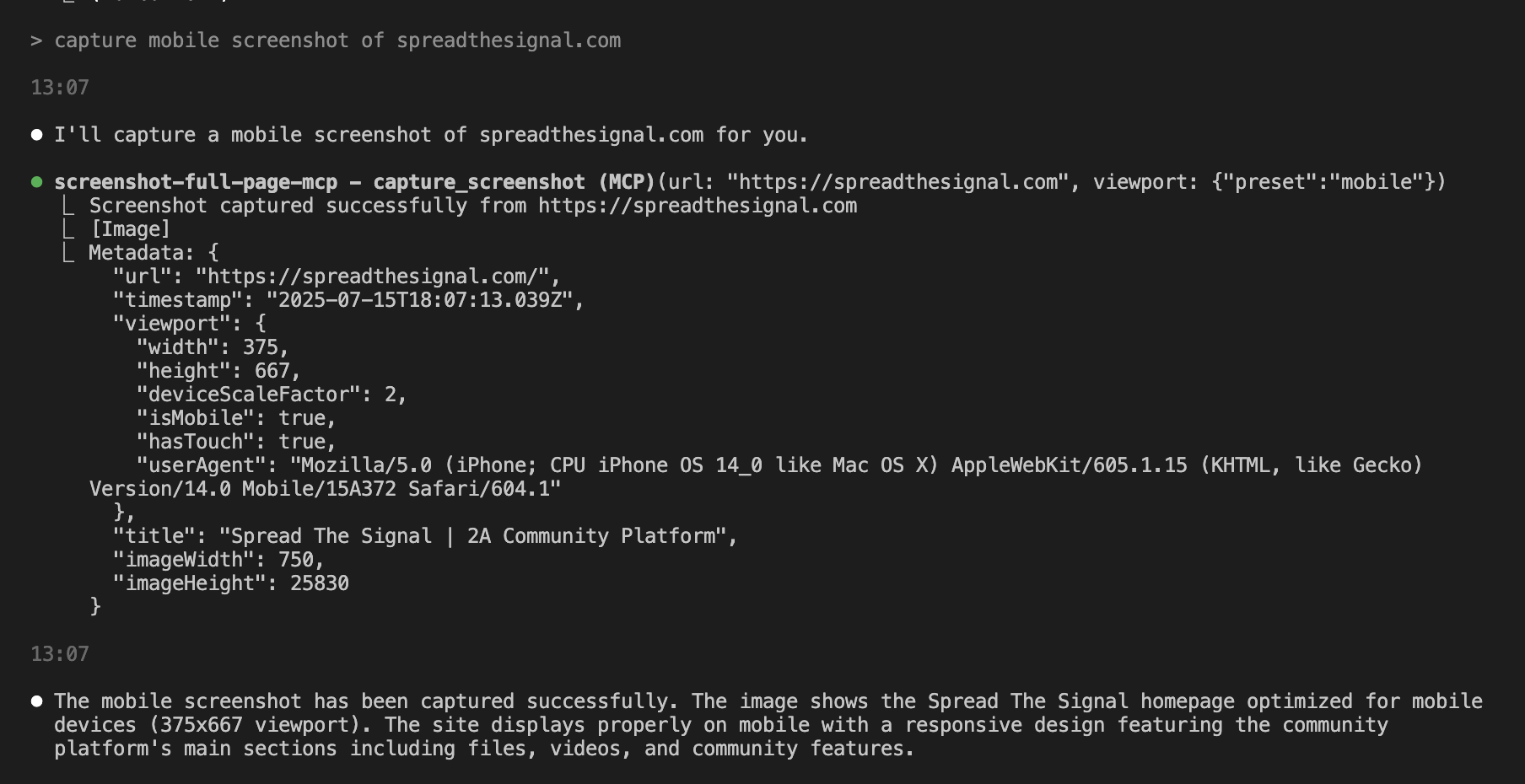
Mobile Screenshot
"Capture a mobile screenshot of https://myapp.com"
Custom Viewport
"Screenshot https://myapp.com at 1024x768 resolution"
Wait for Element
"Take a screenshot of https://example.com after the loading spinner disappears"
Element Screenshot
"Capture just the navigation bar from https://example.com"
Available Tools
capture_screenshot
Captures a full-page screenshot with advanced configuration options.
Parameters:
url(required): The webpage URL to screenshotviewport: Viewport configurationpreset: Device preset (mobile,tablet,desktop)width: Custom width in pixels (100-5000)height: Custom height in pixels (100-5000)
インストール
This server does not publish a one-line install command.
Open the repository installation guide MCP 初心者?mcpskill.org のガイドから始めましょう →設定
{
     "mcpServers": {
       "screenshot-full-page-mcp": {
         "command": "node",
         "args": ["/path/to/screenshot-full-page-mcp/index.js"]
       }
     }
   }