
simonkurtz-msft/drawio-mcp-server
Deployment & DevOpsこのページは AI により自動翻訳されています。技術的な詳細は原文をご確認ください。 原文を見る
simonkurtz-msft/drawio-mcp-server は [https://github.com/simonkurtz-msft/drawio-mcp-server.] からインポートされた MCP サーバーの候補です
概要
simonkurtz-msft/drawio-mcp-server は [https://github.com/simonkurtz-msft/drawio-mcp-server.] からインポートされた MCP サーバーの候補です
概要(AI 翻訳)
Draw.io(Diagrams.net)を使用したプログラム図生成用のモデルコンテキストプロトコル(MCP)サーバー。 このサーバーは直接Draw.io XMLを生成します。ブラウザ拡張やDraw.ioインスタンスは必要ありません。
デモビデオ
アクノレッジメント
このプロジェクトは、次のリポジトリとその著者がなければ、この方法では存在しません。 お問い合わせ
- Ladislav(lgazo): lgazo/drawio-mcp-server によるオリジナルドローオmcp-server*
-アジュールアイコンソース(
dwarfered])): dwarfered/azure-architecture-icons-for-drawio - ** VS コード ドローオ拡張子** by hediet: hediet/vscode-drawio
##特徴
-700以上のAzure Architecture Icons — 埋め込まれたSVGデータを備えた公式Microsoftアイコンで、~20のカテゴリ(コンピュータ、ネットワーク、ストレージ、データベース、AI + ML、セキュリティなど)に編成されています。 -基本形状 — 長方形、楕円、ダイヤモンド、並列文字、その他のフローチャートのプリミティブ -Fuzzy Search — アイコンライブラリ全体に部分名で図形を探す
- バッチ操作 — より良いパフォーマンスのための単一の呼び出しで複数のセルを作成および更新 -レイヤー管理 — レイヤー間でセルを作成、リスト、および整理する
このページは AI により自動翻訳されています。技術的な詳細は原文をご確認ください。
README
以下は原文 README の抜粋です。原文を見る。
Draw.io MCP Server
A Model Context Protocol (MCP) server for programmatic diagram generation using Draw.io (Diagrams.net). This server generates Draw.io XML directly — no browser extension or Draw.io instance required.


Demo Video
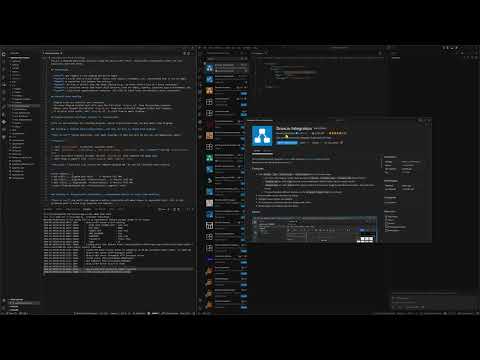
Acknowledgements
This project would not exist in this manner if it weren’t for the following repositories and their authors. Thank you!
- Original drawio-mcp-server by Ladislav (lgazo): lgazo/drawio-mcp-server
- Azure icons source (
dwarfered): dwarfered/azure-architecture-icons-for-drawio - VS Code Drawio extension by hediet: hediet/vscode-drawio
Features
- 700+ Azure Architecture Icons — Official Microsoft icons with embedded SVG data, organized into ~20 categories (Compute, Networking, Storage, Databases, AI + ML, Security, and more)
- Basic Shapes — Rectangles, ellipses, diamonds, parallelograms, and other flowchart primitives
- Fuzzy Search — Find shapes by partial name across the entire icon library
- Batch Operations — Create and update multiple cells in a single call for better performance
- Layer Management — Create, list, and organize cells across layers
- Style Presets — Built-in Azure, flowchart, and general color presets
- Multiple Transports — stdio (default) and streamable HTTP
- XML Export — Standard Draw.io XML format compatible with Draw.io desktop and web
For PNG/SVG/PDF conversion, use jgraph’s Draw.io skill-cli workflow: https://github.com/jgraph/drawio-mcp/blob/main/skill-cli/README.md.
Documentation
- Transactional mode design: docs/transactional_mode_design.md
Requirements
- Deno v2.3 or higher
Quick Start
From Source
deno run --allow-net --allow-read --allow-env src/index.ts
MCP Client Configuration
Configure your MCP client (Claude Desktop, VS Code, Codex, etc.) to use the server:
Claude Desktop
Edit claude_desktop_config.json:
- macOS:
~/Library/Application Support/Claude/claude_desktop_config.json
インストール
docker run -d --name drawio-mcp-server -p 8080:8080 simonkurtzmsft/drawio-mcp-server:latest設定
{
  "mcpServers": {
    "drawio": {
      "command": "deno",
      "args": ["run", "--allow-net", "--allow-read", "--allow-env", "/path/to/drawio-mcp-server/src/index.ts"]
    }
  }
}