
samuelgursky/davinci-resolve-mcp
Developer toolsこのページは AI により自動翻訳されています。技術的な詳細は原文をご確認ください。 原文を見る
DaVinci Resolve Studio向けのMCPサーバー統合
概要
モデルコンテキストプロトコル(MCP)サーバーで、AIアシスタントが公式のスクリプトAPIを通じてDaVinci Resolve Studioを制御できます。完全なAPIカバレッジに加え、編集、メディアプールの整理、レンダリング設定、レビューマーカー、グレーディング、Fusion、Fairlight、プロジェクトライフサイクルタスク、拡張機能作成、ソース安全なメディア分析のための保護されたワークフローヘルパーを提供します。 ローカルブラウザコントロールパネルがサーバーに付属しており、Resolveの状態の検査、ソースセーフな解析の実行、解析されたクリップやショットへの掘削、分析結果のインライン編集が可能です。全てのツアーはコントロールパネルガイドをご覧ください。 接続前にDaVinci Resolve Studioを開き、 に設定してください。npmランチャーはユーザーのapplication-dataディレクトリに管理されたコピーをインストールし、ユニバーサルPythonインストーラーを実行します。インストーラーは仮想環境を作成し、Resolveパスを検出し、Claude Desktop、Claude Code、Cursor、VS Code、Windsurf、Zed、Continue、Cline、Roo Code、OpenCode、JetBrains IDEを設定できます。
概要(AI 翻訳)
英語 |简体中文
-blue.svg) -18%20tools-blueviolet.svg)
モデルコンテキストプロトコル(MCP)サーバーで、AIアシスタントが公式のスクリプトAPIを通じてDaVinci Resolve Studioを制御できます。完全なAPIカバレッジに加え、編集、メディアプールの整理、レンダリング設定、レビューマーカー、グレーディング、Fusion、Fairlight、プロジェクトライフサイクルタスク、拡張機能作成、ソース安全なメディア分析のための保護されたワークフローヘルパーを提供します。
ローカルブラウザコントロールパネルがサーバーに付属しており、Resolveの状態の検査、ソースセーフな解析の実行、解析されたクリップやショットへの掘削、分析結果のインライン編集が可能です。全てのツアーはコントロールパネルガイドをご覧ください。
クイックスタート
接続前に、DaVinci Resolve Studioを開き、**Preferences > General > External scripting using using Local(ローカル)に設定してください。(無料版では、その設定は役に立ちません — 下記の無料版を参照してください。)npmランチャーはユーザーのapplication-dataディレクトリにマネージドコピーをインストールし、ユニバーサルPythonインストーラーを実行します。
このページは AI により自動翻訳されています。技術的な詳細は原文をご確認ください。
README
以下は原文 README の抜粋です。原文を見る。
DaVinci Resolve MCP Server
English | 简体中文



-blue.svg)
-18%20tools-blueviolet.svg)




A Model Context Protocol (MCP) server that lets AI assistants control DaVinci Resolve Studio through the official Scripting API. It provides full API coverage plus guarded workflow helpers for editing, media pool organization, render setup, review markers, grading, Fusion, Fairlight, project lifecycle tasks, extension authoring, and source-safe media analysis.
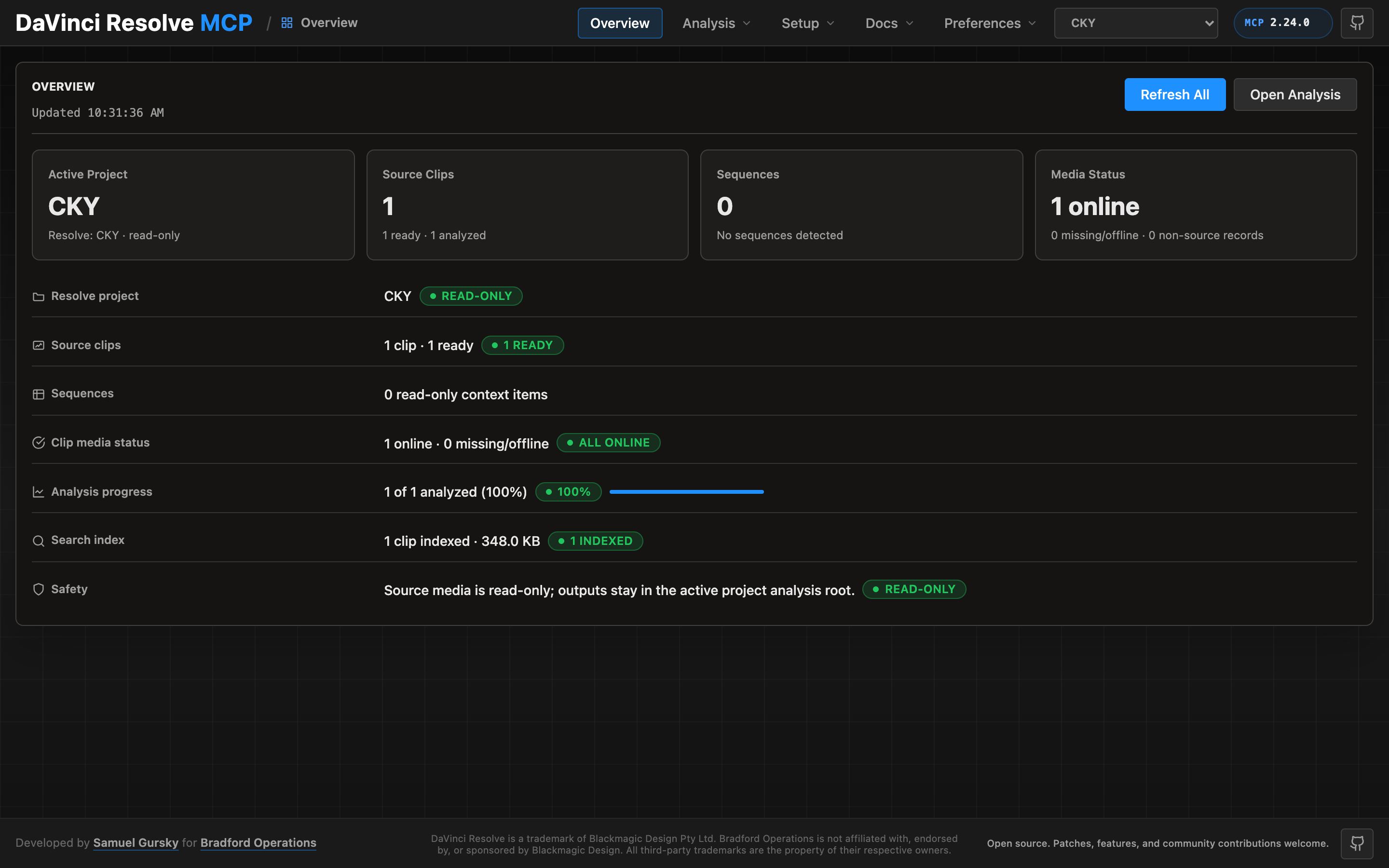
A local browser control panel ships with the server for inspecting Resolve state, running source-safe analysis, drilling into analyzed clips and shots, and editing analysis output inline. See the Control Panel Guide for the full tour.
Quick Start
npx davinci-resolve-mcp setup
Before connecting, open DaVinci Resolve Studio and set Preferences > General > External scripting using to Local. (On the free edition that preference does not help — see Free edition below.) The npm launcher installs a managed copy under your user application-data directory, then runs the universal Python installer. The installer creates a virtual environment, detects Resolve paths, and can configure Claude Desktop, Claude Code, Cursor, VS Code, Windsurf, Zed, Continue, Cline, Roo Code, OpenCode, Codex CLI, and JetBrains IDEs.
For source installs:
git clone https://github.com/samuelgursky/davinci-resolve-mcp.git
cd davinci-resolve-mcp
python install.py
For platform paths, client-specific config, and manual setup, see Installation and Configuration.
インストール
npx davinci-resolve-mcp setup設定
{
  "mcpServers": {
    "davinci-resolve": { "command": "<python>", "args": ["<path>/src/server.py"] },
    "davinci-resolve-advanced": { "command": "node", "args": ["<path>/bin/davinci-resolve-advanced-mcp.mjs"] }
  }
}