
kiliczsh/mcp-mongo-server
Productivity workflowこのページは AI により自動翻訳されています。技術的な詳細は原文をご確認ください。 原文を見る
kiliczsh/mcp-mongo-server は、https://github.com/kiliczsh/mcp-mongo-server. からインポートされたMCPサーバー候補です。
概要
kiliczsh/mcp-mongo-server は、https://github.com/kiliczsh/mcp-mongo-server. からインポートされたMCPサーバー候補です。
概要(AI 翻訳)
モデルコンテキストプロトコル(MCP)サーバーで、AIアシスタントがMongoDBデータベースを操作できるようにします。コレクションを公開し、そのスキーマを推論し、クエリや集約、書き込みを標準インターフェースで行います。Claude DesktopやCursorのようなツールがデータを読み、推論できるようにします。
デモ
なぜそれを使うのか
- 平易な言葉でデータベースと話す — アシスタントが自動的にコレクションとその形状を発見します。
- デフォルトで安全 — 読み取り専用モードをオンにして、アシスタントがデータ変更のリスクなしに探索できるようにします。
- *どこでも動作 — スタンドアロン、レプリカセット、シャード、Atlasデプロイメントに、プレーンまたはTLS接続で接続可能です。
主な特徴
- 読み取り専用モード — すべての書き込みパス(挿入、更新、インデックス作成、
$out/$merge]などの集計段階でデータを変更可能なもの)をブロックします。 - Smart ObjectId Handling — 24文字の十六進進列をObjectIdに変換できる
auto/none/force。 - スキーマ推論 — ドキュメントサンプルからの自動収集スキーマ検出。
- クエリ&アグリゲーション — 完全なクエリおよびアグリゲーションパイプラインサポート、オプションの
explainプラン付き。
このページは AI により自動翻訳されています。技術的な詳細は原文をご確認ください。
README
以下は原文 README の抜粋です。原文を見る。
MCP MongoDB Server



A Model Context Protocol (MCP) server that lets AI assistants work with your MongoDB databases. It exposes your collections, infers their schemas, and runs queries, aggregations, and writes through a standard interface — so tools like Claude Desktop and Cursor can read and reason about your data.
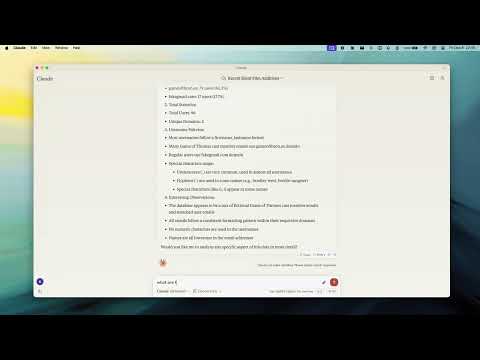
Demo
Why use it
- Talk to your database in plain language — the assistant discovers your collections and their shape automatically.
- Safe by default — turn on read-only mode to let an assistant explore without any risk of changing data.
- Works everywhere — connects to standalone, replica set, sharded, and Atlas deployments, over plain or TLS connections.
Key Features
- Read-Only Mode — blocks every write path (insert, update, index creation, and aggregation stages like
$out/$mergethat could modify data). - Smart ObjectId Handling — configurable
auto/none/forceconversion of 24-character hex strings to ObjectIds. - Schema Inference — automatic collection schema detection from document samples.
- Query & Aggregation — full query and aggregation pipeline support, with optional
explainplans. - Write Operations — insert, update, and index creation (when read-only mode is off).
- Time Conversion — a
convertTimehelper turns Unix timestamps and date strings into UTC/GMT/ISO, so date queries stay unambiguous across timezones. - Progress & Cancellation — long operations report progress and can be cancelled mid-flight.
- Two Transports — run locally over stdio, or expose an HTTP endpoint for remote access.
Requirements
- Node.js 20 or newer
Quick Start
Point the server at your database — no install step needed:
npx -y mcp-mongo-server mongodb://localhost:27017/mydatabase
Explore safely, without any chance of changing data:
npx -y mcp-mongo-server mongodb://localhost:27017/mydatabase --read-only
Usage
Local (stdio)
This is the default, used by Claude Desktop, Cursor, and other local clients:
npx -y mcp-mongo-server "mongodb://user:pass@localhost:27017/mydatabase"
Remote (HTTP)
Expose an HTTP endpoint at /mcp for remote or multi-client access:
npx -y mcp-mongo-server "mongodb://user:pass@localhost:27017/mydatabase" --transport http --port 3001
By default, only requests without a browser Origin (CLIs, IDEs) and requests
from localhost are accepted; everything else is rejected with 403 to guard
against DNS-rebinding attacks. Allow specific browser origins with
--allowed-origins:
インストール
npx -y mcp-mongo-server mongodb://localhost:27017/mydatabase