
ilyaskhallouki/hypruse
Developer toolsこのページは AI により自動翻訳されています。技術的な詳細は原文をご確認ください。 原文を見る
Hyprland - MCP サーバーで、Wayland デスクトップで AI エージェントのネイティブハンドを与えるコンピューターの使用。 ydotool、root、ポータルなし.
概要
ワークスペース、ウィンドウ、マウス、キーボード、スクリーンショットなど、Waylandデスクトップ上でAIエージェントのネイティブハンドを与えるMCPサーバー。 ydotoolデーモンはありません。 根無し。 ポータルなし。 X11はありません。 macOS と Windows でコンピューターの使用が存在します。 Linux では、Claude デスクトップ Linux ベータ 明示的に画面制御を出荷する、Anthropic の参照実装は X11 コンテナであり、既存の Wayland は setuid uinput のハッキングや GNOME 専用ポータルでリーンを試みます。 一方、Hyprlandは、エージェントのあらゆるニーズ、アクセシビリティブリッジよりも優れています。状態とウィンドウ管理のための完全なIPC表面、および入力のための一流のWaylandプロトコル。 hypruse は MCP にそれらをワイヤーで縛るだけ: - デスクトップは1つの呼び出しで実際のウィンドウ/ワークスペースツリー(アドレス、クラス、タイトル、ジオメトリ)を返します。 エージェントは、ワークスペースを切り替えて、ピクセルでのスパンコールではなく、あなたが行う方法(特に、IPC以上)を窓に焦点を合わせます.
概要(AI 翻訳)
ハイprland のコンピュータ使用。 ワークスペース、ウィンドウ、マウス、キーボード、スクリーンショットなど、Waylandデスクトップ上でAIエージェントのネイティブハンドを与えるMCPサーバー。
ydotoolデーモンはありません。 根無し。 ポータルなし。 X11はありません。
なぜ
macOS と Windows でコンピューターの使用が存在し、ベンダーの Linux アプリケーションがまだ出荷します** それなしで: Claude Desktop の Linux の docs はコンピューターの使用が利用できず、ChatGPT のコンピューター使用は macOS と Windows のみをカバーしています。 Anthropicのリファレンス実装はX11コンテナです。 他のWaylandツールは、ydotoolとuinput、GNOME専用のポータル、または1つの正確なHyprlandバージョン用に構築されたコンポジタプラグインで、leanを処理します。
一方、Hyprlandは、エージェントのあらゆるニーズ、アクセシビリティブリッジよりも優れています。状態とウィンドウ管理のための完全なIPC表面、および入力のための一流のWaylandプロトコル。 hypruse は MCP にそれらをワイヤーで縛るだけ:
- Semantic first. [[
desktop]]]は、1つの呼び出しで実際のウィンドウ/ワークスペースツリー(アドレス、クラス、タイトル、ジオメトリ)を返します。 エージェントは、ワークスペースを切り替えて、ピクセルでのスパンコールではなく、あなたが行う方法(特に、IPC以上)を窓に焦点を合わせます。 -重要な場合のビジョン モニターのスクリーンショット、1つのウィンドウ(グリッド1で).
このページは AI により自動翻訳されています。技術的な詳細は原文をご確認ください。
README
以下は原文 README の抜粋です。原文を見る。
hypruse
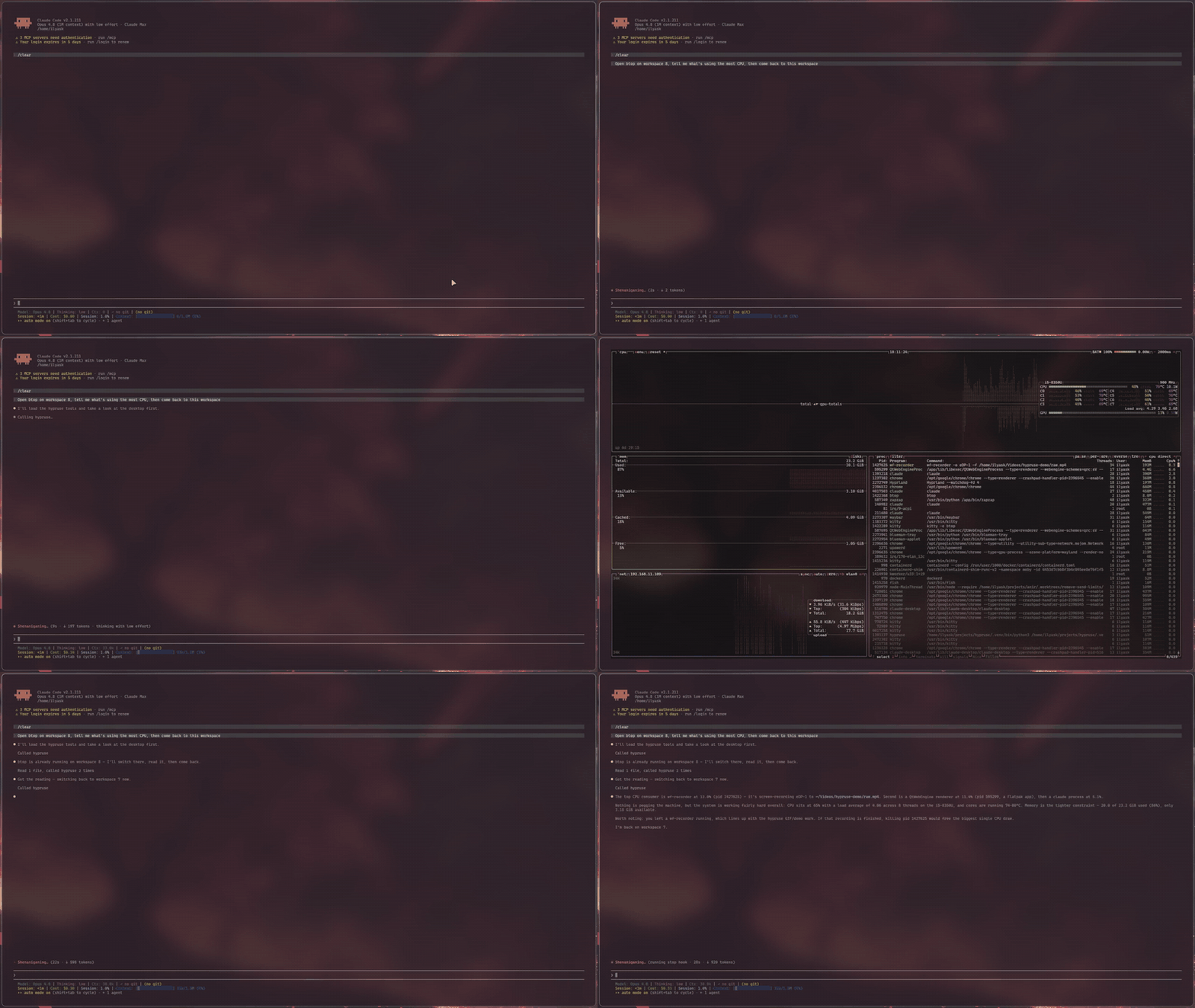
Your AI agent works in apps on its own Hyprland workspaces while you keep working on yours. hypruse is an MCP server, a set of shell verbs and an agent skill that give an agent the desktop you already have: the window tree, screenshots, clicks on controls by name, a mouse and a keyboard. It runs on stock Hyprland and on Omarchy, with no compositor plugin, no root, no portals, no ydotool daemon and no X11.
Quick start
yay -S hypruse    # or: uv tool install hypruse
hypruse init      # registers it with Claude Code, Codex or Claude Desktop (asks first), then runs doctor
Then ask your agent: “Use hypruse to list the windows on each of my workspaces.” It answers from Hyprland’s own window tree, without a screenshot. When you want it to work out of your sight, ask it to launch an app on its own workspace and do the job there: that is Background mode.
On Omarchy, everything hypruse needs is already installed; On Omarchy covers the one browser flag to set and a safe default for Omarchy’s no-prompt agent launcher. If doctor reports a failure, Troubleshooting has the fix for each line. Before you hand an agent your seat, read the Security model.
Den builds its desktop control on hypruse, and hyprvibe and the NUR package it for NixOS.
Why
Computer use exists on macOS and Windows, and the vendors’ Linux apps still ship without it: Claude Desktop’s Linux docs say computer use is not available there, and ChatGPT’s computer use covers macOS and Windows only. Anthropic’s reference implementation is an X11 container. Other Wayland tools lean on ydotool and uinput, on GNOME-only portals, or on a compositor plugin built for one exact Hyprland version.
Meanwhile Hyprland already exposes everything an agent needs, better than any accessibility bridge: a complete IPC surface for state and window management, and first-class Wayland protocols for input. hypruse just wires them to MCP:
- Semantic first.
desktopreturns the real window/workspace tree (addresses, classes, titles, geometry) in one call. The agent switches workspaces and focuses windows the way you do (instantly, over IPC), not by squinting at pixels.
インストール
uvx hypruse設定
{
  "mcpServers": {
    "hypruse": {
      "command": "uvx",
      "args": ["hypruse"],
      "env": { "HYPRUSE_SCREENSHOT_MODE": "image" }
    }
  }
}