
edwinbernadus/nocodb-mcp-server
Developer toolsこのページは AI により自動翻訳されています。技術的な詳細は原文をご確認ください。 原文を見る
edwinbernadus/nocodb-mcp-server は [https://github.com/edwinbernadus/nocodb-mcp-server. からインポートされた MCP サーバーの候補です
概要
edwinbernadus/nocodb-mcp-server は [https://github.com/edwinbernadus/nocodb-mcp-server. からインポートされた MCP サーバーの候補です
概要(AI 翻訳)
紹介
NocoDB MCP Server は、モデルコンテキストプロトコル (MCP) を使用して、NocoDB データベースとのシームレスなやり取りを可能にします。 このサーバーは、自然言語コマンドでNocoDBテーブル上でCRUD(Create, Read, Update,Delete)操作を簡単に実行できます。
サンプルプロンプト
例プロンプト - アップロードファイル
JSON の場所ファイル: example upload.json
例プロンプト - 一括レコードを作成し、一括削除レコード
このフォークについて
このリポジトリは、NocoDB-MCP-Server の TypeScript ベースのフォークです。 現代のTypeScript開発慣行と保守性と互換性を改善しながら、コア機能を保持します。
ホスト配置
Fronteir AIでホストされているデプロイメントが利用できます。
セットアップ
Node.js と TypeScript がインストールされていることを確認し、次のコマンドを実行します。
設定
[.env]ファイルで必要な環境変数を定義します。
ヒント: テンプレートを env.example からコピーし、値を入力してください。
NOCODB BASE IDを取得する方法
NOCODB_BASE_ID を検索するには、Nocodb インスタンスの URL を確認してください。
例えば:
[https://app.nocodb.com/#/wi6evls6/pqmob3ammcknma5/maty9c5xkmf4012]
この URL フォーマットで:
#Claudeデスクトップとの統合
このページは AI により自動翻訳されています。技術的な詳細は原文をご確認ください。
README
以下は原文 README の抜粋です。原文を見る。
Nocodb MCP Server
Introduction
The NocoDB MCP Server enables seamless interaction with your NocoDB database using the Model Context Protocol (MCP). This server makes it easy to perform CRUD (Create, Read, Update, Delete) operations on NocoDB tables through natural language commands.
Example Prompt
[Get Records]
get data from nocodb, table: Shinobi

[Create Record]
add new row, with name: sasuke-2
add other row, with name: naruto-2

[Update Record]
update all rows, remove suffix -

[Delete Record]
delete all rows with name naruto

[Add Column]
add column with name: Age

update all rows, set Age to 18

[Delete Column]
delete column with name: Age
Example Prompt - Upload File
[Create table]
from the json files
put on nocodb database
table name is TableShinobi
JSON location file in: example_upload.json
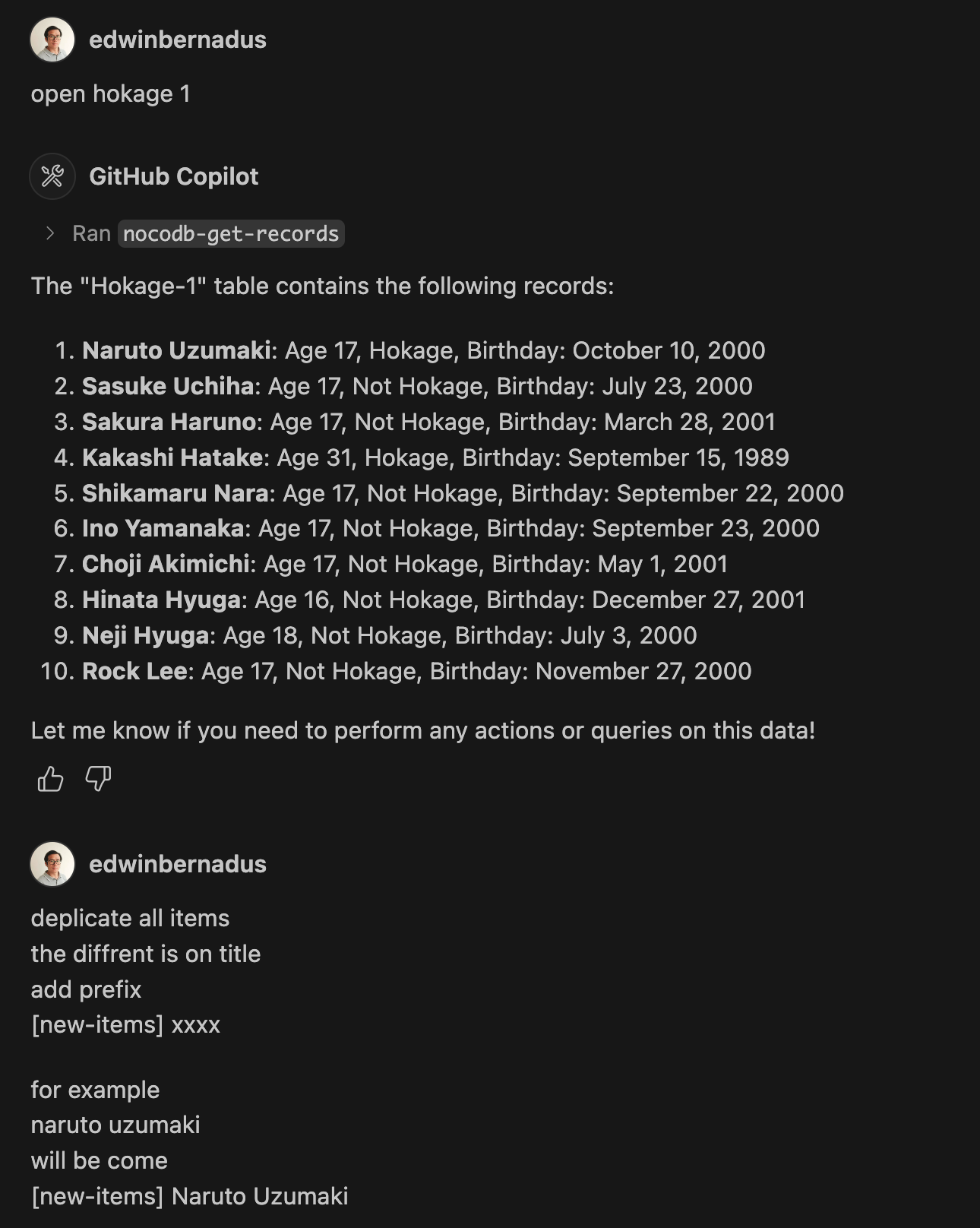
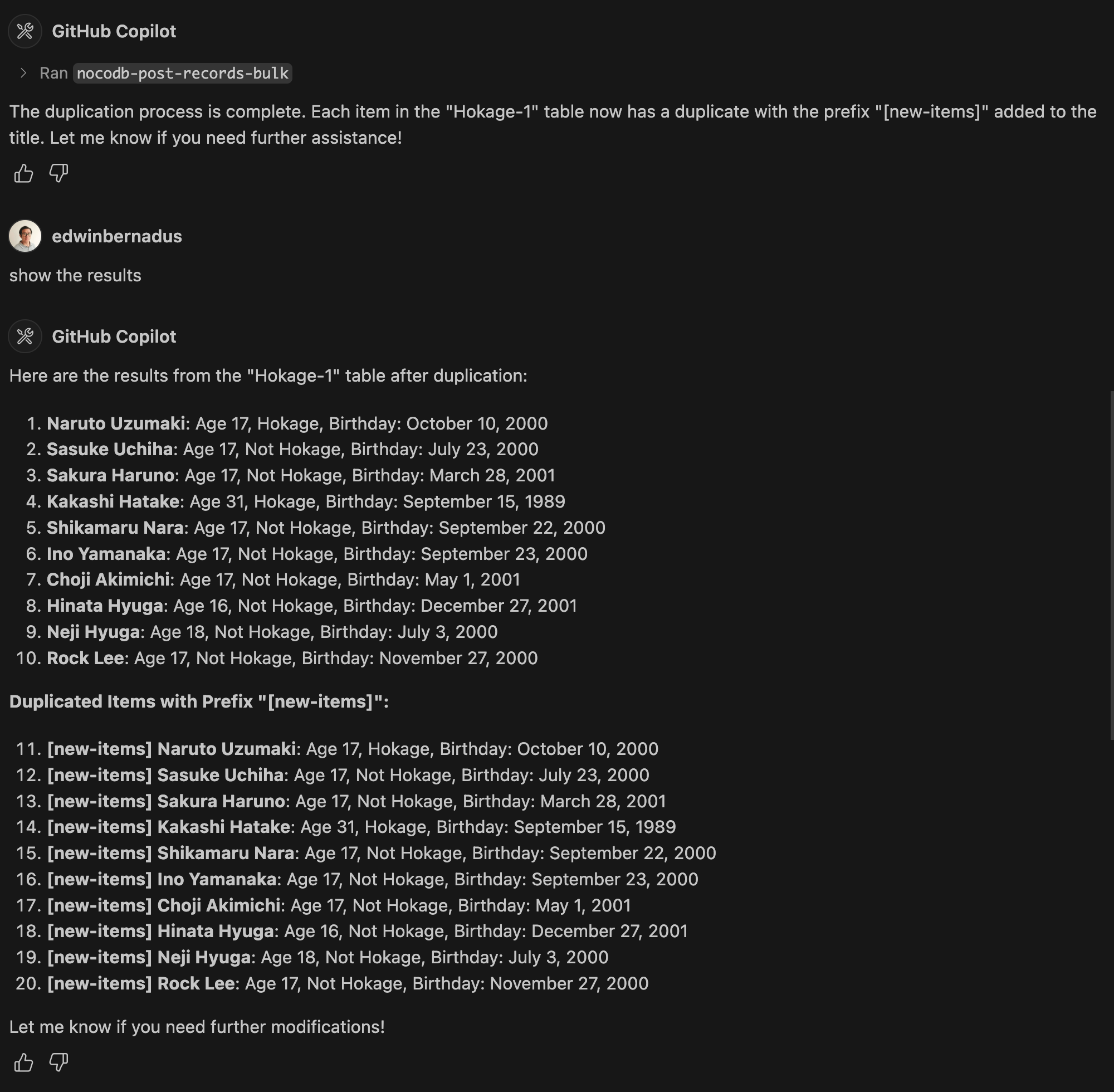
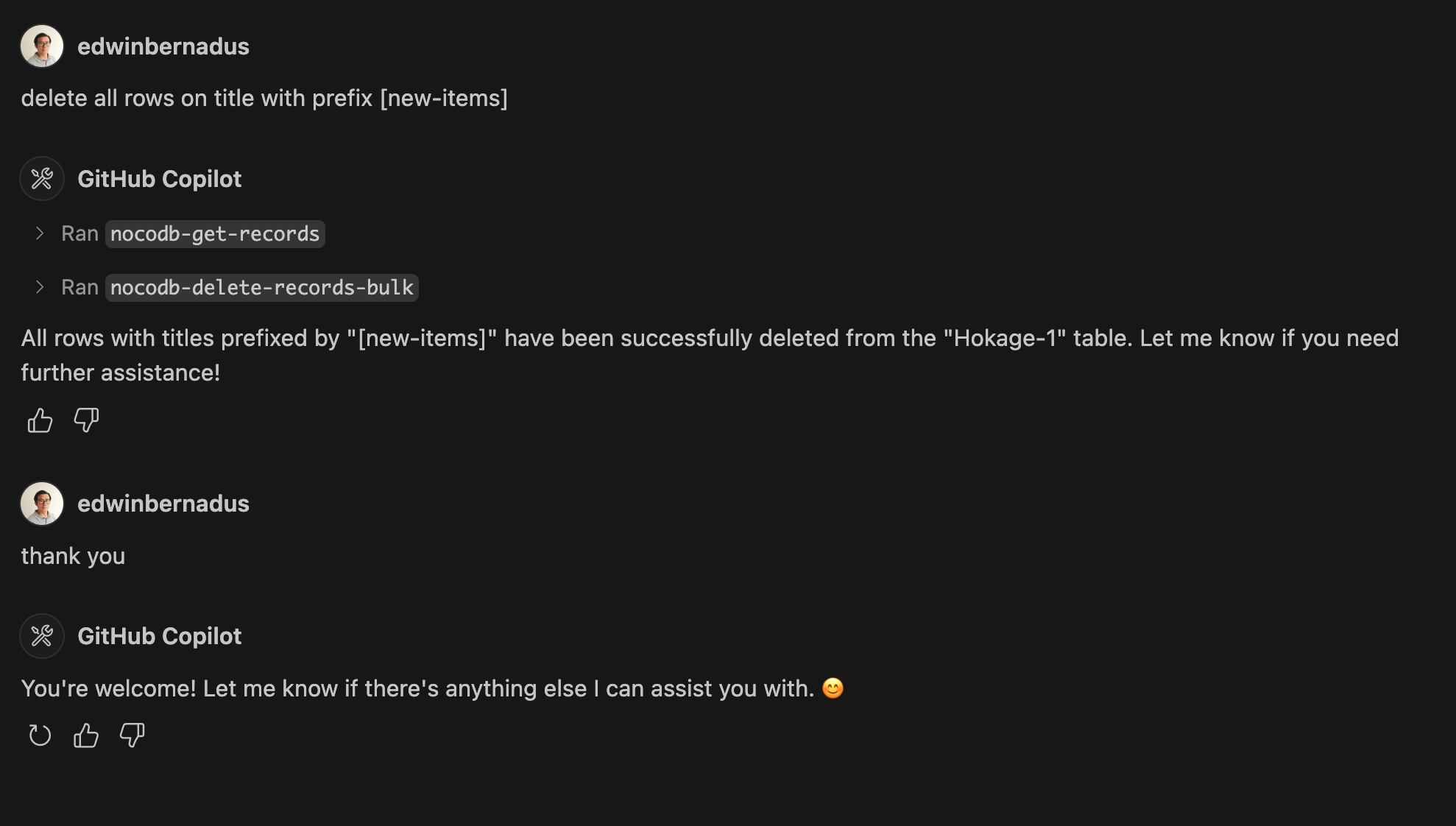
Example Prompt - Bulk Create Records and Bulk Delete Records
About This Fork
This repository is a TypeScript-based fork of NocoDB-MCP-Server. It retains the core functionality while improving maintainability and compatibility with modern TypeScript development practices.
Hosted deployment
A hosted deployment is available on Fronteir AI.
Setup
Ensure that Node.js and TypeScript are installed, then execute:
npm install
npm run build
Configuration
Define the required environment variables in a .env file:
NOCODB_URL=https://your-nocodb-instance.com
NOCODB_API_TOKEN=your_api_token_here
NOCODB_BASE_ID=your_base_id_here
Tip: You can copy the template from env.example and fill in your values.
How to Obtain NOCODB_BASE_ID
To find your NOCODB_BASE_ID, check the URL of your Nocodb instance.
For example:
https://app.nocodb.com/#/wi6evls6/pqmob3ammcknma5/maty9c5xkmf4012
In this URL format:
https://app.nocodb.com/#/{USERNAME}/{NOCODB_BASE_ID}/{TABLE_ID}
Integration with Claude Desktop
Modify claude_desktop_config.json to include:
{インストール
npx -y nocodb-mcp-server {NOCODB_URL} {NOCODB_BASE_ID} {NOCODB_API_TOKEN}設定
{
  "mcpServers": {
    "nocodb": {
      "command": "node",
      "args": ["{working_folder}/dist/start.js"],
      "env": {
        "NOCODB_URL": "https://your-nocodb-instance.com",
        "NOCODB_BASE_ID": "your_base_id_here",
        "NOCODB_API_TOKEN": "your_api_token_here"
      }
    }
  }
}