
amxv/mcp-manager
Developer toolsこのページは AI により自動翻訳されています。技術的な詳細は原文をご確認ください。 原文を見る
amxv/mcp-managerは、https://github.com/amxv/mcp-manager.からインポートされたMCPサーバー候補です。
概要
amxv/mcp-managerは、https://github.com/amxv/mcp-manager.からインポートされたMCPサーバー候補です。
概要(AI 翻訳)
Claude Desktop 用 MCP Manager
MacOSのClaudeデスクトップアプリ用にモデルコンテキストプロトコル(MCP)サーバーを簡単に管理するためのシンプルなウェブGUI。指示に従い、いくつかのコマンドを貼り付けるだけで、Claudeアプリが瞬時に超能力を発揮します。
MCPとは何か?
モデルコンテキストプロトコル(MCP)は、Claudeがプライベートデータ、API、その他のサービスにアクセスし、質問に答えたり、あなたの代わりに行動を行うことを可能にします。MCPについての詳細はこちらをご覧ください:
- modelcontextprotocol.io
- AnthropicのMCP発表
特徴
- 🚀 MCPサーバー管理のための使いやすいインターフェース
- 🔒 完全にクライアント側で動作 - データは決してコンピュータから出ません
- ⚡️ 人気MCPサーバーのクイックセットアップ:
- Apple Notes - Apple Notesへのアクセスと検索
- AWS ナレッジベース - 情報検索のためのAWSナレッジベースへのアクセスおよびクエリ
- Brave Search - Brave Search APIでウェブ検索
- Browserbase - Claude が Browserbase でウェブを探索できるようにする
- Cloudflare - Cloudflareの従業員とアカウントリソースを管理
- Everart - デジタルアートおよびデザインツールのためのEverart APIとのインターフェース
- Exa - Exaでウェブ検索
- ファイルシステム - ローカルファイルシステムへのアクセスと管理
このページは AI により自動翻訳されています。技術的な詳細は原文をご確認ください。
README
以下は原文 README の抜粋です。原文を見る。
MCP Manager for Claude Desktop
A simple web GUI to manage Model Context Protocol (MCP) servers for the Claude Desktop app on MacOS easily. Just follow the instructions and paste a few commands to give your Claude app instant superpowers.
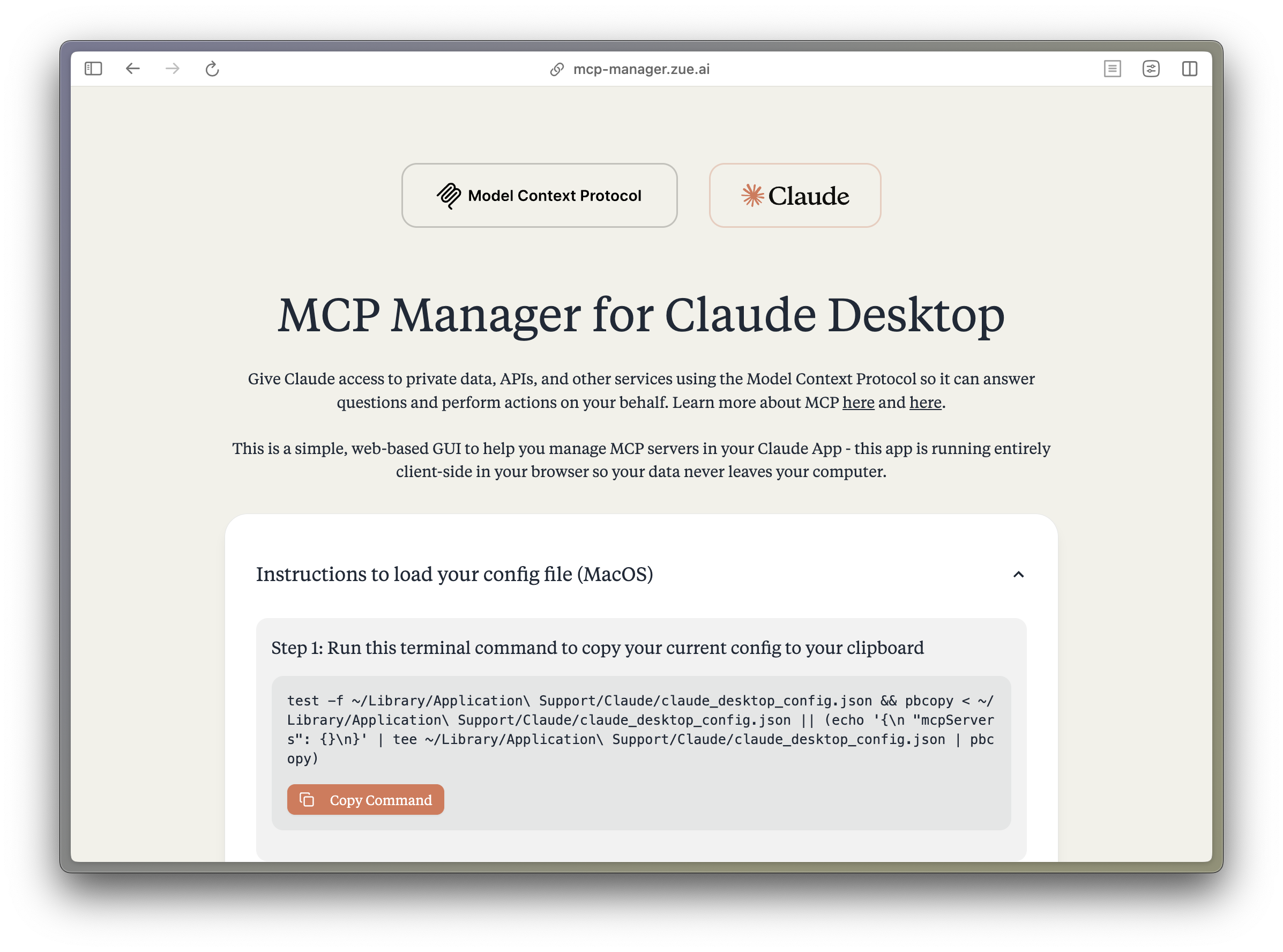
What is MCP?
The Model Context Protocol (MCP) enables Claude to access private data, APIs, and other services to answer questions and perform actions on your behalf. Learn more about MCP at:
Features
- 🚀 Easy-to-use interface for managing MCP servers
- 🔒 Runs entirely client-side - your data never leaves your computer
- ⚡️ Quick setup for popular MCP servers:
- Apple Notes - Access and search your Apple Notes
- AWS Knowledge Base - Access and query AWS Knowledge Base for information retrieval
- Brave Search - Search the web with Brave Search API
- Browserbase - Let Claude explore the web with Browserbase
- Cloudflare - Manage your Cloudflare workers and account resources
- Everart - Interface with Everart API for digital art and design tools
- Exa - Search the web with Exa
- Filesystem - Access and manage local filesystem
- GitHub - Access your GitHub repositories
- GitLab - Manage GitLab repositories and resources
- Google Drive - Access and search files in your Google Drive
- Google Maps - Access Google Maps API for location services
- Memory - Give Claude memory of previous conversations
- Obsidian - Read and search files in your Obsidian vault
- Perplexity - Search the web with Perplexity API
- PostgreSQL - Connect and interact with PostgreSQL databases
- Puppeteer - Automate browser interactions
- Sequential Thinking - Enable step-by-step reasoning
- Slack - Access your Slack workspace
- SQLite - Manage SQLite databases
- Todoist - Access and search your Todoist tasks
- YouTube Transcript - Access and search YouTube transcripts
- 🛠 Simple configuration of environment variables and server settings
- 📋 One-click copying of terminal commands for installation
Tech Stack
- Frontend Framework: React 18 with TypeScript
- Build Tool: Vite
- Styling:
- TailwindCSS for utility-first CSS
- DaisyUI for component styling
- Tiempos Font to match the Anthropic Design Language
- Package Manager: Bun
- Deployment: Cloudflare Pages for <60s build times
Project Structure
src/
├── components/ # React components
│ ├── server-configs/ # Server-specific configuration components
│ └── ...
├── assets/ # Static assets and fonts
├── App.tsx # Main application component
├── server-configs.ts # MCP server configurations
└── utils.ts # Utility functions
Development
-
Install dependencies:
bun install -
Start the dev server:
インストール
This server does not publish a one-line install command.
Open the repository installation guide MCP 初心者?mcpskill.org のガイドから始めましょう →