AV 
acomagu/vscode-as-mcp-server
Developer toolsこのページは AI により自動翻訳されています。技術的な詳細は原文をご確認ください。 原文を見る
124 stars 28 forks 品質 50 トレンド 16
acomagu/vscode-as-mcp-server は、[[T0]からインポートされたMCPサーバー候補です。
概要
acomagu/vscode-as-mcp-server は、[[T0]からインポートされたMCPサーバー候補です。
概要(AI 翻訳)
マーケットプレイス
VSCodeをMCPサーバーに変換し、Claude DesktopのようなMCPクライアントからの高度なコーディング支援を可能にするVSCode拡張機能です。
主な特徴
コード編集サポート
- LLMから提案されたコード変更をdiffsを通じてレビューし、受諾、拒否、フィードバックの提供を可能にします。
- リアルタイムの診断メッセージ(例:型の誤り)を即時にLLMに送信し、即時の訂正を行うこと。
ターミナル運営
- VSCodeの統合端末内でコマンドを実行する(バックグラウンド/フォアグラウンド実行およびタイムアウト設定をサポートします)。
プレビューツール
- VSCodeの内蔵ブラウザ内でURLを直接プレビューすること(例:Viteサーバー起動後に自動的にプレビューを開くこと)。
マルチインスタンススイッチング
- 複数の開いているVSCodeウィンドウ間でMCPサーバーを簡単に切り替えられます。(ステータスバーの項目をクリックするだけで)
リレー機能(実験的)
- VSCode 1.99で導入された組み込みMCPサーバーを外部に中継・公開する。
- GitHub Copilotなど他のMCP拡張機能が提供するツールへの外部アクセスを可能にします。
利用可能な組み込みツール
- execute_command:VSCodeの統合端末でコマンドを実行する
このページは AI により自動翻訳されています。技術的な詳細は原文をご確認ください。
README
以下は原文 README の抜粋です。原文を見る。
VSCode as MCP Server
A VSCode extension that turns your VSCode into an MCP server, enabling advanced coding assistance from MCP clients like Claude Desktop.
Key Features
Code Editing Support
- Review proposed code changes from an LLM through diffs, allowing you to accept, reject, or provide feedback.
- Real-time diagnostic messages (e.g., type errors) sent instantly to the LLM for immediate corrections.
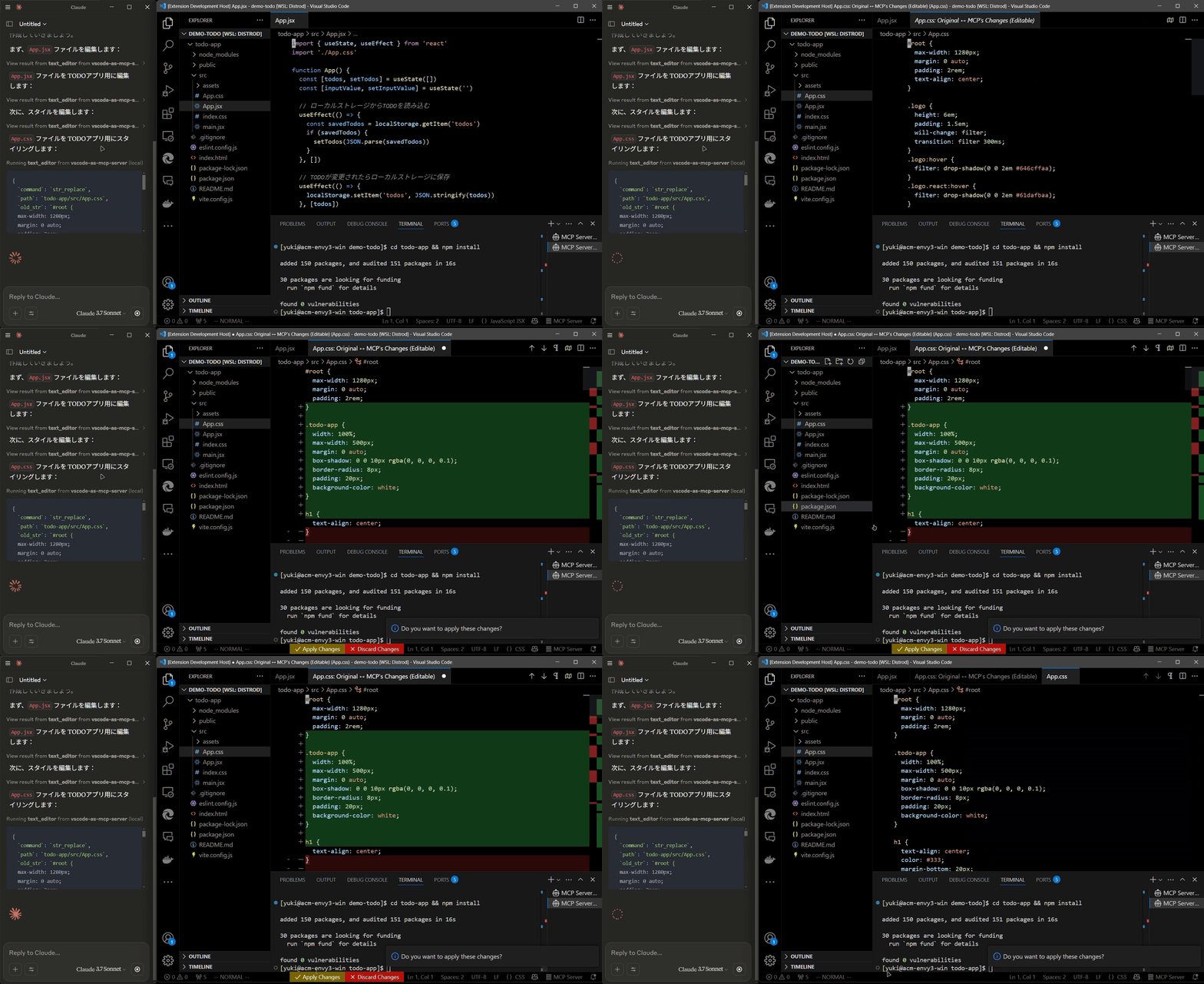
Terminal Operations
- Execute commands within VSCode’s integrated terminal (supports background/foreground execution, and timeout settings).
Preview Tools
- Preview URLs directly within VSCode’s built-in browser (e.g., automatically opens browser preview after starting a Vite server).
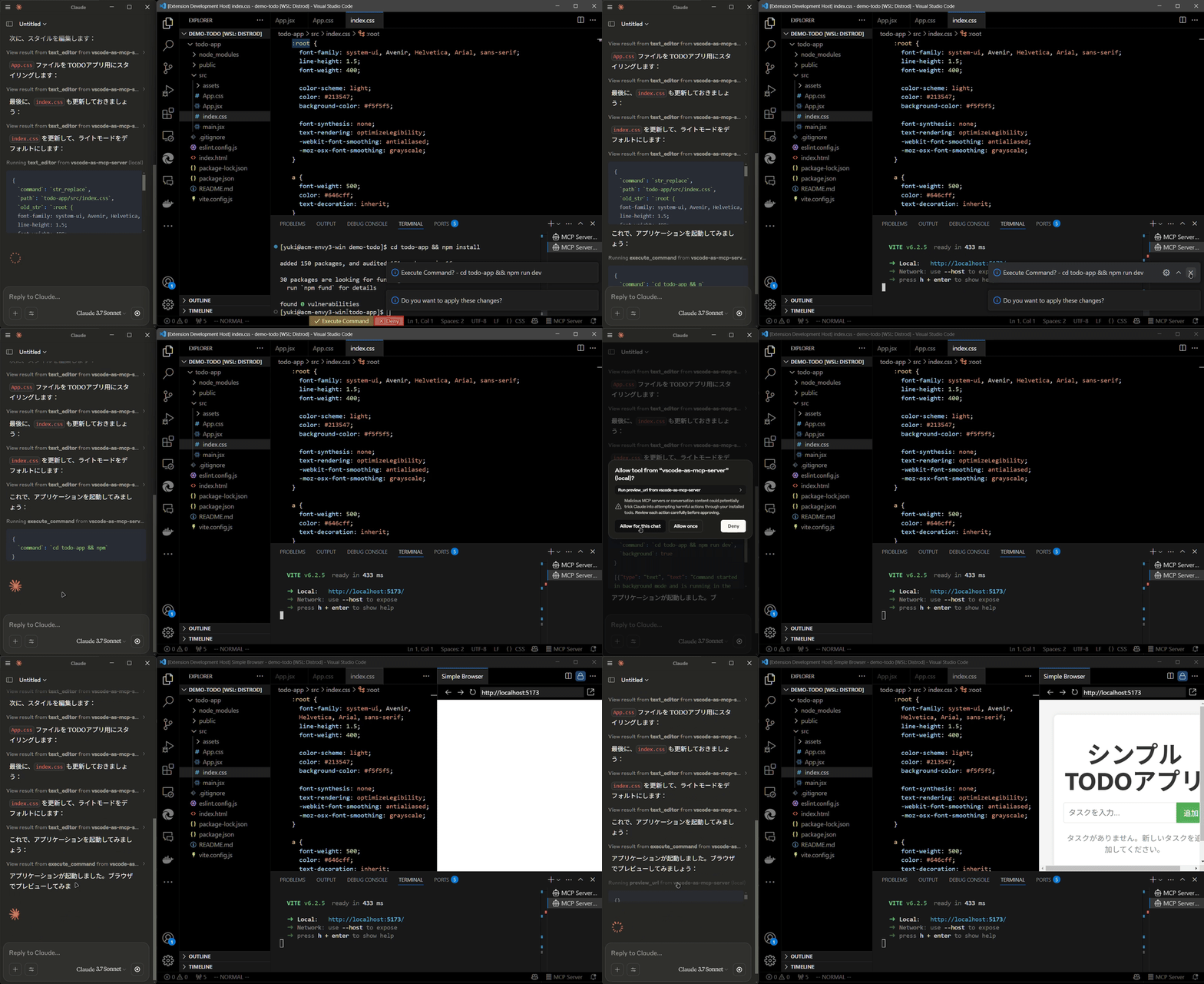
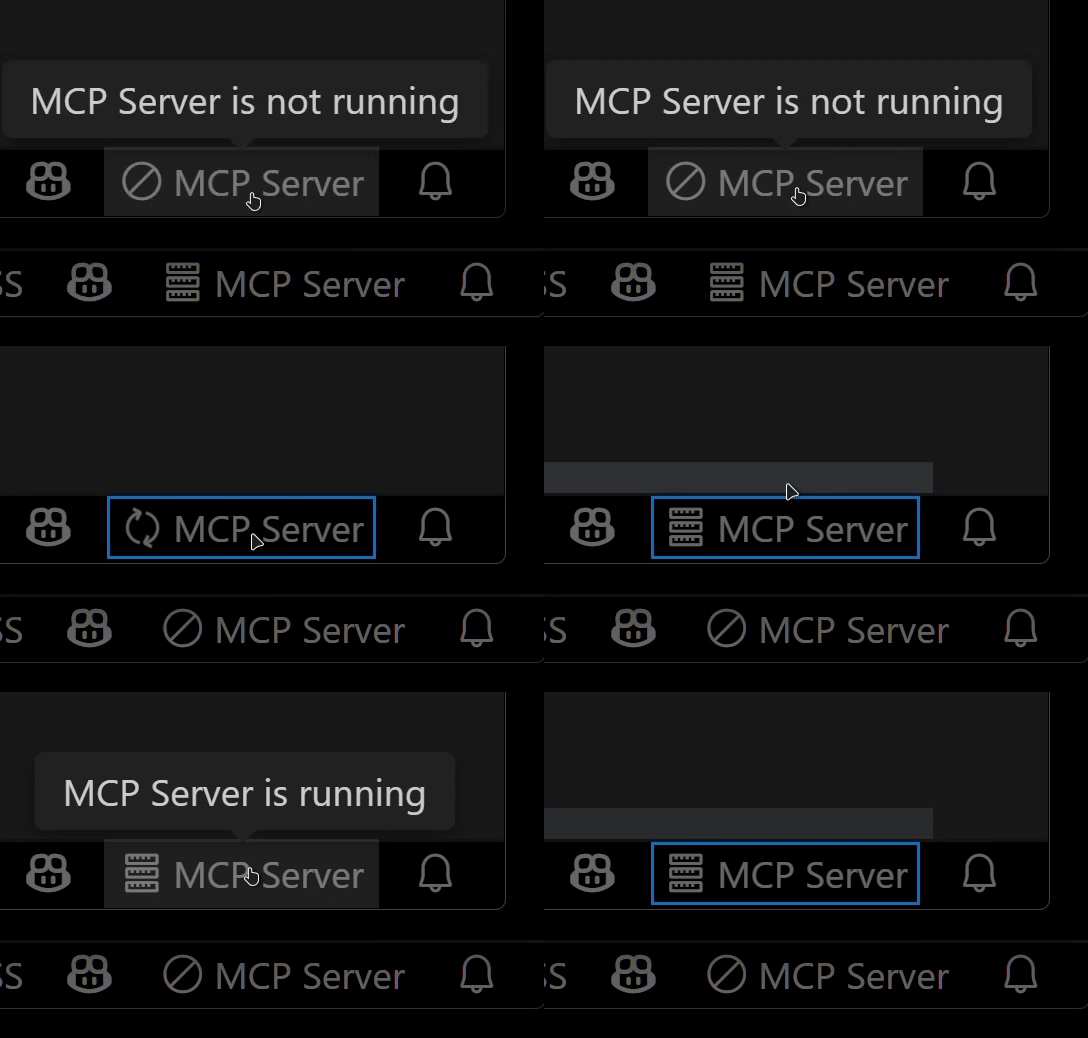
Multi-instance Switching
- Easily switch the MCP server between multiple open VSCode windows.(Just by clicking the status bar item)
Relay Functionality (Experimental)
- Relay and expose built-in MCP servers introduced in VSCode 1.99 externally.
- Allows external access to tools provided by other MCP extensions, such as GitHub Copilot.
Available Built-in Tools
- execute_command: Execute commands in VSCode’s integrated terminal
- code_checker: Retrieve current diagnostics for your code
- focus_editor: Focus specific locations within files
- list_debug_sessions / start_debug_session / restart_debug_session / stop_debug_session: Manage debug sessions
- text_editor: File operations (view, replace, create, insert, undo)
- list_directory: List directory contents in a tree format
- get_terminal_output: Fetch output from a specified terminal
- list_vscode_commands / execute_vscode_command: List and execute arbitrary VSCode commands
- preview_url: Open URLs within VSCode’s integrated browser
Installation & Setup
-
Install the extension from the VSCode Marketplace.
-
Configure your MCP client:
- Using mcp-installer: You can simply instruct it to “install the vscode-as-mcp-server MCP server”.
- Other clients like Claude Desktop: Add the following to your configuration file (
claude_desktop_config.json):
{ "mcpServers": { "vscode": { "command": "npx", "args": ["vscode-as-mcp-server"] } } } -
Check the MCP server status in the bottom-right VSCode status bar:
- (Server icon): Server is running
- ∅: Click to start the server
インストール
npx vscode-as-mcp-server設定
{
      "mcpServers": {
        "vscode": {
          "command": "npx",
          "args": ["vscode-as-mcp-server"]
        }
      }
    }