
abrinsmead/mindpilot-mcp
Developer toolsこのページは AI により自動翻訳されています。技術的な詳細は原文をご確認ください。 原文を見る
abrinsmead/mindpilot-mcp は [https://github.com/abrinsmead/mindpilot-mcp.] からインポートされた MCP サーバーの候補です
概要
abrinsmead/mindpilot-mcp は [https://github.com/abrinsmead/mindpilot-mcp.] からインポートされた MCP サーバーの候補です
概要(AI 翻訳)
エージェントの目線をご覧ください。 従来のコードを視覚化し、複雑なフローを調べ、すべてを把握します。
[!TIP] Mindpilot は、ローカルの MCP サーバーを必要としない、軽量のエージェント スキルとして利用できます。 エージェントに何かを図ってみると、ブラウザで開くか、Claudeアーティファクトとして公開できる、自己完結型のインタラクティブなマーメイドビューアを構築できます。 ツイート インストール:
npx skills add abrinsmead/skills/mermaid-viewer
なぜマインドパイロット?
- すべてを視覚化:あなたのコーディングエージェントを使用して、オンデマンドアーキテクチャ、コード、およびプロセス図を生成して、異なる視点からコードを表示することができます。 -Vibe Checks:AI生成されたコードは、未使用と冗長な構造を蓄積することができます。 視覚化を使用して、クリーンアップが必要な領域をスポット化します。
- ローカル処理:図は雲に送られません。 あなた、あなたのエージェント、およびあなたのエージェントのLMMプロバイダの間ですべての滞在。
- エクスポート&共有:任意の図をベクトルイメージとしてエクスポートします。
前提条件
Node.js v20.0.0以上
クイックスタート
##Claudeコード
[claude mcp add mindpilot -- npx @mindpilot/mcp@latest]
カーソル
このページは AI により自動翻訳されています。技術的な詳細は原文をご確認ください。
README
以下は原文 README の抜粋です。原文を見る。
Mindpilot MCP


See through your agent’s eyes. Visualize legacy code, inspect complex flows, understand everything.
[!TIP] Mindpilot is now available as a lightweight agent skill—no local MCP server needed. Ask your agent to diagram something and it builds a self-contained, interactive Mermaid viewer you can open in your browser or publish as a Claude artifact.
Install with:
npx skills add abrinsmead/skills/mermaid-viewer
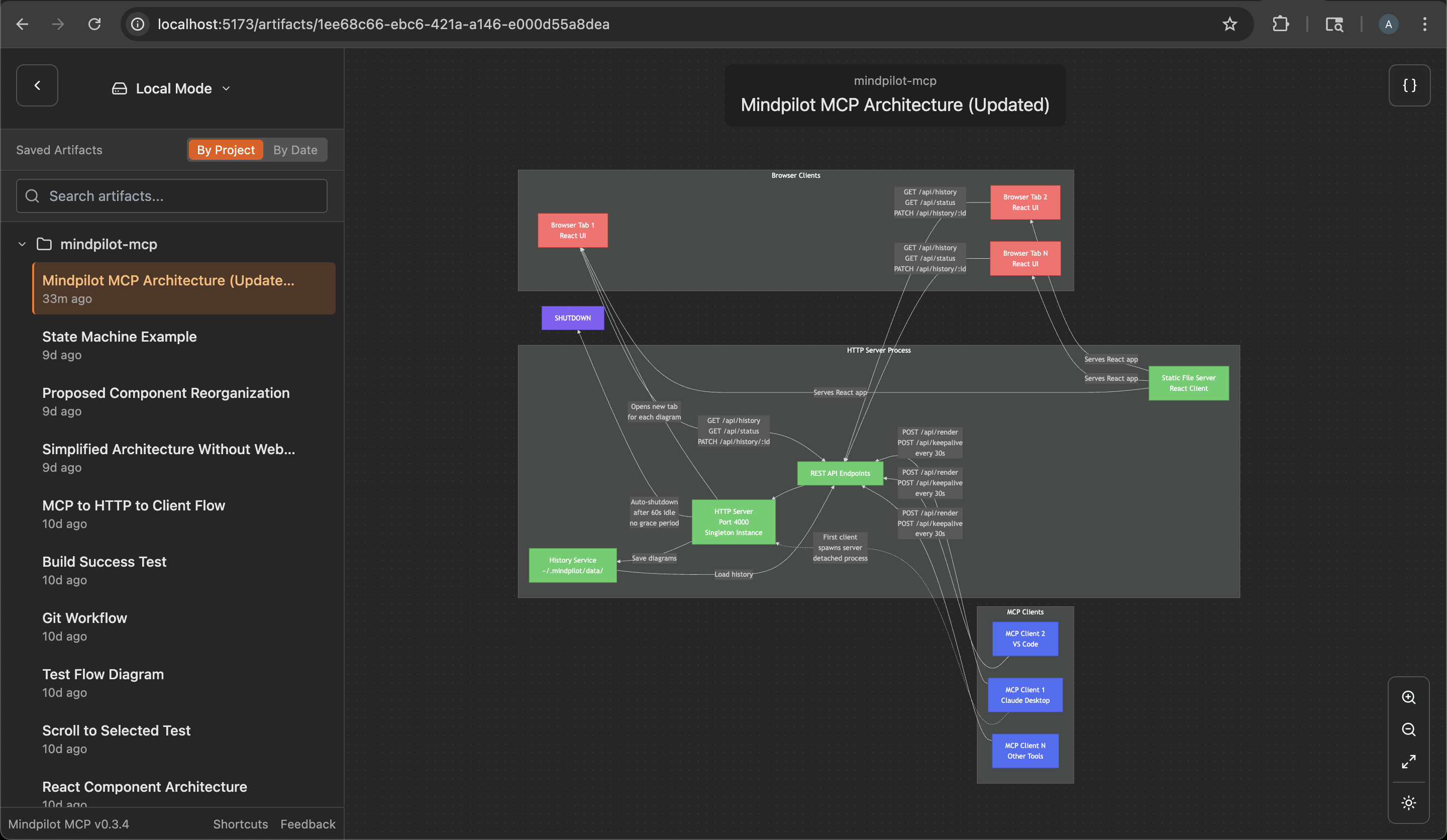
Why Mindpilot?
- Visualize Anything: Use your coding agent to generate on-demand architecture, code, and process diagrams to view your code from different perspectives.
- Vibe Checks: AI-generated code can accumulate unused and redundant constructs. Use visualizations to spot areas that need cleanup.
- Local Processing: Diagrams are never sent to the cloud. Everything stays between you, your agent, and your agent’s LLM provider(s).
- Export & Share: Export any diagram as a vector image.
Prerequisites
Node.js v20.0.0 or higher.
Quickstart
Claude Code
claude mcp add mindpilot -- npx @mindpilot/mcp@latest
Cursor
Under Settings > Cursor Settings > MCP > Click Add new global MCP server and configure mindpilot in the mcpServers object.
{
  "mcpServers": {
    "mindpilot": {
      "command": "npx",
      "args": ["@mindpilot/mcp@latest"]
    }
  }
}
VS Code
Follow the instructions here for enabling MCPs in VS Code: https://code.visualstudio.com/docs/copilot/chat/mcp-servers
Go to Settings > Features > MCP, then click Edit in settings json
Then add mindpilot to your MCP configuration:
{
  "mcp": {
    "servers": {
      "mindpilot": {
        "type": "stdio",
        "command": "npx",
        "args": ["@mindpilot/mcp@latest"]
      }
    }
  }
}
Windsurf
Under Settings > Windsurf Settings > Manage Plugins, click view raw config and configure mindpilot in the mcpServers object:
{
  "mcpServers": {
    "mindpilot": {
      "command": "npx",
      "args": ["@mindpilot/mcp@latest"]
    }
  }
}
Zed
In the AI Thread panel click on the three dots ..., then click Add Custom Server...
In the Command to run MCPserver field enter npx @mindpilot/mcp@latest and click Add Server.
Configuration Options
- Port: The server defaults to port 4000 but can be configured using the
--portcommand line switch.
インストール
npx @mindpilot/mcp@latest