
aarora79/aws-cost-explorer-mcp-server
Developer toolsこのページは AI により自動翻訳されています。技術的な詳細は原文をご確認ください。 原文を見る
aarora79/aws-cost-explorer-mcp-server は、https://github.com/aarora79/aws-cost-explorer-mcp-server. からインポートされたMCPサーバー候補です。
概要
aarora79/aws-cost-explorer-mcp-server は、https://github.com/aarora79/aws-cost-explorer-mcp-server. からインポートされたMCPサーバー候補です。
概要(AI 翻訳)
コストエクスプローラー経由でAWS支出データを取得し、Amazon Bedrockの使用データをAnthropicのMCP(Model Control Protocol)経由でAmazon Cloud WatchのModel invocation logs経由で取得するためのMCPサーバーです。HTTPS上でMCPサーバーを運用する方法については、「安全な」リモートMCPサーバーのセクションを参照してください。
MCPサーバーはローカルで実行し、Claude Desktop経由でアクセスすることもできますし、Amazon EC2上でリモートMCPサーバーを起動し、LangGraphエージェントに組み込まれたMCPクライアント経由でアクセスすることもできます。
🚨また、このMCPサーバーを使って他のアカウントからAWSの支出情報を取得することもできます。ただし、MCPサーバーが使うIAMロールが他のアカウント🚨で役割を引き継げる場合です
デモビデオ
概要
このツールは、AnthropicのClaudeモデルをインタラクティブインターフェースとして用いて、AWSのクラウド支出データを分析・可視化する便利な方法を提供します。MCPサーバーとして機能し、AWS Cost Explorer API機能をClaude Desktopに公開し、自然言語でAWS支出に関する質問をすることができます。
特徴
- Amazon EC2支出分析:直近日のEC2支出の詳細内訳を見る
このページは AI により自動翻訳されています。技術的な詳細は原文をご確認ください。
README
以下は原文 README の抜粋です。原文を見る。
AWS Cost Explorer and Amazon Bedrock Model Invocation Logs MCP Server & Client
An MCP server for getting AWS spend data via Cost Explorer and Amazon Bedrock usage data via Model invocation logs in Amazon Cloud Watch through Anthropic’s MCP (Model Control Protocol). See section on “secure” remote MCP server to see how you can run your MCP server over HTTPS.
flowchart LR
    User([User]) --> UserApp[User Application]
    UserApp --> |Queries| Host[Host]

    subgraph "Claude Desktop"
        Host --> MCPClient[MCP Client]
    end

    MCPClient --> |MCP Protocol over HTTPS| MCPServer[AWS Cost Explorer MCP Server]

    subgraph "AWS Services"
        MCPServer --> |API Calls| CostExplorer[(AWS Cost Explorer)]
        MCPServer --> |API Calls| CloudWatchLogs[(AWS CloudWatch Logs)]
    end
You can run the MCP server locally and access it via the Claude Desktop or you could also run a Remote MCP server on Amazon EC2 and access it via a MCP client built into a LangGraph Agent.
🚨You can also use this MCP server to get AWS spend information from other accounts as long as the IAM role used by the MCP server can assume roles in those other accounts🚨
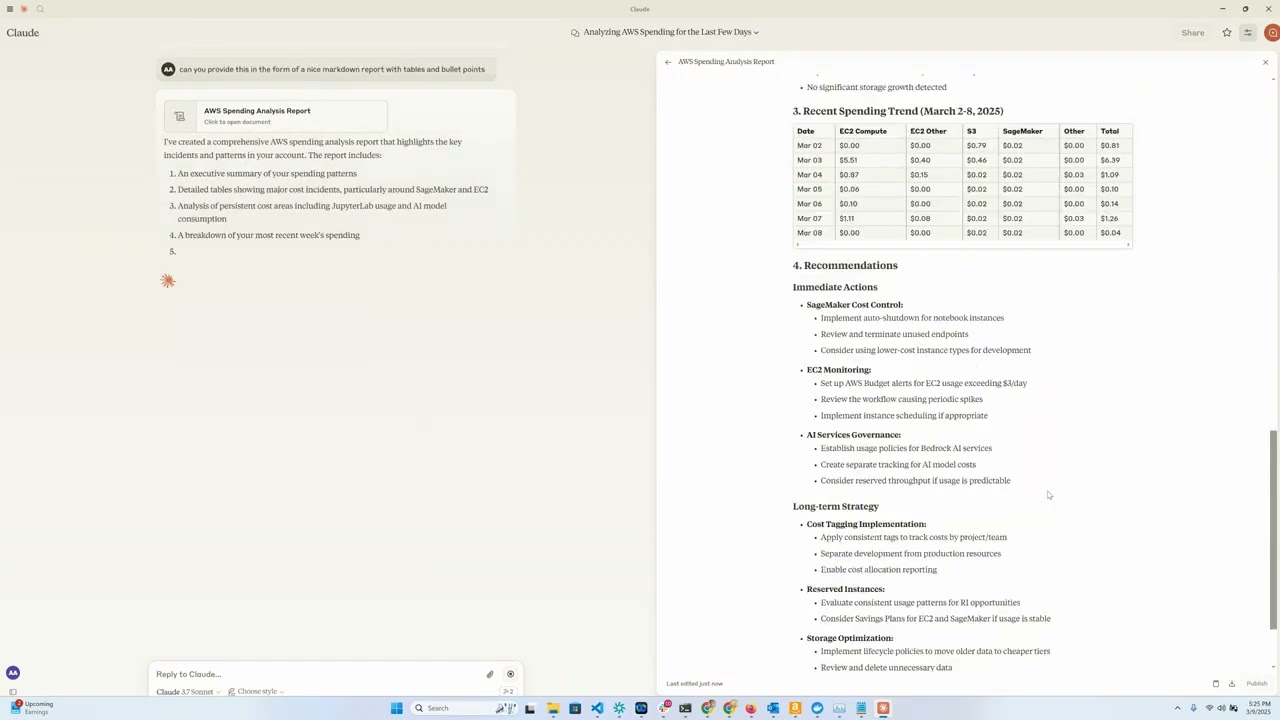
Demo video
Overview
This tool provides a convenient way to analyze and visualize AWS cloud spending data using Anthropic’s Claude model as an interactive interface. It functions as an MCP server that exposes AWS Cost Explorer API functionality to Claude Desktop, allowing you to ask questions about your AWS spend in natural language.
Features
- Amazon EC2 Spend Analysis: View detailed breakdowns of EC2 spending for the last day
- Amazon Bedrock Spend Analysis: View breakdown by region, users and models over the last 30 days
- Service Spend Reports: Analyze spending across all AWS services for the last 30 days
- Detailed Cost Breakdown: Get granular cost data by day, region, service, and instance type
- Interactive Interface: Use Claude to query your cost data through natural language
Requirements
- Python 3.12
- AWS credentials with Cost Explorer access
- Anthropic API access (for Claude integration)
- [Optional] Amazon Bedrock access (for LangGraph Agent)
- [Optional] Amazon EC2 for running a remote MCP server
Installation
-
Install
uv:# On macOS and Linux curl -LsSf https://astral.sh/uv/install.sh | sh# On Windows powershell -ExecutionPolicy ByPass -c "irm https://astral.sh/uv/install.ps1 | iex"Additional installation options are documented here
インストール
docker run -i --rm -e AWS_ACCESS_KEY_ID -e AWS_SECRET_ACCESS_KEY -e AWS_REGION -e BEDROCK_LOG_GROUP_NAME -e MCP_TRANSPORT -e CROSS_ACCOUNT_ROLE_NAME aws-cost-explorer-mcp:latest設定
{
  "mcpServers": {
    "aws-cost-explorer": {
      "command": "docker",
      "args": [ "run", "-i", "--rm", "-e", "AWS_ACCESS_KEY_ID", "-e", "AWS_SECRET_ACCESS_KEY", "-e", "AWS_REGION", "-e", "BEDROCK_LOG_GROUP_NAME", "-e", "MCP_TRANSPORT", "-e", "CROSS_ACCOUNT_ROLE_NAME", "aws-cost-explorer-mcp:latest" ],
      "env": {
        "AWS_ACCESS_KEY_ID": "YOUR_ACCESS_KEY_ID",
        "AWS_SECRET_ACCESS_KEY": "YOUR_SECRET_ACCESS_KEY",
        "AWS_REGION": "us-east-1",
        "BEDROCK_LOG_GROUP_NAME": "YOUR_CLOUDWATCH_BEDROCK_MODEL_INVOCATION_LOG_GROUP_NAME",
        "CROSS_ACCOUNT_ROLE_NAME": "ROLE_NAME_FOR_THE_ROLE_TO_ASSUME_IN_OTHER_ACCOUNTS",
        "MCP_TRANSPORT": "stdio"
      }
    }
  }
}