
ratava/videoexpress-scripting-skill
Developer toolsClaude skill for scripting multi-clip AI videos in VideoExpress 3.5: multishot prompts, Create Mode styles, chaining and failure-mode fixes. CC BY-NC 4.0.
Overview
An Agent Skill for planning and scripting multi-clip AI videos in by PaulPonna.com. It turns a song, story or narration into a clip-by-clip prompt pack: start-image prompts, VE multishot video prompts, timing, and a generation QC checklist. An example video planned, scripted and produced in VideoExpress with this skill. Click the image to watch on YouTube. - with screenshots: Claude Desktop · ChatGPT · Grok · Gemini. Claude Desktop and ChatGPT add this repo as a plugin marketplace; Grok installs the skill from its GitHub folder; Gemini takes the unzipped skill folder as an upload, or installs it in Gemini CLI. - : install, start methods (concept, script, existing images), intake, the prompt pack, the three operating modes (manual, automated with Claude driving VideoExpress, shared), fixing problems and finishing, with flow diagrams for each step. - : 67 Creative mode styles, each with its own style sheet.
README
VideoExpress Scripting — an Agent Skill
An Agent Skill for planning and scripting multi-clip AI videos in VideoExpress 3.5 and later by PaulPonna.com. It turns a song, story or narration into a clip-by-clip prompt pack: start-image prompts, VE multishot video prompts, timing, and a generation QC checklist.
See it in action
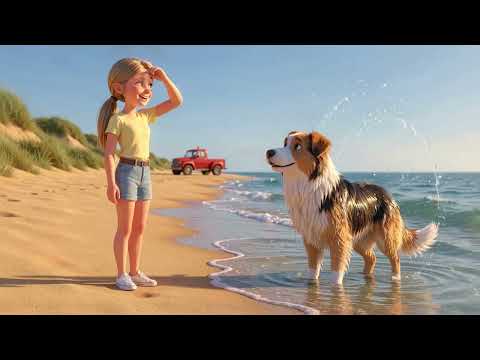
An example video planned, scripted and produced in VideoExpress with this skill. Click the image to watch on YouTube.
Wiki: how-to and style catalogue
- Install walkthroughs with screenshots: Claude Desktop · ChatGPT · Grok · Gemini. Claude Desktop and ChatGPT add this repo as a plugin marketplace; Grok installs the skill from its GitHub folder; Gemini takes the unzipped skill folder as an upload, or installs it in Gemini CLI.
- How-To: install, start methods (concept, script, existing images), intake, the prompt pack, the three operating modes (manual, automated with Claude driving VideoExpress, shared), fixing problems and finishing, with flow diagrams for each step.
- Style catalogue: 67 Creative mode styles, each with its own style sheet. The catalogue has a page and demo clip for the first 45; pages and clips for the 22 added in v2.6 are on the way.
- See all styles: existing presets reel · v2.2 new styles reel · full playlist
Platforms
The skill follows the open Agent Skills standard, so the same core method runs in Claude, ChatGPT, Grok and Gemini. This repo ships one build per platform, each with its own install guide; Grok and Gemini use the platform-neutral ChatGPT build. The repo is also a plugin marketplace for both: add ratava/videoexpress-scripting-skill once (Claude Desktop: Customize → Personal plugins → Add Marketplace; ChatGPT: Settings → Plugins → Add a Marketplace) and install the skill from there. Walkthroughs with screenshots: Install in Claude Desktop · Install in ChatGPT.
| Platform | Folder | Guide | Release package |
|---|---|---|---|
| Claude (desktop, web, mobile) | claude/ |
Install in Claude Desktop (wiki, with screenshots) · claude/README.md | Add the repo as a plugin marketplace (ratava/videoexpress-scripting-skill) in Claude Desktop, or videoexpress-scripting-claude.zip |
| ChatGPT | chatgpt/ |
Install in ChatGPT (wiki, with screenshots) · chatgpt/README.md | Add the repo as a plugin marketplace (ratava/videoexpress-scripting-skill), or videoexpress-scripting-chatgpt.zip |
| Grok | chatgpt/ |
Install in Grok (wiki) · chatgpt/README.md | Ask Grok to install it from the chatgpt/skills/videoexpress-scripting folder link (free trial and paid plans only) |
| Gemini (web, Mac, CLI) | chatgpt/ |
Install in Gemini (wiki) · chatgpt/README.md | Unzip videoexpress-scripting-chatgpt.zip and upload the folder under Customize → Skills at gemini.google.com, or gemini skills install with --path chatgpt/skills/videoexpress-scripting |
The two builds share the same method, bible rules, prompt template, style sheets and failure fixes. They differ only in wording (which assistant is being addressed), the platform notes in the browser workflow, and platform metadata (agents/openai.yaml in the ChatGPT build).
Companion skill: VideoExpress Prompt
VideoExpress Prompt is a step-by-step wizard for one prompt: a start image, a clip, or an image and its clip, or an improved version of a prompt you already have. It uses the same prompt rules, styles and lip-sync methods, and installs from the same marketplace (Claude Desktop, ChatGPT) or the same way in Grok and Gemini: Install VideoExpress Prompt. Builds: claude-prompt/ and chatgpt-prompt/ (also used by Grok and Gemini).
What’s new
See CHANGELOG.md. The first time the skill is used in a conversation, it also offers a short summary of what’s new in the installed version.
What it covers
- Guided project intake: a question system that starts from a concept or a script. It covers delivery (use, platform, aspect ratio, length, audience), look (art style, palette, camera, on-screen text), characters (Consistent Character, references, likeness rights), sound and dialogue (production sound, music, Lipsync, narration, voices), script development, and logistics (budget, takes, who operates VE, chaining, editing). It also has a feasibility check against what VE does well and badly, optional image, video, sound and lip-sync tests, and a signed-off Core Bible.
- The VE 3.5 multishot prompt format:
[REFERENCE USE],[IDENTITY / CONTINUITY],[SCENE],[ACTION],[CAMERA],[LIGHT AND IMAGE],[PRODUCTION SOUND],[NEGATIVES], with a blank template, a worked example, and a hard-cut multi-shot variant (several shots in one generation). - 67 Creative mode styles, one sheet each, every one tested in VideoExpress (catalogue): the ten Create Mode presets (3D animation, claymation, 8-bit pixel, stop-motion, comic book, watercolor, wool, paper cut, hand-drawn Japanese animation, low-poly) and cinematic photoreal, plus 33 custom styles (32 added in v2.2, one in v2.4): painted and drawn media (pencil sketch, pencil-and-watercolour picture book, charcoal and chalk, ink and wash, gouache, oil, acrylic, pure watercolour), print and craft media (linocut, risograph, engraving, chalkboard, blueprint, embroidery, tissue-paper collage, mosaic, stained glass, origami), Japanese painting (nihonga, suibokuga), a 1930s rubber-hose cartoon, five two-media hybrids (e.g. clay puppet on a painted set, pixel sprite on painted scenery) and seven anime looks (modern digital TV, shōjo, 1990s cel, shōnen action, mid-1990s cyberpunk cel, mecha, shōnen cyberpunk), plus a graffiti spray-paint toon. v2.6 adds 22 more: greyscale airbrush, steampunk, flat vector explainer, marker doodle, modern 2D cartoon, chibi, crayon drawing, impressionist, colour comic, game cinematic, fantasy painting, travel poster, tilt-shift miniature, voxel, folk art, vintage horror, stickman, miniature pan, and four for Christmas (Christmas diorama, snow globe, gingerbread, holiday stop-motion), plus Festive Winter and Festive Summer add-ons for any style. Each sheet gives the medium phrase, the video style anchor, the stability line, guards and known failures, and the index explains the style anchor that keeps custom styles from drifting toward realism.
- Continuity across chained clips: character, outfit and location blocks; Consistent Character reference slots and their side effects; matching prompts to the frame; chaining from the cut frame; explicit camera direction; ending on the framing the next clip needs.
- Action and staging: describing actions against the frame’s real geometry, cause-and-effect beat order, fixed left/right layouts for two-character fights, near-misses, and when to split a beat into its own clip.
- Characters and props: why humanoid designs beat multi-limbed ones, describing weapon-limbs joint by joint, and stopping mechanical arms turning into hands.
- Sound: transient-only production sound that avoids background hiss, heavy weapon sound vocabulary, and what’s known (and not) about unwanted music.
- How the engine reads a prompt: quotation marks mean speech, two speakers per clip, positive anchors over prohibitions, camera moves with a destination, why auto-enhance stays off, and where the skill’s long tagged format deliberately departs from one-clip house style.
- Dialogue: two methods — quoted lines inside the multishot prompt (lip-synced, works with Consistent Character, preferred when the clip also has action; the clip length is set by hand) or the Lipsync HD dialog with one or two actors (automatic timing, talking heads) — plus voices for mouthless characters, and the failure fixes for chewing at the start of dialogue clips, dropped lines from faceless speakers, accent bleed and VE’s dialogue-length check.
- Point-of-view and special shots: helmet POV framing, tints, HUD overlays, and what didn’t work (see-through-wall thermal effects).
- Driving VideoExpress in the browser: with Claude in Chrome, Claude can run an approved pack through app.videoexpress.ai. That covers separate Creation and Review tabs, the right dialog settings, Consistent Character slots, image candidate passes, five-take batches with position tracking, a question-driven render cycle that respects Claude’s per-reply action budget, the library refresh workaround, user review checkpoints, saving last frames, building and saving the timeline, recovery after reloads, and prompt hardening.
- Failure-mode fixes: camera direction flipping, accessory and outfit drift, environments changing, time-lapse bleeding onto the subject, frozen or erratic motion, crowd scale and cloning, scenes darkening, text in footage, stylised clips turning realistic, props changing shape, actions happening in place or late, and background hiss. It also sets out a method for isolating stubborn failures with single-variable test takes and a control.
Repo layout
claude/                              Claude plugin root
├── README.md                        Claude install and usage
├── .claude-plugin/plugin.json       plugin manifest
└── skills/
    └── videoexpress-scripting/      the skill folder (upload or copy this)
        ├── SKILL.md
        └── references/

chatgpt/                             Codex plugin root
├── README.md                        ChatGPT install and usage
├── plugin.json                      plugin manifest
├── .codex-plugin/plugin.json        compatibility manifest
└── skills/
    └── videoexpress-scripting/      the skill folder (upload or copy this)
        ├── SKILL.md
        ├── agents/openai.yaml       Codex app metadata
        └── references/

claude-prompt/, chatgpt-prompt/      the VideoExpress Prompt plugin roots, same layout

CHANGELOG.md                         release notes for both skills
.claude-plugin/marketplace.json      makes this repo a Claude plugin marketplace (Claude Desktop)
.agents/plugins/marketplace.json     makes this repo a Codex plugin marketplace
.codex/config.toml                   enables the plugins when the repo is opened as a project
Each references/ folder holds the same files. SKILL.md is a short router: the two driving facts, the workflow, the rules that apply to every prompt, and a table of which reference to read for each step. The references are read on demand: project-intake.md (design-phase question system), bible.md (character, outfit and location blocks, references, start images), multishot-template.md (prompt structure and worked example), camera-and-motion.md (timing, chaining, camera and motion), light-sound-dialogue.md (light, sound, dialogue and lipsync, POV shots), prompt-rules.md (how the engine reads a prompt, and the failure → cause → rule table), browser-workflow.md (driving VideoExpress in the browser), changelog.md (what’s new in this version) and styles/ (an index with demo links plus one sheet per Create Mode preset or custom style; add a style by copying _TEMPLATE.md and adding an index row). The wiki mirrors the style sheets as browsable pages.
Support
Questions, tips and help with the skill: join the VideoExpress Scripting community chat on Facebook Messenger. What to include when asking for help: Support (wiki).
Notes
This is an independent community skill. It is not affiliated with, endorsed by or supported by VideoExpress or PaulPonna.com. VideoExpress and other product names are trademarks of their respective owners. The guidance reflects hands-on production experience with VideoExpress 3.5 and may need updating as the tool changes.
License
CC BY-NC 4.0 © 2026 Brent Wesley. You may share and adapt this skill for non-commercial purposes with attribution. See LICENSE.
Recommended Tools
Try a different keyword or remove a filter.
Install
npx skillfish add ratava/videoexpress-scripting-skill