
databricks-solutions/ai-platform-kit
Developer toolsAI-powered Databricks platform engineering — provision workspaces, configure Unity Catalog, manage identity & governance, and set up networking across Azure, AWS, and GCP, all through natural...
Overview
Provision workspaces, configure Unity Catalog, set up networking, manage groups and permissions — all through natural language with your coding agent (Claude Code, Codex, Cursor, Copilot, Gemini, and more). Sibling to the Databricks AI Dev Kit: where that kit gives coding agents Databricks-specific skills for building on the platform, this kit focuses on standing up the platform itself — workspaces, Unity Catalog, identity, and networking across Azure, AWS, and GCP. Why Is Everyone Using the Databricks AI Platform Kit? — a short walkthrough of what the kit does and how to use it.
README
Databricks Platform Kit
AI-powered Databricks platform engineering. Provision workspaces, configure Unity Catalog, set up networking, manage groups and permissions — all through natural language with your coding agent (Claude Code, Codex, Cursor, Copilot, Gemini, and more).
Sibling to the Databricks AI Dev Kit: where that kit gives coding agents Databricks-specific skills for building on the platform, this kit focuses on standing up the platform itself — workspaces, Unity Catalog, identity, and networking across Azure, AWS, and GCP.
Watch the overview
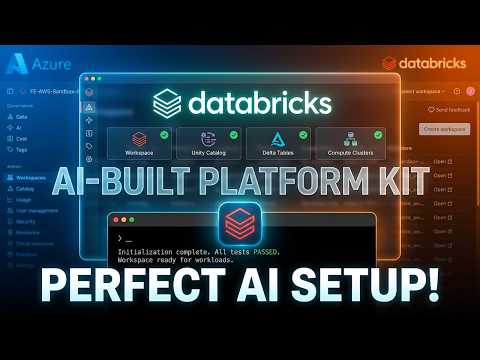
Why Is Everyone Using the Databricks AI Platform Kit? — a short walkthrough of what the kit does and how to use it.
What it does
Tell your agent what you need, and it handles the rest:
- Workspace provisioning — VNet/VPC injection, Secure Cluster Connectivity across Azure, AWS, GCP
- Unity Catalog — opinionated setup: self-managed metastore, per-env catalogs, external locations, medallion schemas, Lakehouse Federation
- Identity & governance — account-level SCIM groups, tiered RBAC, service principals for jobs
- Workspace config — SQL warehouses, cluster policies, secret scopes, IP access lists
- Private networking — private link (AWS), Private Endpoints (Azure), Private Service Connect (GCP), hub-spoke, NCC for serverless connectivity (when you need it)
- Built-in verification — a 3-path test (classic cluster + serverless SQL warehouse + serverless notebook job) designed to catch common configuration failures after a deploy (it does not guarantee correctness or fitness for any particular use)
The agent writes the Terraform and SDK calls from scratch based on your specific requirements — no rigid templates to fill in.
Architecture
.claude/skills/                      # 6 focused skills
  platform-provisioning/             #   Workspace creation + deploy
    SKILL.md                         #     Shared workflow + interaction guidance
    AZURE.md / AWS.md / GCP.md       #     Cloud-entry navigation files
    {azure,aws,gcp}-1-auth.md        #     Auth setup per cloud
    {azure,aws,gcp}-2-deploy.md      #     Deploy patterns per cloud
    {azure,aws,gcp}-3-gotchas.md     #     Sharp edges per cloud
  unity-catalog-setup/               #   Metastore, catalogs, governance
    SKILL.md + AZURE.md / AWS.md / GCP.md
  identity-governance/               #   Groups, users, SPs, RBAC
    SKILL.md                         #     Cloud-agnostic
  workspace-config/                  #   SQL warehouses, policies, secrets
    SKILL.md                         #     Cloud-agnostic
  private-networking/                #   Private link, hub-spoke, NCC, PSC
    SKILL.md + AZURE.md / AWS.md / GCP.md
  deployment-verification/           #   3-path verification (mandatory after deploy)
    SKILL.md                         #     Cloud-agnostic
The agent uses az login / aws configure / gcloud auth login + terraform via shell. No third-party Python packages, no MCP server — just skills (the installer is a single stdlib-only Python script).
What this repo ships (and what it doesn’t)
This kit is a thin layer. It’s worth being precise about what it is, because that’s also what the LICENSE covers:
Shipped by this repo (covered by the license):
- The skill files (
.claude/skills/**) — the instructions that drive the agent. - One PreToolUse hook (
hooks/block-cred-reads.py, wired viahooks/hooks.jsonfor plugin installs) and three pre-flight scripts (.claude/skills/platform-provisioning/scripts/precheck-*.sh).
Brought by the user (not shipped here, each under its own terms):
- A coding agent — Claude Code, OpenAI Codex, Cursor, GitHub Copilot, Gemini CLI, Windsurf, OpenCode, or Kiro — that reads the skills and executes commands (their respective vendors).
- Terraform and the AWS / Azure / gcloud / Databricks CLIs — the tools that actually provision infrastructure (their respective vendors).
- The user’s own cloud credentials, accounts, and the choice of how to run the agent (interactive vs. auto mode, etc.).
In other words: the kit is the skills and a little glue. It orchestrates tools the user installs and authenticates separately, using credentials the kit never sees. The license and SECURITY.md scope Databricks’ responsibility to this repo’s own contents — not to the agent, the cloud tools, or how the user chooses to operate them.
Quick start
Run the installer, pick your agent(s), and start provisioning. The installer copies the skills into the layout your agent expects and writes its instruction file — works with Claude Code, Codex, Cursor, GitHub Copilot, Gemini CLI, Windsurf, OpenCode, and Kiro.
Prerequisites
- A coding agent — Claude Code, Codex, Cursor, Copilot, Gemini CLI, Windsurf, OpenCode, or Kiro
- Python 3 — for the installer (
python3on PATH; already present with the Databricks/cloud CLIs) - Terraform >= 1.9.0:
brew install terraform - Cloud CLI:
az login(Azure),aws configure(AWS), orgcloud auth login(GCP) — depending on which cloud you’ll deploy to - Databricks CLI >= 0.296.0:
brew install databricks(older versions can serve stale tokens and break auth debugging) - Databricks account ID — from the accounts console for your cloud (
accounts.cloud.databricks.comfor AWS,accounts.azuredatabricks.netfor Azure,accounts.gcp.databricks.comfor GCP)
Install
By default the installer sets up skills at the project level (in the current
directory) — a good fit, but you must run your agent from that directory. Pass --global
(or choose global in the interactive prompt) to install once for all your projects.
macOS / Linux
bash <(curl -sL https://raw.githubusercontent.com/databricks-solutions/ai-platform-kit/main/install.sh)
Windows (PowerShell)
irm https://raw.githubusercontent.com/databricks-solutions/ai-platform-kit/main/install.ps1 | iex
Next steps: respond to the interactive prompts (which agent, and project vs. global), then open the folder in your agent and tell it what you want — see Usage below.
Supported agents
The skill content is identical for every agent; only the packaging differs.
| Agent | Where skills go | Instruction file written |
|---|---|---|
| Claude Code | .claude/skills/ |
.claude/settings.json + cred-block hook |
| OpenAI Codex | .agents/skills/ |
AGENTS.md |
| Cursor | .cursor/skills/ |
.cursor/rules/ai-platform-kit.mdc |
| GitHub Copilot | .agents/skills/ |
.github/copilot-instructions.md |
| Gemini CLI | .agents/skills/ |
GEMINI.md |
| Windsurf | .agents/skills/ |
.windsurf/rules/ai-platform-kit.md |
| OpenCode | .agents/skills/ |
AGENTS.md |
| Kiro | .kiro/skills/ |
native (Agent Skills) |
Credential safety on non-Claude agents: the Claude Code install ships a PreToolUse hook that blocks reads of credential/state files. Other agents have no equivalent hook — run them in a gated approval/sandbox mode so tool calls that touch those files require confirmation.
Usage
Just tell your agent what you want:
“Set up 3 Databricks workspaces (dev/stg/prod) on Azure with Unity Catalog and proper groups”
The agent will:
- Ask the right questions (cloud, region, environment strategy, naming, networking, compliance)
- Check your auth and gather inputs in one batch
- Write Terraform tailored to your request
- Deploy end-to-end with real
terraform apply - Run the 3-path verification against a UC table before declaring done
Skills
| Skill | What it does | When it loads |
|---|---|---|
| platform-provisioning | Create workspaces, deploy infrastructure | “create a workspace”, “provision”, “deploy” |
| unity-catalog-setup | Metastore, catalogs, schemas, grants, Lakehouse Federation | “Unity Catalog”, “metastore”, “catalog” |
| identity-governance | Groups, users, SPs, RBAC | “groups”, “permissions”, “service principal” |
| workspace-config | SQL warehouses, policies, secrets, tokens | “SQL warehouse”, “cluster policy”, “secret” |
| private-networking | Private link, hub-spoke, NCC, GCP PSC | “private link”, “PSC”, “hub-spoke”, “NCC” |
| deployment-verification | 3-path verification (classic + sqlwh + notebook), mandatory after any deploy | Loaded whenever a workspace + UC has been freshly deployed or modified |
Each skill loads independently — the agent only reads what’s relevant to your request. Cloud-specific files (AZURE.md, AWS.md, GCP.md and their numbered topic siblings) are loaded based on your target cloud to prevent cross-cloud confusion.
Supported clouds
| Cloud | Workspaces | Unity Catalog | Private Link / PSC | Multi-env | Lakehouse Federation |
|---|---|---|---|---|---|
| Azure | Yes | Yes | Yes (Private Endpoints) | Yes | Yes (Synapse, SQL DB, Postgres) |
| AWS | Yes | Yes | Yes (AWS PrivateLink) | Yes | Yes (RDS, Redshift, Snowflake) |
| GCP | Yes | Yes | Yes (PSC backend + frontend) | Yes | Yes (CloudSQL Postgres) |
Disclaimer: This is a Databricks Solutions project. It is not an officially supported Databricks product and comes with no warranty or SLA. It provisions real, billable cloud infrastructure on your accounts — review every
terraform planbefore approving. Use is subject to the LICENSE. See SECURITY.md for the security model and its limitations.
Support
Databricks support does not cover this project. For questions or bugs, open a GitHub issue and the team will help on a best-effort basis. For security issues, follow the private disclosure process in SECURITY.md instead of opening a public issue.
License
© 2026 Databricks, Inc. All rights reserved.
The source in this project is provided subject to the Databricks License. See LICENSE.md for the full text and NOTICE.md for attributions.
Recommended Tools
Try a different keyword or remove a filter.
Install
npx skillfish add databricks-solutions/ai-platform-kit