
MySQL ORM tool
Overview
For complete API documentation including where conditions, joins, hooks, migrations, and more, install the AI Skills for your coding assistant, or browse the skill files in skills/. This project ships with AI Skills that teach AI coding assistants how to use this library correctly. You can install them with a single command: The command detects the locally installed version of @axiosleo/orm-mysql in your node_modules/ and copies the matching skill files. If the package is not installed locally, it will use the bundled skills and remind you to run npm install @axiosleo/orm-mysql. For other AI tools, copy the skill files from node_modules/@axiosleo/orm-mysql/skills/ into your tool's custom instructions directory: This project is open-sourced software licensed under MIT.
README
@axiosleo/orm-mysql





Installation
npm install @axiosleo/orm-mysql
Usage
const { createClient, QueryHandler } = require("@axiosleo/orm-mysql");

const conn = createClient({
  host: process.env.MYSQL_HOST,
  port: process.env.MYSQL_PORT,
  user: process.env.MYSQL_USER,
  password: process.env.MYSQL_PASS,
  database: process.env.MYSQL_DB,
});

const db = new QueryHandler(conn);

// SELECT
const users = await db.table("users")
  .where("age", ">", 18)
  .orderBy("name", "asc")
  .limit(10)
  .select("id", "name", "age");

// FIND single row
const user = await db.table("users").where("id", 1).find();

// INSERT
await db.table("users").insert({ name: "Joe", age: 18 });

// UPDATE
await db.table("users").where("id", 1).update({ name: "Joe", age: 19 });

// DELETE
await db.table("users").where("id", 1).delete();

// COUNT
const total = await db.table("users").where("age", ">", 18).count();

// TRANSACTION
const tx = await db.beginTransaction({ level: "RC" });
try {
  await tx.table("users").insert({ name: "Joe", age: 18 });
  await tx.commit();
} catch (e) {
  await tx.rollback();
  throw e;
}
For complete API documentation including where conditions, joins, hooks, migrations, and more, install the AI Skills for your coding assistant, or browse the skill files in
skills/.
Migration
# Generate migration script
npx orm-mysql generate  [dir]

# Run migration
npx orm-mysql migrate up [dir] --host=localhost --port=3306 --user=root --pass=pwd --db=mydb
AI Skills
This project ships with AI Skills that teach AI coding assistants how to use this library correctly. You can install them with a single command:
# Cursor
npx @axiosleo/orm-mysql skills --install=cursor

# Claude Code
npx @axiosleo/orm-mysql skills --install=claude

# Windsurf
npx @axiosleo/orm-mysql skills --install=windsurf
The command detects the locally installed version of @axiosleo/orm-mysql in your node_modules/ and copies the matching skill files. If the package is not installed locally, it will use the bundled skills and remind you to run npm install @axiosleo/orm-mysql.
To uninstall:
npx @axiosleo/orm-mysql skills --uninstall=cursor
npx @axiosleo/orm-mysql skills --uninstall=claude
npx @axiosleo/orm-mysql skills --uninstall=windsurf
Skill Files
| File | Content |
|---|---|
SKILL.md |
Setup, class hierarchy, quick start |
query-building.md |
table, attr, join, orderBy, limit, groupBy |
where-conditions.md |
where, whereIn, whereLike, whereBetween |
crud-operations.md |
select, find, insert, update, delete, incrBy |
transactions.md |
beginTransaction, isolation levels, row locking |
Manual Installation
For other AI tools, copy the skill files from node_modules/@axiosleo/orm-mysql/skills/ into your tool’s custom instructions directory:
cp -r node_modules/@axiosleo/orm-mysql/skills/ .your-tool/skills/orm-mysql-usage/
License
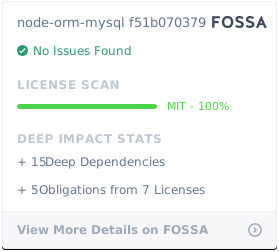
This project is open-sourced software licensed under MIT.
Recommended Tools
Try a different keyword or remove a filter.
Install
npx skillfish add axiosleo/node-orm-mysql