
pipeshub-ai/mcp-server
Developer toolsThis repository contains the packages that make up Pipeshub’s local MCP server
Overview
This guide covers how to connect PipesHub's remote MCP server to , , , , , and using static OAuth credentials or bearer tokens. PipesHub exposes a remote MCP endpoint over at /mcp. MCP Clients connect to this endpoint directly -- no local npm packages or stdio processes needed. : Claude Code using this MCP server to answer from Jira, Slack, GitHub and Drive, with each person's own permissions. Start at For coding agents. Install the skill into the user's repo with npx skills add pipeshub-ai/mcp-server (see skills/pipeshub) and append the AGENTS.md snippet on that page. Listed on the official MCP registry as io.github.pipeshub-ai/mcp and on Cursor Directory as PipesHub. The listing files (plugin.json, mcp.json) default MCP to http://localhost:3000/mcp (Docker). Change the URL for a company instance; they contain no secrets. Contributors working in this repository: read AGENTS.md.
README
Connecting MCP Clients to PipesHub MCP Server
This guide covers how to connect PipesHub’s remote MCP server to Cursor, Claude Code, Gemini CLI, Codex CLI, Claude.ai (Web), and LibreChat using static OAuth credentials or bearer tokens.
PipesHub exposes a remote MCP endpoint over Streamable HTTP at /mcp. MCP Clients connect to this endpoint directly – no local npm packages or stdio processes needed.
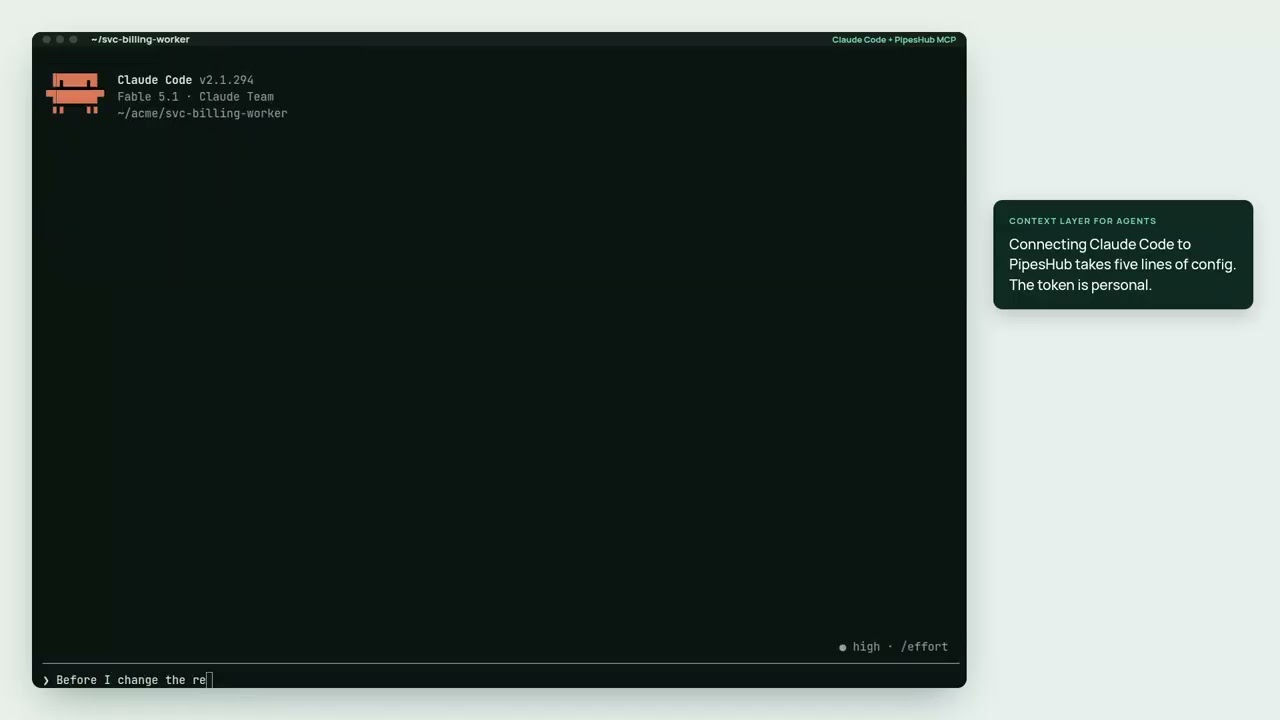
▶ Watch the 2½-minute demo: Claude Code using this MCP server to answer from Jira, Slack, GitHub and Drive, with each person’s own permissions.
Coding agent? Start at For coding agents. Install the skill into the user’s repo with
npx skills add pipeshub-ai/mcp-server(seeskills/pipeshub) and append theAGENTS.mdsnippet on that page. Listed on the official MCP registry asio.github.pipeshub-ai/mcpand on Cursor Directory as PipesHub. The listing files (plugin.json,mcp.json) default MCP tohttp://localhost:3000/mcp(Docker). Change the URL for a company instance; they contain no secrets. Contributors working in this repository: read AGENTS.md.Claude Code plugin:
/plugin marketplace add pipeshub-ai/mcp-server, then/plugin install pipeshub@pipeshub, adds the MCP server, the skill, and the/pipeshub:askand/pipeshub:setupcommands. It connects to${PIPESHUB_MCP_URL:-https://app.pipeshub.com/mcp}withAuthorization: Bearer ${PIPESHUB_MCP_TOKEN}; export both in your shell (self-hosted: set the URL tohttps:///mcp), then restart Claude Code.Looking for the tool reference? See TOOLS.md for descriptions, arguments, and a decision guide for each tool the MCP server exposes (
pipeshub_chat,pipeshub_search,pipeshub_get_record_content,pipeshub_download_record,pipeshub_directory,pipeshub_sources,pipeshub_agents). Searching and reading records is the recommended default;pipeshub_chatis optional (see Leavingpipeshub_chatout).Using QM? QM cannot attach a third-party MCP endpoint — it is an MCP server to its own harness, not a client. Follow Use PipesHub with QM. The deployment-layer bundle in
qm/gives agents apipeshubcommand inside their sandbox; this package ships that command as a second bin.
Prerequisites
- A running PipesHub instance: PipesHub Cloud or self-hosted. To self-host, the local Docker demo playbook covers install and first-run — do not scaffold LangChain. First-run (account + LLM) is still in the browser; search 500s until an LLM is configured.
- An OAuth app created in PipesHub (see Step 1)
Step 1: Create an OAuth App in PipesHub
- Log in to your PipesHub instance as an admin
- Navigate to Settings > Developer Settings > OAuth Apps
- Click Create OAuth App
- Fill in the app details:
-
Name: e.g.,
MCP Integration -
Redirect URIs: Add all the redirect URIs for the clients you plan to use:
Client Redirect URI Cursor cursor://anysphere.cursor-mcp/oauth/callbackClaude Code http://localhost:/callback(e.g.,http://localhost:8080/callback)Claude.ai (Web) https://claude.ai/api/mcp/auth_callbackGemini CLI http://localhost:7777/oauth/callbackLibreChat http://localhost:3080/api/mcp//oauth/callback
-
Important: Grant your OAuth app every scope the discovery endpoint lists (see Customizing Default Scopes). Sign-in grants the requested scopes the app allows and drops the rest, so a scope missing from the app does not fail the login; the tools that need it are refused. If the app allows none of the requested scopes, or a requested scope name is unknown, sign-in fails with
invalid_scope.
- Save the app and copy the Client ID and Client Secret
Customizing Default Scopes
The /.well-known/oauth-protected-resource/mcp discovery endpoint lists the scopes the MCP tools use, so clients like Claude Code, which request every listed scope, ask only for what the tools need:
| Scope | Used by |
|---|---|
semantic:write |
pipeshub_search |
conversation:chat |
pipeshub_chat |
agent:read, agent:execute |
pipeshub_agents, pipeshub_sources, pipeshub_chat with an agent |
kb:read, connector:read, config:read |
pipeshub_sources, pipeshub_get_record_content, pipeshub_download_record, pipeshub_indexing_status |
kb:write, kb:upload |
pipeshub_create_collection, pipeshub_upload |
user:read, team:read, usergroup:read |
pipeshub_directory |
code:read |
The pipeshub_code_* tools |
Discovery also lists offline_access. It is not a tool scope: it lets the client get a refresh token, so it stays signed in instead of signing in again when its access token expires.
The list is limited to the MCP_SCOPES environment variable on your PipesHub instance, which is also the upper limit on the scopes any personal access token or OAuth token can hold. Remove a scope from MCP_SCOPES to stop discovery listing it. Clients that set their own scopes, such as Cursor and LibreChat, still request it, but PipesHub does not grant a scope that MCP_SCOPES excludes. PipesHub servers older than this behavior list all of MCP_SCOPES.
Placeholders
Replace these in all configurations below:
| Placeholder | Description | Example |
|---|---|---|
PIPESHUB_INSTANCE_URL |
Your PipesHub instance URL | https://app.pipeshub.com |
YOUR_CLIENT_ID |
OAuth app client ID | clid_abc123... |
YOUR_CLIENT_SECRET |
OAuth app client secret | clsec_xyz789... |
The remote MCP endpoint URL is: PIPESHUB_INSTANCE_URL/mcp
Remote MCP Setup
Local MCP Server (Stdio)
Instead of connecting to PipesHub’s remote MCP endpoint, you can run the MCP server locally as a stdio process using the @pipeshub-ai/mcp npm package. This is useful when you prefer a local setup or need to work in environments where direct HTTP connections to the remote MCP endpoint aren’t practical.
Prerequisites
- Node.js 18+ installed
- A PipesHub instance URL
- A credential that acts as you, so results follow your permissions. Either:
- No token in the config: run
pipeshub loginonce (npm i -g @pipeshub-ai/mcp;--urlwhen self-hosted). With no--bearer-auth,startuses that sign-in, refreshes it (on PipesHub versions that issue device-login refresh tokens; otherwise it lasts an hour), and defaults--server-urlto the instance you signed in to. It also readsPIPESHUB_TOKENfrom the environment, sent only to--server-urlorPIPESHUB_BASE_URL. - No account yet:
pipeshub init --clientcreates a trial workspace on instances that offer them (PipesHub Cloud by default; it stays open for 3 days), signs the CLI in to it the same way, and adds PipesHub to that client. Add files withpipeshub collection createandpipeshub upload. It will not replace an existing sign-in without--force. - A personal access token (
phpat_…), minted in PipesHub under Developer Settings and passed as--bearer-auth, as in the examples below.
- No token in the config: run
With pipeshub login, a Claude Desktop entry is just:
{
  "mcpServers": {
    "pipeshub": {
      "command": "npx",
      "args": ["@pipeshub-ai/mcp", "start"]
    }
  }
}
Placeholders
Replace these in all configurations below:
| Placeholder | Description | Example |
|---|---|---|
PIPESHUB_INSTANCE_URL |
Your PipesHub instance URL | https://app.pipeshub.com |
YOUR_BEARER_TOKEN |
Your personal access token | phpat_... |
CLI Help
For a full list of server arguments:
npx @pipeshub-ai/mcp --help
Retries and Timeouts
The local server (start and serve) retries a PipesHub request that is refused with 429, 502, 503 or 504. It waits for as long as the Retry-After header asks, or, without one, backs off for half a second and then a second. It stops after three tries in all and passes the last answer on. A Retry-After of more than 30 seconds is not waited out: that answer is passed on at once, and the tool’s error says how long PipesHub asked to wait. Only requests that are safe to repeat are retried (GET, HEAD, OPTIONS, PUT, DELETE). Search and chat are POSTs and are never retried, because a repeat would be a second search or a second answer.
A request that gets no response within 60 seconds is abandoned. The limit covers the wait for PipesHub to start answering, not the whole answer, so a long chat response that is already streaming is not cut off.
Both are set with environment variables, in the MCP client’s env block or with --env NAME=VALUE:
| Variable | Default | Meaning |
|---|---|---|
PIPESHUB_MCP_MAX_ATTEMPTS |
3 |
Tries per request, the first one included, from 1 to 10. 1 turns retries off. |
PIPESHUB_MCP_TIMEOUT_MS |
60000 |
Milliseconds to wait for PipesHub to start answering. 0 turns the timeout off. |
Read-only mode
Two tools write: pipeshub_create_collection and pipeshub_upload add collections and documents (they never delete or overwrite). They need the kb:write and kb:upload scopes. To serve read tools only from the local server, pass --scope read to start or serve. On the remote /mcp, a token without those scopes is not offered the write tools.
Leaving pipeshub_chat out
The server offers all eleven tools, and its instructions and tool descriptions tell the agent to answer with pipeshub_search and pipeshub_get_record_content first. pipeshub_chat runs PipesHub’s own assistant and is optional: for an agent that can call tools, it adds cost and time without adding accuracy. In PipesHub’s evaluation (100 questions, Claude Opus as the agent), search and read alone found 88% of the facts at $0.54 and 78 seconds median per answer; adding chat also found 88%, at about $0.73 and 97 seconds. See TOOLS.md for the full figures.
Nothing changes unless you choose to: by default every tool stays. To hold an agent to search and read, leave pipeshub_chat out, together with pipeshub_agents, which only picks an agent for chat:
-
Local stdio server: set
PIPESHUB_MCP_CHAT=offin the server’senvblock in your MCP client config, or pass--env PIPESHUB_MCP_CHAT=offtostartorserve. The server then mounts nine tools, and its instructions no longer mention chat or agents. Unset oronkeeps today’s behaviour; any other value stops the server with an error that says what it accepts."env": { "PIPESHUB_MCP_CHAT": "off" }To pick tools one by one instead, list the ones to keep with
--tool(for example--tool pipeshub_search --tool pipeshub_get_record_content).--tooldoes not change the instructions. -
Remote endpoint (
/mcp): turn the tool off in the client. In Claude Code, runclaude --disallowedTools "mcp__pipeshub__pipeshub_chat,mcp__pipeshub__pipeshub_agents", wherepipeshubis the name you gave the server, or put the same entries in thepermissions.denylist of.claude/settings.json. In other clients, use the per-tool toggles in their MCP settings, where they offer them.
Keep pipeshub_chat when the client cannot run its own tool loop, when you want PipesHub’s assistant to write the answer, to talk to a configured PipesHub agent, or to take an action through the user’s connected tools.
How It Works
Architecture
AI Client (Cursor / Claude Code / Gemini CLI / Codex CLI / Claude.ai / LibreChat)
        │
        │  HTTP POST (JSON-RPC)
        │  Authorization: Bearer
        ▼
  PIPESHUB_INSTANCE_URL/mcp
        │
        │  StreamableHTTP Transport
        │  (stateless, per-request MCP server)
        ▼
  PipesHub API (curated tool set — see TOOLS.md)
OAuth Protected Resource Discovery
PipesHub exposes OAuth protected resource discovery at:
PIPESHUB_INSTANCE_URL/.well-known/oauth-protected-resource/mcp
This returns all OAuth endpoints automatically:
- Authorization:
PIPESHUB_INSTANCE_URL/api/v1/oauth2/authorize - Token:
PIPESHUB_INSTANCE_URL/api/v1/oauth2/token - Revocation:
PIPESHUB_INSTANCE_URL/api/v1/oauth2/revoke - JWKS:
PIPESHUB_INSTANCE_URL/.well-known/jwks.json
Troubleshooting
“Incompatible auth server: does not support dynamic client registration”
This means the client is trying dynamic registration instead of using your pre-configured credentials. Make sure you passed --client-id and --client-secret (Claude Code) or the auth object (Cursor) correctly.
Authentication fails / redirect error
- Ensure the Redirect URI in your OAuth app matches exactly what the client uses:
- Cursor:
cursor://anysphere.cursor-mcp/oauth/callback - Claude Code:
http://localhost:/callback - Claude.ai:
https://claude.ai/api/mcp/auth_callback - Gemini CLI:
http://localhost:7777/oauth/callback - LibreChat:
http://localhost:3080/api/mcp//oauth/callback
- Cursor:
- Make sure the OAuth app is active (not suspended) in PipesHub
Cannot reach MCP endpoint
- Verify the endpoint is accessible:
curl -X POST PIPESHUB_INSTANCE_URL/mcp(should return 401, not connection error) - Check that your PipesHub instance has MCP enabled
Debugging with MCP Inspector
npx @modelcontextprotocol/inspector
Then connect to PIPESHUB_INSTANCE_URL/mcp with a Bearer token to test the endpoint directly.
FAQ
Install
npx @pipeshub-ai/mcp startConfiguration
{
  "mcpServers": {
    "pipeshub": {
      "url": "PIPESHUB_INSTANCE_URL/mcp",
      "auth": {
        "CLIENT_ID": "YOUR_CLIENT_ID",
        "CLIENT_SECRET": "YOUR_CLIENT_SECRET",
        "scopes": [
          "org:read", "org:write", "org:admin",
          "user:read", "user:write", "user:invite", "user:delete",
          "usergroup:read", "usergroup:write",
          "team:read", "team:write",
          "kb:read", "kb:write", "kb:delete", "kb:upload",
          "semantic:read", "semantic:write", "semantic:delete",
          "conversation:read", "conversation:write", "conversation:chat",
          "agent:read", "agent:write", "agent:execute",
          "connector:read", "connector:write", "connector:sync", "connector:delete",
          "config:read", "config:write",
          "document:read", "document:write", "document:delete",
          "crawl:read", "crawl:write", "crawl:delete"
        ]
      }
    }
  }
}