
Agent Hub is an AI orchestration platform that transforms how developers and DevOps engineers interact with their toolchain.
Overview
is an enterprise-grade AI orchestration platform that transforms how developers and DevOps engineers interact with their toolchain. Built on the cutting-edge Model Context Protocol (MCP), it provides intelligent automation through specialized AI agents, seamlessly integrating with GitHub, Azure, security tools, and data processing services. - : 9 specialized AI agents working in concert - : Reduce context switching by 80% with unified interface - : Built-in vulnerability scanning and compliance monitoring - : Azure OpenAI integration with enterprise authentication - : Microservices design supporting 50+ integrated tools 🐙 GitHub Agent - DevOps Automation Specialist - : Advanced Git operations, branch strategies, conflict resolution - : Automated workflows with intelligent labeling and assignment - : GitHub Actions orchestration with deployment pipelines - : Automated reviews, security scanning integration ☁️ Azure Agent - Cloud Infrastructure Specialist - : Automated...
README
Agent Hub Platform
🚀 Overview
Agent Hub is an enterprise-grade AI orchestration platform that transforms how developers and DevOps engineers interact with their toolchain. Built on the cutting-edge Model Context Protocol (MCP), it provides intelligent automation through specialized AI agents, seamlessly integrating with GitHub, Azure, security tools, and data processing services.
🎯 Key Value Propositions
- 🤖 Multi-Agent Intelligence: 9 specialized AI agents working in concert
- ⚡ Developer Velocity: Reduce context switching by 80% with unified interface
- 🔒 Enterprise Security: Built-in vulnerability scanning and compliance monitoring
- 🌐 Cloud-Native: Azure OpenAI integration with enterprise authentication
- 📈 Scalable Architecture: Microservices design supporting 50+ integrated tools
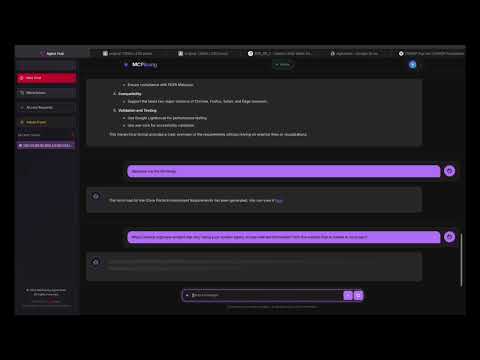
🏗️ System Architecture
graph TB
    subgraph "Frontend Layer"
        A[Agent Hub FrontendAngular 20+ • TypeScriptReal-time Chat Interface]
    end

    subgraph "API Gateway Layer"
        B[Agent Hub APIFastAPI • Python 3.12+Multi-Agent Orchestration]
    end

    subgraph "AI Service Layer"
        C[Azure OpenAIGPT-4o • LlamaIndexRAG Capabilities]
    end

    subgraph "Agent Ecosystem"
        D[GitHub AgentRepository Management]
        E[Azure AgentCloud Operations]
        F[Security AgentVulnerability Scanning]
        G[PDF AgentDocument Processing]
        H[Scraper AgentWeb Data Extraction]
        I[Chart AgentData Visualization]
    end

    subgraph "MCP Protocol Layer"
        J[MCP Tools ServerFastMCP • 50+ ToolsExtensible Architecture]
    end

    subgraph "External Integrations"
        K[GitHub APIRepositories • Actions]
        L[Azure ServicesResource Management]
        M[Snyk SecurityVulnerability Database]
        N[External APIsThird-party Services]
    end

    A --> B
    B --> C
    B --> D
    B --> E
    B --> F
    B --> G
    B --> H
    B --> I
    D --> J
    E --> J
    F --> J
    G --> J
    H --> J
    I --> J
    J --> K
    J --> L
    J --> M
    J --> N

    style A fill:#e1f5fe
    style B fill:#f3e5f5
    style C fill:#fff3e0
    style J fill:#e8f5e8
🔄 Agent Orchestration Flow
graph TB
    A[User Query] --> B{Query Analysis}
    B --> C[Agent Selection Engine]
    C --> D[Dynamic Tool Composition]
    D --> E[LLM Processing]
    E --> F[Tool Execution]
    F --> G[Response Synthesis]
    G --> H[User Response]

    subgraph "Smart Agent Selection"f
        I[GitHub Keywords → GitHub Agent]
        J[Security Keywords → Security Agent]
        K[Cloud Keywords → Azure Agent]
        L[Document Keywords → PDF Agent]
    end

    C --> I
    C --> J
    C --> K
    C --> L

    style A fill:#e3f2fd
    style H fill:#e8f5e8
    style C fill:#fff3e0
💼 Component Overview
| Component | Technology Stack | Purpose | Key Features |
|---|---|---|---|
| Frontend | Angular 20+, TypeScript, RxJS | User Interface | Real-time chat, responsive design, state management |
| API Gateway | FastAPI, Python 3.12+, Pydantic | Orchestration | Agent routing, request handling, async processing |
| AI Engine | Azure OpenAI, LlamaIndex, RAG | Intelligence | Natural language processing, context understanding |
| MCP Server | FastMCP, Python, JWT Auth | Tool Integration | 50+ tools, security, extensible architecture |
🤖 AI Agent Ecosystem
📊 Platform Metrics & Performance
📋 Prerequisites
- Node.js 18+ (for frontend)
- Python 3.12+ (for backend and MCP server)
- Angular CLI 20.1.5+
- uv (recommended Python package manager) or pip
- Azure OpenAI resource with deployed model
- Docker (optional, for containerized deployment)
🚀 Quick Start
1. Clone the Repository
git clone
cd mb-mcp-agent
2. Environment Configuration
Create .env files for each component:
Agent Hub API (.env)
# Copy the example environment file
cp .env.example agent-hub-api/.env

# Edit with your Azure OpenAI credentials
cat > agent-hub-api/.env << EOF
AZURE_OPENAI_API_KEY=your-azure-openai-key
AZURE_OPENAI_ENDPOINT=https://genai-nexus.int.api.corpinter.net/apikey/
AZURE_OPENAI_DEPLOYMENT=gpt-4o
AZURE_OPENAI_API_VERSION=2024-10-21
EOF
MCP Tools Server (.env) - Optional for Authentication
cat > mcp-tools-server/.env << EOF
MCP_AUTH_ENABLED=true
MCP_AUTH_METHOD=bearer
MCP_PUBLIC_KEY=keys/public.pem
MCP_TOKEN_ISSUER=local-auth
MCP_TOKEN_AUDIENCE=fastmcp-tools
MCP_REQUIRED_SCOPES=read
EOF
3. Installation & Setup
Install All Components
# Frontend (Agent Hub)
cd agent-hub
npm install
cd ..

# Backend API
cd agent-hub-api
uv venv
source .venv/bin/activate  # or .venv\Scripts\activate on Windows
uv sync
cd ..

# MCP Tools Server
cd mcp-tools-server
uv venv
source .venv/bin/activate  # or .venv\Scripts\activate on Windows
uv sync
cd ..
4. Run the Platform
Option A: Development Mode (Recommended)
Start each component in separate terminals:
# Terminal 1: MCP Tools Server
cd mcp-tools-server
source .venv/bin/activate
uv run python main.py
# Server running on http://localhost:3001

# Terminal 2: Agent Hub API
cd agent-hub-api
source .venv/bin/activate
uvicorn app.main:app --reload --port 8000
# API running on http://localhost:8000

# Terminal 3: Agent Hub Frontend
cd agent-hub
ng serve
# Frontend running on http://localhost:4200
Option B: Docker Deployment
# Build and run MCP Tools Server
cd mcp-tools-server
docker build -t mcp-tools-server .
docker run --rm -p 3001:3001 mcp-tools-server

# Build and run Agent Hub API
cd ../agent-hub-api
docker build -t agent-hub-api .
docker run --rm -p 8000:8000 --env-file .env agent-hub-api

# Build and run Agent Hub Frontend
cd ../agent-hub
docker build -t agent-hub .
docker run --rm -p 4200:4200 agent-hub
🛠️ Development
Agent Hub (Frontend)
The Angular frontend provides the user interface for interacting with AI agents.
Key Commands
cd agent-hub

# Development server
ng serve

# Generate components
ng generate component component-name

# Build for production
ng build

# Run tests
ng test

# Run e2e tests
ng e2e
Project Structure
agent-hub/
├── src/
│   ├── app/           # Angular application modules
│   ├── environments/  # Environment configurations
│   └── model/         # TypeScript models
├── public/            # Static assets
└── angular.json       # Angular CLI configuration
Agent Hub API (Backend)
FastAPI backend that orchestrates AI agents and integrates with Azure OpenAI.
Key Features
- Multi-agent orchestration layer
- Azure OpenAI integration
- MCP (Model Context Protocol) support
- RESTful API endpoints
- Activity logging and file management
API Endpoints
POST /chat- Main chat interface for AI interactions- View full API documentation at
http://localhost:8000/docs
Development Commands
cd agent-hub-api

# Run development server with auto-reload
uvicorn app.main:app --reload --port 8000

# Run tests
pytest

# Create admin user
python create_admin.py
MCP Tools Server
Extensible MCP server providing various utility tools and integrations.
Available Tool Categories
-
Sample Tools (
sample/)- Word counting, text processing
- Mathematical operations
- Health checks
-
Security Tools (
security_tools/)- HTTP header analysis
- SSL/TLS configuration analysis
- DNS security assessment
- Comprehensive security scanning
-
PDF Tools (
pdf_tools/)- Text extraction
- Metadata retrieval
- Page extraction
- Content searching
-
Web Scraper Tools (
web_scraper_tools/)- URL content scraping
- Metadata extraction
- Link extraction
- Content parsing
Development Commands
cd mcp-tools-server

# Run the MCP server
uv run python main.py

# Generate authentication token
uv run python auth/token_generator.py

# Run specific tool server
uv run python -m tools.sample.server
Adding New Tools
- Create a new tool directory (e.g.,
my_tool/) - Implement MCP tools using
@mcp.tool() - Register in
main.py - Optional: Add script entry in
pyproject.toml
🔐 Authentication & Security
MCP Tools Server Authentication
The MCP Tools Server supports bearer token authentication:
- Enable authentication in
.env:
MCP_AUTH_ENABLED=true
MCP_AUTH_METHOD=bearer
- Generate tokens:
cd mcp-tools-server
uv run python auth/token_generator.py
- Use token in requests:
Authorization: Bearer
📊 Monitoring & Logging
- Agent Hub API: Logs stored in
agent-hub-api/logs/ - MCP Tools Server: Configurable logging with Rich console output
- Activity Tracking: Built-in activity logging for API operations
🧪 Testing
Run All Tests
# Frontend tests
cd agent-hub && ng test

# Backend tests
cd agent-hub-api && pytest

# MCP Tools tests
cd mcp-tools-server && pytest tests/
📦 Production Deployment
GitHub Actions CI/CD Pipeline
This repository includes a comprehensive CI/CD pipeline via GitHub Actions that:
- Runs code quality checks and security scans
- Builds and tests all services
- Creates Docker images for each service
- Pushes images to GitHub Container Registry (GHCR)
- Provides deployment notifications
The pipeline is defined in .github/workflows/ci-cd.yml (in the repository root).
Deployment Options
Option 1: Using Pre-built Images (Recommended)
Follow the detailed deployment guide in DEPLOYMENT.md for step-by-step instructions.
Option 2: Automated Deployment Script
For production deployments to remote servers, you can use the provided deploy.sh script:
# Copy and configure environment file
cp .env.prod.example .env.prod
# Edit .env.prod with your production configuration

# Run deployment
./deploy.sh --host your-server.com --user deploy-user
Option 3: Docker Compose
Use the provided docker-compose.yml for orchestrated deployment:
version: '3.8'

services:
  # MCP Tools Server
  mcp-tools-server:
    build:
      context: ./mcp-tools-server
      dockerfile: Dockerfile
    image: mcp-tools-server:latest
    container_name: mcp-tools-server
    ports:
      - "3001:3001"
    networks:
      - agent-hub-network
    healthcheck:
      test: ["CMD", "curl", "-f", "http://localhost:3001/health"]
      interval: 30s
      timeout: 10s
      retries: 3
      start_period: 40s

  # Agent Hub API
  agent-hub-api:
    build:
      context: ./agent-hub-api
      dockerfile: Dockerfile
    image: agent-hub-api:latest
    container_name: agent-hub-api
    ports:
      - "8000:8000"
    environment:
      - MCP_TOOLS_SERVER_URL=http://mcp-tools-server:3001
    env_file:
      - .env
    networks:
      - agent-hub-network
    depends_on:
      mcp-tools-server:
        condition: service_healthy
    healthcheck:
      test: ["CMD", "curl", "-f", "http://localhost:8000/health"]
      interval: 30s
      timeout: 10s
      retries: 3
      start_period: 40s

  # Agent Hub Frontend
  agent-hub:
    build:
      context: ./agent-hub
      dockerfile: Dockerfile
    image: agent-hub:latest
    container_name: agent-hub
    ports:
      - "4200:80"
    networks:
      - agent-hub-network
    depends_on:
      agent-hub-api:
        condition: service_healthy
    # Environment variables for Angular at build time
    environment:
      - API_BASE_URL=/api

networks:
  agent-hub-network:
    driver: bridge
Environment Variables Checklist
- ✅ Azure OpenAI credentials configured
- ✅ Database connections established
- ✅ Authentication tokens generated
- ✅ CORS settings configured
- ✅ Production build optimizations enabled
🤝 Contributing
- Fork the repository
- Create a feature branch (
git checkout -b feature/amazing-feature) - Commit your changes (
git commit -m 'Add amazing feature') - Push to the branch (
git push origin feature/amazing-feature) - Open a Pull Request
📚 Additional Resources
Documentation
Component-Specific READMEs
📄 License
MIT License - see individual component directories for specific license details.
🆘 Support & Troubleshooting
Common Issues
- Port Conflicts: Ensure ports 3001, 8000, and 4200 are available
- Python Environment: Use Python 3.12+ and activate virtual environments
- Azure OpenAI: Verify API keys and endpoint configurations
- CORS Issues: Check backend CORS settings for frontend communication
Getting Help
- Open an issue on the GitHub repository
- Check component-specific READMEs for detailed troubleshooting
- Review logs in respective
logs/directories
🌟 Platform Capabilities
🎯 Technical Excellence
🏗️ Architectural Patterns
graph TB
    subgraph "Design Patterns"
        A[Factory PatternAgent Creation]
        B[Observer PatternEvent Handling]
        C[Strategy PatternTool Selection]
        D[Decorator PatternMiddleware Chain]
    end

    subgraph "Enterprise Patterns"
        E[API GatewayRequest Routing]
        F[Circuit BreakerFault Tolerance]
        G[BulkheadResource Isolation]
        H[CQRSCommand Query Separation]
    end

    A --> E
    B --> F
    C --> G
    D --> H

    style A fill:#e3f2fd
    style E fill:#f3e5f5
Install
docker run --rm -p 3001:3001 mcp-tools-server