
chase-roohms/legendkeeper-mcp
API developmentUnofficial MCP server for LegendKeeper. Lets Claude, Copilot, Cursor and other AI assistants read and build your TTRPG worlds: wiki pages as Markdown, infoboxes, map pins, timelines, tags and images.
Overview
An MCP server that lets AI assistants (Claude, Copilot, Cursor, …) read and build your LegendKeeper worlds: wiki pages, infobox facts, map pins, timelines, tags, templates and images, through LegendKeeper's official v3 REST API. This project is not made, endorsed or supported by LegendKeeper. It runs locally on your machine with your own API key. - designed for LLMs. Resources accept names as well as ids, and errors explain how to fix them. An api_request escape hatch reaches every other v3 endpoint. - , both ways. [[Wiki Links]] become real LegendKeeper mentions. Callouts, GM-only secrets, collapsible sections, task lists, tables and images are supported. Blocks Markdown can't express (infoboxes, embeds, collections…) are preserved verbatim on rewrite. See How pages are edited. - : append, prepend, replace or extend one heading's section without touching the rest of the page. Every write is version-checked (If-Match), so concurrent edits in the app are never silently overwritten.
README
legendkeeper-mcp
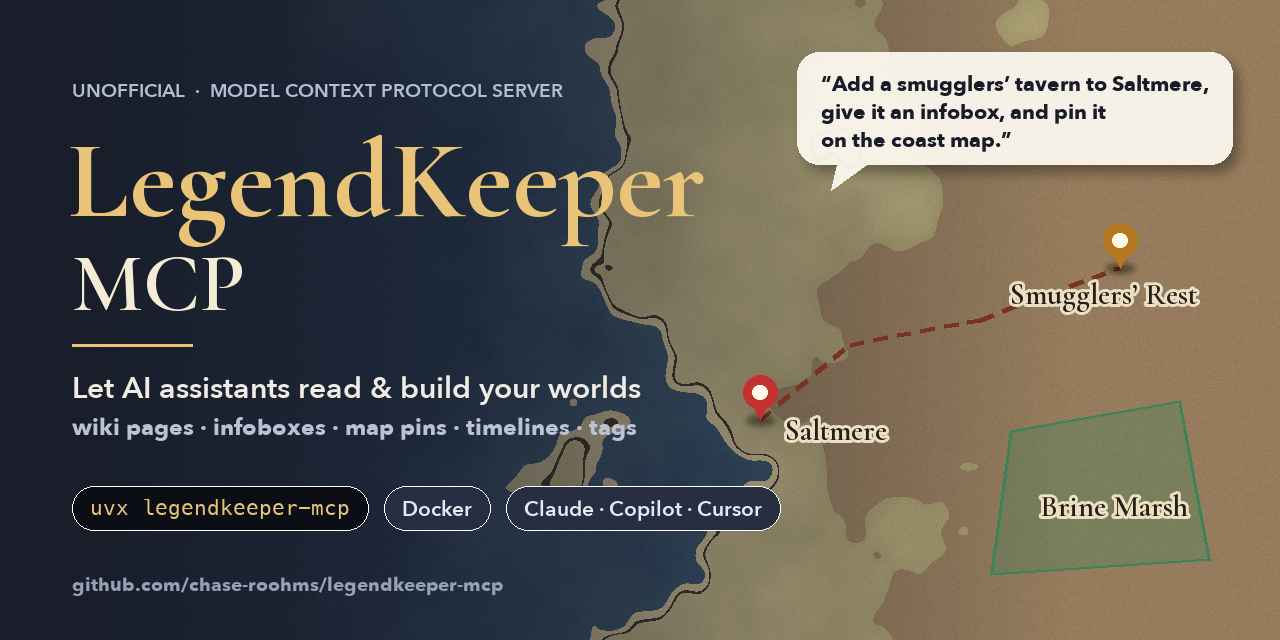





An MCP server that lets AI assistants (Claude, Copilot, Cursor, …) read and build your LegendKeeper worlds: wiki pages, infobox facts, map pins, timelines, tags, templates and images, through LegendKeeper’s official v3 REST API.
Unofficial. This project is not made, endorsed or supported by LegendKeeper. It runs locally on your machine with your own API key.
You: Create a tavern called The Drunken Dragon in Waterdeep, give it an infobox with its owner and
     a pin on the city map, and mention it on Volo's page.
Claude: (search → create_resource → set_facts → create_map_feature → write_page) Done! ...
Contents
- Features
- Requirements
- Quick start
- Client setup
- Configuration
- Tools
- How pages are edited (Markdown)
- Safety
- Troubleshooting
- Development
- Releasing
Features
- 31 curated tools designed for LLMs. Resources accept names as well as ids, and errors explain how to fix
them. An
api_requestescape hatch reaches every other v3 endpoint. - Pages as Markdown, both ways.
[[Wiki Links]]become real LegendKeeper mentions. Callouts, GM-only secrets, collapsible sections, task lists, tables and images are supported. Blocks Markdown can’t express (infoboxes, embeds, collections…) are preserved verbatim on rewrite. See How pages are edited. - Section-level editing: append, prepend, replace or extend one heading’s section without touching the rest
of the page. Every write is version-checked (
If-Match), so concurrent edits in the app are never silently overwritten. - Structured worldbuilding: infobox and sidebar facts, map pins/regions/paths (lat/lng or image pixels),
timeline events and lanes (human dates such as
"3 March 1204"), templates, batch creation of up to 100 linked resources, and image uploads from disk or URL. - Multiple worlds from one server (one API key per world), plus a read-only mode.
- Two transports: stdio for desktop clients, or a long-running Docker container serving streamable HTTP behind a bearer token.
- Robust client: retries with backoff, honors
Retry-After, idempotency keys on every POST so retries never double-create, and rate-limit tracking. - Contract-tested: the test suite runs against a fake API that validates every request and response against LegendKeeper’s published OpenAPI spec. A weekly CI job re-checks against the latest spec.
Requirements
- A LegendKeeper project whose owner is on a paid plan. LegendKeeper only accepts API keys for those (a
trial does not count), and answers
402 PAID_PLAN_REQUIREDotherwise. - An API key: in LegendKeeper open your project, go to Project Settings → Developers → API Keys, name
the key, pick a role and create it. Copy the
lk_…secret; it is shown only once.- Member keys can read and write content.
- Admin keys can also see and create hidden resources and GM secrets, read tags (
list_tagsfalls back to counting tags itself for Member keys), see member emails and save templates. - A key never has more rights than its creator, and only works in its own project.
- One of: uv (recommended), Docker, or Python ≥ 3.11 with pip.
Quick start
Pick one. All of them read the key from LEGENDKEEPER_API_KEY.
uvx (no install):
LEGENDKEEPER_API_KEY=lk_... uvx legendkeeper-mcp check # verify the key
Docker:
docker run -i --rm -e LEGENDKEEPER_API_KEY=lk_... ghcr.io/chase-roohms/legendkeeper-mcp:latest check
pip:
pip install legendkeeper-mcp
legendkeeper-mcp check
check prints the world each configured key opens, then exits. Without check, the command starts the MCP server
on stdio, which is what desktop clients launch for you (see below).
Before the first PyPI release, use
uvx --from git+https://github.com/chase-roohms/legendkeeper-mcp legendkeeper-mcp, or build the image yourself withdocker build -t legendkeeper-mcp ..
Long-running HTTP server (Docker Compose):
cp .env.example .env              # set LEGENDKEEPER_API_KEY and MCP_AUTH_TOKEN (openssl rand -hex 32)
docker compose up -d              # serves http://localhost:8000/mcp, bound to 127.0.0.1 only
curl http://localhost:8000/healthz
Point HTTP-capable clients at http://localhost:8000/mcp with the header Authorization: Bearer .
Images placed in ./uploads can be uploaded with upload_image (source: /uploads/).
Client setup
Ready-to-use files are in examples/.
Claude Desktop: add to claude_desktop_config.json (macOS: ~/Library/Application Support/Claude/,
Windows: %APPDATA%\Claude\), then restart Claude:
{
  "mcpServers": {
    "legendkeeper": {
      "command": "uvx",
      "args": ["legendkeeper-mcp"],
      "env": { "LEGENDKEEPER_API_KEY": "lk_your_key_here" }
    }
  }
}
VS Code (.vscode/mcp.json, the key is prompted for and stored securely):
{
  "inputs": [{ "type": "promptString", "id": "lk-key", "description": "LegendKeeper API key", "password": true }],
  "servers": {
    "legendkeeper": {
      "type": "stdio",
      "command": "docker",
      "args": ["run", "-i", "--rm", "-e", "LEGENDKEEPER_API_KEY", "ghcr.io/chase-roohms/legendkeeper-mcp:latest"],
      "env": { "LEGENDKEEPER_API_KEY": "${input:lk-key}" }
    }
  }
}
Claude Code:
claude mcp add legendkeeper --env LEGENDKEEPER_API_KEY=lk_... -- uvx legendkeeper-mcp
Cursor, Windsurf, others: same command/args/env as Claude Desktop, in the client’s MCP config file.
Configuration
Everything is configured with environment variables. CLI flags (--transport, --host, --port, --read-only)
override them.
| Variable | Default | Description |
|---|---|---|
LEGENDKEEPER_API_KEY |
— | API key for the project named default. |
LEGENDKEEPER_API_KEY_ |
— | Additional worlds. LEGENDKEEPER_API_KEY_HOMEBREW becomes project homebrew. |
LEGENDKEEPER_API_KEY_FILE, LEGENDKEEPER_API_KEY__FILE |
— | Read the key from a file (Docker secrets). |
LEGENDKEEPER_DEFAULT_PROJECT |
default, else the first name |
Which world tools use when project is omitted. |
LEGENDKEEPER_PROJECT_ID, LEGENDKEEPER_PROJECT_ID_ |
discovered | Skip the lookup of the project id behind a key. |
LEGENDKEEPER_READ_ONLY |
false |
Only register reading tools; api_request allows GET only. |
LEGENDKEEPER_BASE_URL |
https://www.legendkeeper.com |
API origin (for proxies and mocks). |
LEGENDKEEPER_TIMEOUT |
30 |
Request timeout in seconds. |
LEGENDKEEPER_MAX_RETRIES |
3 |
Retries for 429/5xx/network errors. |
LEGENDKEEPER_UPLOAD_ROOT |
unrestricted (/uploads in Docker) |
upload_image may only read files under this directory. |
LEGENDKEEPER_MAX_UPLOAD_MB |
25 |
Maximum image size. |
LEGENDKEEPER_ALLOW_URL_UPLOADS |
true |
Allow upload_image to download from http(s) URLs. |
LEGENDKEEPER_LOG_LEVEL |
INFO |
Log level (logs go to stderr; keys are never logged). |
MCP_TRANSPORT |
stdio |
stdio or http (streamable HTTP). |
MCP_HOST |
127.0.0.1 (0.0.0.0 in Docker) |
HTTP bind address. |
MCP_PORT |
8000 |
HTTP port. |
MCP_PATH |
/mcp |
HTTP endpoint path. |
MCP_AUTH_TOKEN, MCP_AUTH_TOKEN_FILE |
— | Bearer token required on every HTTP request (except /healthz). |
MCP_ALLOW_UNAUTHENTICATED |
false |
Permit HTTP on a non-loopback address without a token (not recommended). |
MCP_ALLOWED_HOSTS |
— | Comma-separated host:port values; enables DNS-rebinding protection (e.g. localhost:8000). |
Multiple worlds
LEGENDKEEPER_API_KEY_HOMEBREW=lk_aaa
LEGENDKEEPER_API_KEY_STRAHD=lk_bbb
LEGENDKEEPER_DEFAULT_PROJECT=homebrew
Every tool takes an optional project argument ("strahd"), and list_projects shows what is configured.
Tools
| Area | Tools |
|---|---|
| Discover | list_projects, browse_tree, search, get_resource, list_tags, list_templates, list_calendars, list_members, list_assets |
| Read | read_document: pages as Markdown, maps as features with coordinates, timelines as lanes/events, boards as text. format: "json" returns raw API data. |
| Pages | write_page (modes append, prepend, replace, replace_section, append_to_section) |
| Resources | create_resource, create_resources (batch ≤ 100, nested via key/parent_key), update_resource (name, tags add/remove, aliases, icon, banner, hidden, locked), move_resource, delete_resource, restore_resource, create_from_template |
| Documents | create_document (page/map/time/board), update_document, delete_document |
| Facts | set_facts: key-value facts in the page infobox (created if missing) or the sidebar; null removes a fact |
| Maps | create_map_feature (pin/label/region/path/folder, lat/lng or pixel coordinates, link to a page), update_map_feature, delete_map_feature |
| Timelines | create_timeline_event (human dates parsed in the timeline’s calendar, lane by name, created on demand), update_timeline_event, delete_timeline_event, create_timeline_lane |
| Assets | upload_image (local file or URL → asset URL usable in pages, banners and map images) |
| Anything else | api_request: any v3 endpoint of the project (boards, calendars, block-level edits, invites, restores…) |
The server also exposes two MCP resources the assistant can read:
legendkeeper://guides/markdown (the Markdown dialect) and legendkeeper://guides/style (conventions for tags,
icons, infoboxes, pins and events, adapted from LegendKeeper’s style guide). Write tools are annotated so clients
can ask for confirmation; destructive tools also require confirm: true.
How pages are edited (Markdown)
LegendKeeper stores pages as a tree of typed blocks, not Markdown. This server converts in both directions:
| Markdown | LegendKeeper |
|---|---|
# … ######, paragraphs, - lists, 1. lists, > quotes, ``` code, ---, GFM tables |
the matching blocks |
- [ ] task / - [x] done |
task list |
> [!info], [!note], [!success]/[!tip], [!warning], [!error]/[!caution] |
callout |
> [!secret] |
secret block (GM-only, hidden from players and public pages) |
> [!expand] Title |
collapsible section |
**b**, *i*, ~~s~~, `c`, , , , |
text marks and colors |
[[Name]], [[Name|label]], [label](lk://resources/) |
mention (link to another page) |
 |
image (upload first with upload_image) |
```lk-block + JSON |
any raw block (infobox, embed, meter, collection…) |
When a page is read, blocks Markdown can’t express appear as readable regions:
**Infobox**
*Facts*
- **Ruler:** [Princess Bubblegum](lk://resources/pb…)
Writing those marker lines back preserves the original block exactly. Edits inside the region are ignored with a
warning; use set_facts, or read with opaque_blocks: "json" to edit the raw JSON. In replace mode,
paragraphs and other blocks whose content didn’t change are matched to the originals. Their ids and any styling
Markdown can’t show (colors, alignment, callout icons) are kept.
The converter is fuzz-tested with Hypothesis for exact round trips, including tricky punctuation, nested marks and escaping.
Safety
- Read-only mode (
LEGENDKEEPER_READ_ONLY=trueor--read-only) doesn’t register write tools at all. - Confirmation:
delete_*tools andapi_requestDELETE refuse to run withoutconfirm: true. Deleted resources go to LegendKeeper’s trash and can be brought back withrestore_resource. - No lost updates: page writes send the version they were based on (
If-Match) and retry once from a fresh read on conflict. - No duplicates on retry: every POST carries an idempotency key.
- HTTP mode refuses to listen on a non-loopback address without
MCP_AUTH_TOKEN; compose binds to127.0.0.1only, with a read-only filesystem, all capabilities dropped and a non-root user. - Uploads: only real JPEG/PNG/GIF/WebP files (checked by content) up to the size limit, optionally restricted
to
LEGENDKEEPER_UPLOAD_ROOT. - Secrets: keys are never logged (only masked as
lk_ab…wxyz) and never sent anywhere but LegendKeeper. Signed upload URLs receive the image bytes, not the key.
Troubleshooting
| Symptom | Fix |
|---|---|
402 PAID_PLAN_REQUIRED |
The project owner needs a paid LegendKeeper plan (trials don’t count). |
401 UNAUTHENTICATED |
Key missing, mistyped, revoked or expired. Run legendkeeper-mcp check. |
403 FORBIDDEN |
The key’s role (or its creator’s) is too low, e.g. hidden resources or tags with a Member key. |
403 WRONG_PROJECT |
Keys only work in their own world; configure one key per world. |
429 RATE_LIMITED |
LegendKeeper allows 120 writes/min and 300 requests/min per key. Wait a minute; batch with create_resources. |
Images rejected with VALIDATION_ERROR |
Image URLs must be LegendKeeper asset URLs; use upload_image first. |
| Client shows no tools | Check the client’s MCP logs. Run the configured command yourself; config errors are printed to stderr with exit code 2. |
Development
uv sync                       # create .venv with dev dependencies
uv run pytest                 # full test suite (downloads the OpenAPI spec once into tests/.cache)
uv run ruff check . && uv run ruff format --check . && uv run mypy
uv run legendkeeper-mcp       # run from source
npx @modelcontextprotocol/inspector uv run legendkeeper-mcp   # poke at it interactively
Testing layers:
-
tests/test_markdown*.py: converter unit tests and Hypothesis property tests (round trips must be exact). -
tests/test_tools.py: every tool end to end through a real MCP client session againsttests/fake_lk.py, an in-memory LegendKeeper. When the OpenAPI spec is available, every request must hit a real route with a schema-valid body, and every fake response must match the documented response schema. CI requires the spec (LK_REQUIRE_SPEC=1). -
tests/test_live.py: opt-in smoke tests against the real API. Write tests build everything under one[mcp-test] …sandbox resource and delete it afterwards:LEGENDKEEPER_LIVE_TESTS=1 LEGENDKEEPER_LIVE_WRITE=1 LEGENDKEEPER_API_KEY=lk_... uv run pytest tests/test_live.py -v
Project layout:
src/legendkeeper_mcp/
  client.py      async HTTP client (auth, retries, idempotency, pagination, errors)
  config.py      environment configuration
  service.py     per-project sessions, project-id discovery, cached resource index
  documents.py   reading/writing documents (page Markdown, maps, timelines, boards)
  markdown/      Markdown  block conversion (parse, render, merge)
  tools/         MCP tool definitions
  server.py      server assembly; http_app.py streamable HTTP + bearer auth; cli.py entry point
Releasing
CI runs on every push and PR: lint, mypy, tests on Linux/macOS/Windows (Python 3.11-3.13), a wheel build, and a Docker build with stdio/HTTP smoke tests.
To release, bump version in pyproject.toml, src/legendkeeper_mcp/__init__.py and server.json (the server
and package versions plus the image tag), update CHANGELOG.md, commit, then git tag v0.2.0 && git push --tags. The
release workflow then:
- verifies the tag matches the package version and reruns CI,
- publishes to PyPI using trusted publishing,
- pushes a multi-arch (amd64/arm64) image with SBOM and provenance to
ghcr.io//legendkeeper-mcp, - creates a GitHub release with the built distributions,
- publishes
server.jsonto the official MCP Registry asio.github.chase-roohms/legendkeeper-mcp(GitHub OIDC login, no secret needed). The registry checks ownership through themcp-namecomment at the top of this README, which PyPI shows as the package description, and theio.modelcontextprotocol.server.namelabel on the Docker image.
One-time setup: on PyPI, add a pending trusted publisher for project legendkeeper-mcp → this repository,
workflow release.yml, environment pypi, and create a pypi environment in the repository settings. GHCR needs
no setup. After the first push, make the package public in its GitHub package settings.
License
MIT. LegendKeeper is a trademark of its respective owner; this project only uses its public API.
Install
uvx legendkeeper-mcpConfiguration
{
  "mcpServers": {
    "legendkeeper": {
      "command": "uvx",
      "args": ["legendkeeper-mcp"],
      "env": { "LEGENDKEEPER_API_KEY": "lk_your_key_here" }
    }
  }
}