
远SE/Tabame是从https://github.com/far-se/tabame.导入的特工技能候选人。
概览
远SE/Tabame是从https://github.com/far-se/tabame.导入的特工技能候选人。
概述(AI 翻译)
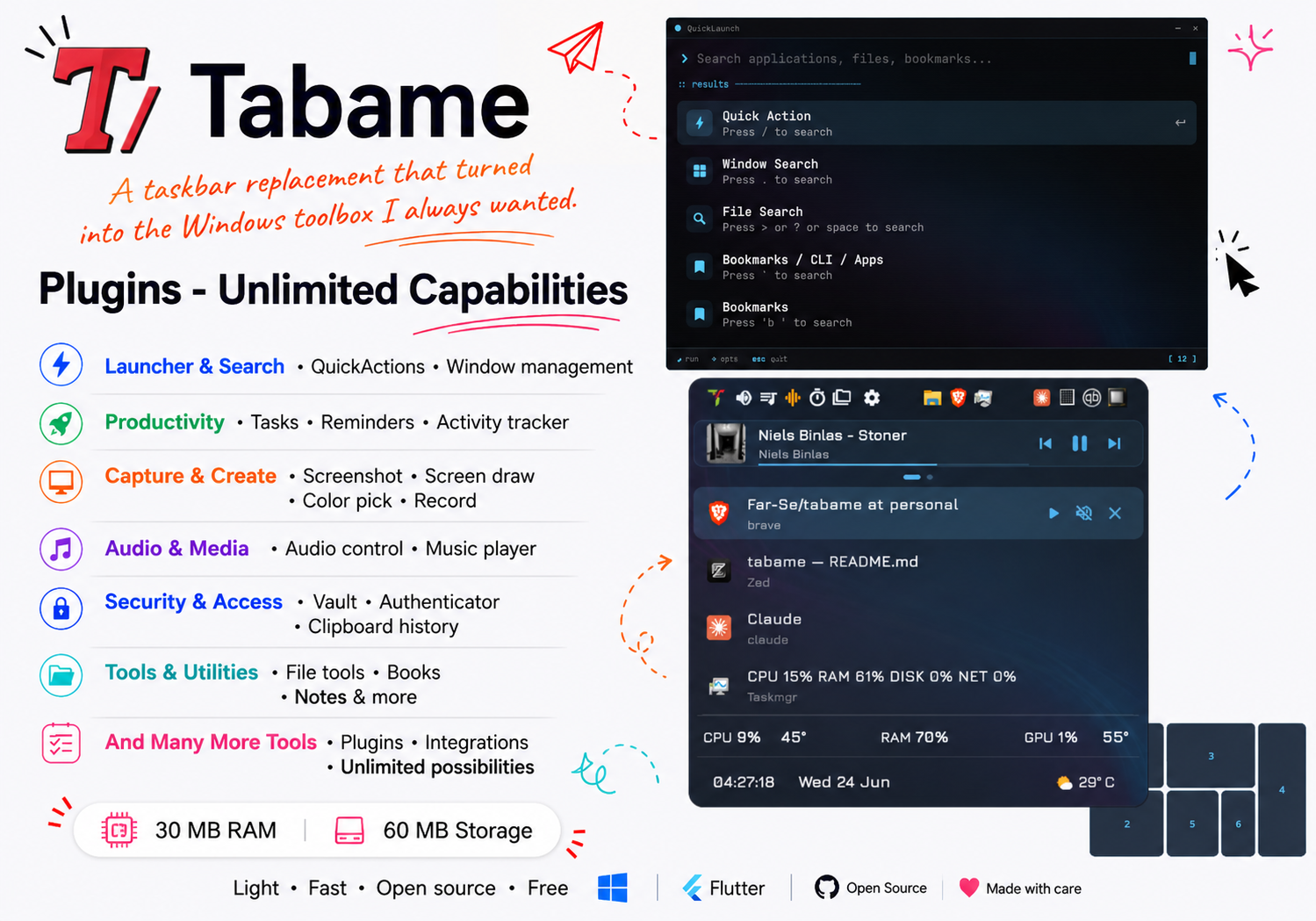
塔巴梅 一个任务栏替代品,后来成了我一直想要的Windows工具箱。 –>
🤔 这是什么?
Tabume(Ta-ba-me -> TAskBArMEnu)最初是作为Windows任务栏的替代品。我不喜欢闪烁的图标、徽章、通知以及Microsoft不断推给我的东西。所以我做了一个小弹窗菜单(快速菜单),显示我打开的窗口、音频、置顶应用——除非我主动要求,否则什么都不显示。
然后我不断有了灵感。“如果我也能…那就太好了”——这就是它发展成你现在看到的东西:启动器、启动器插件、媒体播放器、截图和绘图工具、密码保险库、认证器、提醒、活动追踪、文件工具,以及我每天使用的一堆小工具,现在总共超过30万+行代码。
这一切都是我一个人做的,因为我实际使用电脑的方式。它是免费的,开源的,并且会尽量不干扰你,直到你按下快捷键。
最好的使用方式
● 快速菜单
快速菜单最适合鼠标操作,所以尽量使用鼠标按钮:
本页由 AI 翻译,技术细节请以原文为准。
README
以下为原文 README 节选,完整内容请查看原文。









🤔 What is this?
Tabame (Ta-ba-me -> TAskBArMEnu) started as a Windows taskbar replacement. I don’t like the flashing icons, the badges, the notifications and all the stuff Microsoft keeps pushing into my face. So I made a little popup menu (the QuickMenu) that shows my open windows, my audio, my pinned apps - and nothing else unless I ask for it.
Then I kept getting ideas. “It’d be nice if I could also…” - and that’s how it grew into the thing you see now: a launcher, launcher plugins, a media player, screenshot and drawing tools, a password vault, an authenticator, reminders, activity tracking, file utilities, and a pile of small things I use every day that now total more than 300,000+ lines of code.
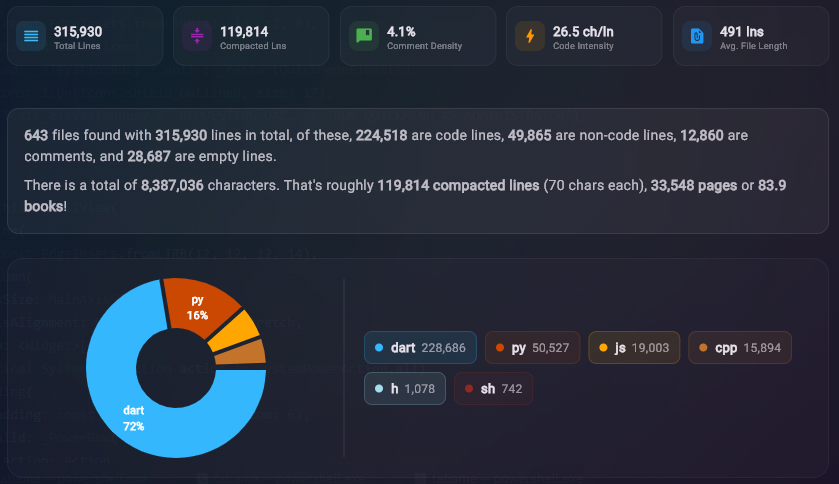
It’s all made by one person (me), for the way I actually use my computer. It’s free, it’s open source, and it tries to stay out of your way until you press a hotkey.
The best way to use it
● QuickMenu
QuickMenu works best with mouse interaction, so try to use a Mouse Button:
- A mouse side button - most mice have them, and it’s the nicest way to summon the menu.
- Any extra mouse button - open your mouse software, bind the button to something like
CTRL+ALT+SHIFT+F9, then set that same combo inside Tabame.
推荐工具
换一个关键词,或者移除筛选条件。
安装
npx skillfish add far-se/tabame