
xdarkzx/reaper-mcp 是从 https://github.com/xdarkzx/reaper-mcp. 导入的 MCP 服务器候选
概览
xdarkzx/reaper-mcp 是从 https://github.com/xdarkzx/reaper-mcp. 导入的 MCP 服务器候选
概述(AI 翻译)
收割者MCP
通过模型上下文协议实现REAPER中的AI驱动音乐制作
快速入门 • 为什么选择ReaperMCP?• 特色 • 工具参考 • 建筑 • 更新日志 • 贡献 • 故障排除
ReaperMCP将任何兼容MCP的AI助手连接到REAPER,赋予其对音乐制作的完全控制权。与你的AI助手对话,它会实时作曲、混音、母带制作并测量你的音乐——AI选择每一个音符、节奏和CC本身。
181个工具,跨越26个模块涵盖完整工作流程:MIDI作曲与模式、人声剪辑管线、效果及自动曲风调音/母带制作(35个风格配置文件)、发送与路由,以及后期质量控制——批处理、ReaScript自动化、静音/点击检测。
没有云。没有任何东西离开你的机器。 ReaperMCP 完全本地运行,通过 REAPER 内部的文件驱动的 Lua IPC 桥接——你的项目、音频和 MIDI 都留在电脑上。带上你已经用的 AI 客户端(Claude Desktop、Claude Code、Cursor、任何 MCP 客户端)——ReaperMCP 负责 REAPER。
本页由 AI 翻译,技术细节请以原文为准。
README
以下为原文 README 节选,完整内容请查看原文。
ReaperMCP
AI-powered music production in REAPER through the Model Context Protocol
Quick Start • Why ReaperMCP? • Features • Tools Reference • Architecture • Changelog • Contributing • Troubleshooting
ReaperMCP connects any MCP-compatible AI assistant to REAPER, giving it full control over music production. Talk to your AI assistant and it composes, mixes, masters, and measures your music in real-time — the AI chooses every note, rhythm, and CC itself.
181 tools across 26 modules cover the full workflow: MIDI composition and patterns, a vocal-chop pipeline, FX and automatic genre-tuned mixing/mastering (35 style profiles), sends and routing, and post-production QC — batch editing, ReaScript automation, silence/click detection.
No cloud. Nothing leaves your machine. ReaperMCP runs entirely locally through a file-based Lua IPC bridge inside REAPER — your project, audio, and MIDI stay on your computer. Bring whatever AI client you already use (Claude Desktop, Claude Code, Cursor, any MCP client) — ReaperMCP handles REAPER.
If this is useful to you, a star helps other people find it — that’s the whole marketing budget for this project. Want to help keep it maintained? Click the Sponsor badge up top.
Demo
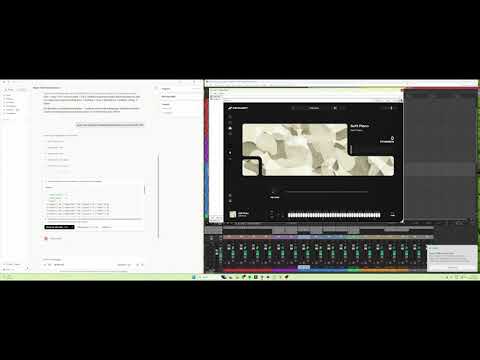
Works With
安装
This server does not publish a one-line install command.
Open the repository installation guide 新手?先看 mcpskill.org 教程 →配置
{
  "mcpServers": {
    "reaper": {
      "command": "reaper-mcp"
    }
  }
}