
thuanpham582002/tabby-mcp-server 是从 https://github.com/thuanpham582002/tabby-mcp-server. 导入的 MCP 服务器候选
概览
thuanpham582002/tabby-mcp-server 是从 https://github.com/thuanpham582002/tabby-mcp-server. 导入的 MCP 服务器候选
概述(AI 翻译)
一个 Tabby Terminal 插件,通过模型上下文协议(MCP)暴露你的活跃终端会话。它允许兼容 MCP 的 AI 客户端发现终端标签页、执行命令、读取终端缓冲区并获取长命令输出。
Tabby 保持终端界面。你的 AI 客户端通过 MCP 连接 Tabby。
精彩片段
- Tabby内部的MCP服务器 — 在[[T0]处暴露SSE端点]
- 终端会话发现 — 列出本地及SSH支持的Tabby终端会话
- 命令执行 — 在选定的 Tabby 终端标签页中执行命令
- 鲁健输出捕获 — 带有出口码解析的简单标记协议
- 终端缓冲区访问 — 从标签页读取可见/历史缓冲区范围
- 长输出分页 — 通过[[T1]检索完整命令输出]
- 配对编程模式 — 可选确认对话框和用户反馈
- 基于Docker的构建——可复现的Tabby本地插件构建
演示
目录
- 要求
- 安装
- 快速入门
- 连接MCP客户端
- SSE 客户端
- 克劳德密码
- Codex / OpenAI Codex CLI
- 工具
- 配置
- 发展
- 许可证
要求
本页由 AI 翻译,技术细节请以原文为准。
README
以下为原文 README 节选,完整内容请查看原文。
Tabby MCP Server


A Tabby Terminal plugin that exposes your active terminal sessions through the Model Context Protocol (MCP). It lets MCP-compatible AI clients discover terminal tabs, execute commands, read terminal buffers, and retrieve long command output.
Tabby stays the terminal UI. Your AI client connects to Tabby through MCP.
Highlights
- MCP server inside Tabby — exposes an SSE endpoint at
http://localhost:3001/sse - Terminal session discovery — list local and SSH-backed Tabby terminal sessions
- Command execution — run commands in a selected Tabby terminal tab
- Robust output capture — simple marker protocol with exit-code parsing
- Terminal buffer access — read visible/history buffer ranges from a tab
- Long output pagination — retrieve full command output by
outputId - Pair programming mode — optional confirmation dialogs and user feedback
- Docker-based build — reproducible local plugin builds for Tabby
Demo
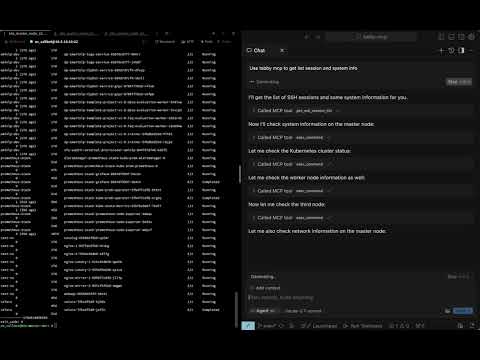
Table of Contents
- Requirements
- Installation
- Quick Start
- Connecting MCP Clients
- Tools
- Configuration
- Development
- License
Requirements
- Tabby Terminal installed and running
- Docker, for local builds
- macOS for the provided install script path
- An MCP-compatible client with SSE support, such as Claude Code, Cursor, Windsurf, Codex, or another SSE-capable MCP client
Installation
Option 1: Tabby Plugin Store
- Open Tabby
- Go to Settings → Plugins
- Install Tabby MCP
- Restart Tabby
- Open Settings → Plugins → MCP and confirm the server configuration
Option 2: Local Docker Build
git clone https://github.com/thuanpham582002/tabby-mcp-server.git
cd tabby-mcp-server

make build-dist
bash scripts/copy_to_plugin_folder.sh
The install script copies the plugin to:
~/Library/Application Support/tabby/plugins/node_modules/tabby-mcp
Restart Tabby after installing or updating the plugin.
安装
This server does not publish a one-line install command.
Open the repository installation guide 新手?先看 mcpskill.org 教程 →配置
{
  "mcpServers": {
    "tabby-mcp": {
      "type": "sse",
      "url": "http://localhost:3001/sse"
    }
  }
}