
Firefox MCP
概览
一个Firefox扩展,通过模型上下文协议(MCP)向AI助手和自动化工具展示浏览器功能。通过程序控制标签页、历史、书签、导航、内容和窗口。 只使用可信赖的AI服务,并考虑使用专用浏览器配置文件进行测试。 - : 标签页、窗口、导航、书签、历史记录 - :通过可配置过滤监控和分析HTTP请求 - : 提取文本、HTML,在页面中执行JavaScript - :支持Claude Desktop、Claude Code及其他MCP客户端 - :在浏览器标签页中执行参数化脚本 - :基于WebSocket,自动重新连接 - :仅本地主机操作,具备全面的输入验证。网页被有意隔离在两个端口之外;请参见威胁模型 SECURITY.md 该脚本自动执行:- 下载最新的v1.3。
概述(AI 翻译)
将支持MCP的AI助手连接到Firefox。管理标签页和窗口, 阅读页面、上传本地文件、整理书签、搜索历史和检查 网络请求。
FoxMCP 有两个部分:一个 Firefox 扩展和一个本地 Python 服务器。你的 AI 客户端与服务器通信,服务器向扩展发送命令。
隐私: 连接的AI客户端可以访问你的浏览器数据并运行页面 脚本。使用可信客户端,并考虑专门的Firefox配置文件。 请参见 SECURITY.md 关于威胁模型。
快速开始
你需要Firefox、一个MCP客户端、带有venv的Python 3.10+,以及以下命令
bash、curl、unzip和sha256sum。下面的命令使用了Bash shell。
在Debian/Ubuntu上,安装缺少的前置条件,使用
sudo apt install python3 python3-venv curl unzip coreutils。
1.安装服务器
在你想安装 FoxMCP 的新目录中运行它:
安装程序会验证发布档案校验和,创建venv/,安装
Python 依赖,并创建 start-foxmcp.sh。它还安装示例
脚本和CLAUDE.md模板,并提供连接Claude代码的选项。
对于无人值守安装,将安装程序保存在目标目录外并运行
本页由 AI 翻译,技术细节请以原文为准。
README
以下为原文 README 节选,完整内容请查看原文。
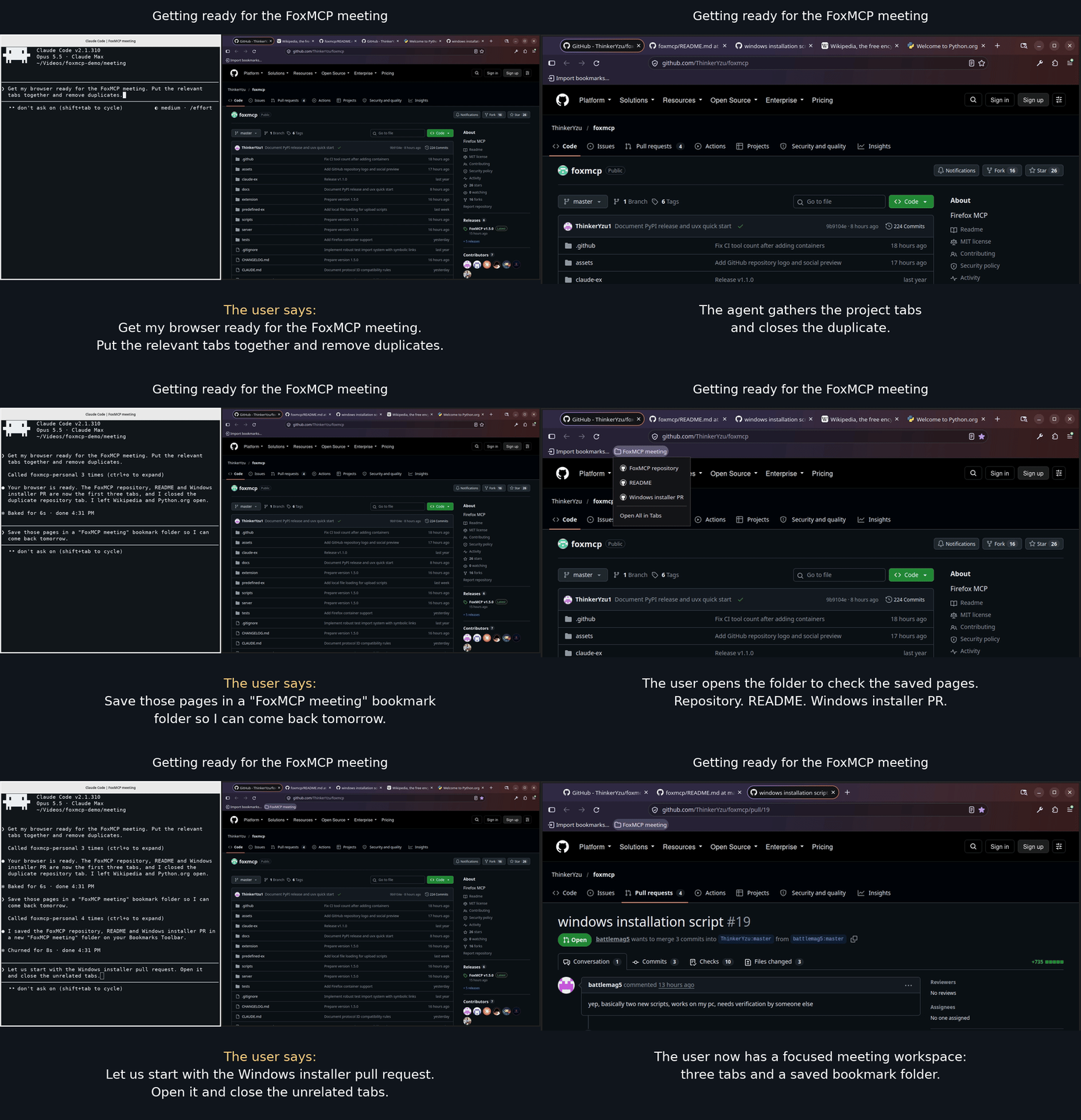
Prepare for a FoxMCP meeting with Claude Code: organize tabs, save the project pages, and clear away distractions.
FoxMCP — Firefox Browser Automation via MCP

Connect an MCP-compatible AI assistant to Firefox. Manage tabs and windows, read pages, upload local files, organize bookmarks, search history, and inspect network requests.
FoxMCP has two parts: a Firefox extension and a local Python server. Your AI client talks to the server, which sends commands to the extension.
Privacy: Connected AI clients can access your browser data and run page scripts. Use trusted clients and consider a dedicated Firefox profile. See SECURITY.md for the threat model.
Version 1.7.0 is published on PyPI and GitHub. The 1.7.0 extension update is awaiting Mozilla review; Firefox Add-ons currently serves 1.6.0. See release status.
Upgrading: Update the server and extension together, restart shared workers,
and refresh your client’s tool schemas. Call profiles_list and pass its integer
profile_id to every browser tool, even with one profile connected. Rediscover
targets after reconnection. See release notes.
FoxMCP or firefox-devtools-mcp?
Both let an AI agent use Firefox. They suit different jobs.
Use FoxMCP to work in your own browser. It is an extension in the Firefox you already run, so the agent sees your open tabs, logged-in sites, bookmarks, history, and containers. Nothing needs a restart, and several agents can share the same Firefox.
Use firefox-devtools-mcp to test or debug a web page. It starts its own Firefox, so the browser is clean and disposable. It offers console, network, debugger, and profiler tools, and it works with Firefox for Android.
| FoxMCP | firefox-devtools-mcp | |
|---|---|---|
| Browser | The Firefox you already use | Its own instance, started for the agent |
| Logins and cookies | Yours | Only what its own profile holds |
| Several agents at once | Yes, in one Firefox | One at a time per Firefox |
| Setup | Add the extension, then uvx foxmcp --stdio |
npx @mozilla/firefox-devtools-mcp |
安装
uvx foxmcp --stdio --single-instance` so they share one connection. FoxMCP