
A local MCP server for generating image assets using Google Gemini AI (Nano Banana 2 / Pro). Enable transparency and resize.
概览
mcp-alphabanana is a Model Context Protocol (MCP) server for generating image assets with Google Gemini. It is built for MCP-compatible clients and agent workflows that need fast image generation, transparent outputs, reference-image guidance, and flexible delivery formats. Keywords: MCP server, Model Context Protocol, Gemini AI, image generation, FastMCP Key capabilities: - Nano Banana 2.1 image generation by default, plus Lite, Flash, and Pro tiers - Transparent PNG/WebP asset output for web and game pipelines - Multi-image style guidance with local reference image files - Flexible file, base64, or combined outputs for agent workflows Set GEMINI_API_KEY before starting the server. For Claude Desktop, Download mcp-alphabanana-latest.mcpb, then add it as Extension from Claude Desktop Settings. For Windows, Recommend add 'FileSystem' extension for better local file handling. The Claude registry / MCPB package metadata is defined in manifest.
README
以下为原文 README 节选,完整内容请查看原文。
mcp-alphabanana


English | 日本語
mcp-alphabanana is a Model Context Protocol (MCP) server for generating image assets with Google Gemini. It is built for MCP-compatible clients and agent workflows that need fast image generation, transparent outputs, reference-image guidance, and flexible delivery formats.
Keywords: MCP server, Model Context Protocol, Gemini AI, image generation, FastMCP
Key capabilities:
- Nano Banana 2.1 image generation by default, plus Lite, Flash, and Pro tiers
- Transparent PNG/WebP asset output for web and game pipelines
- Multi-image style guidance with local reference image files
- Flexible file, base64, or combined outputs for agent workflows
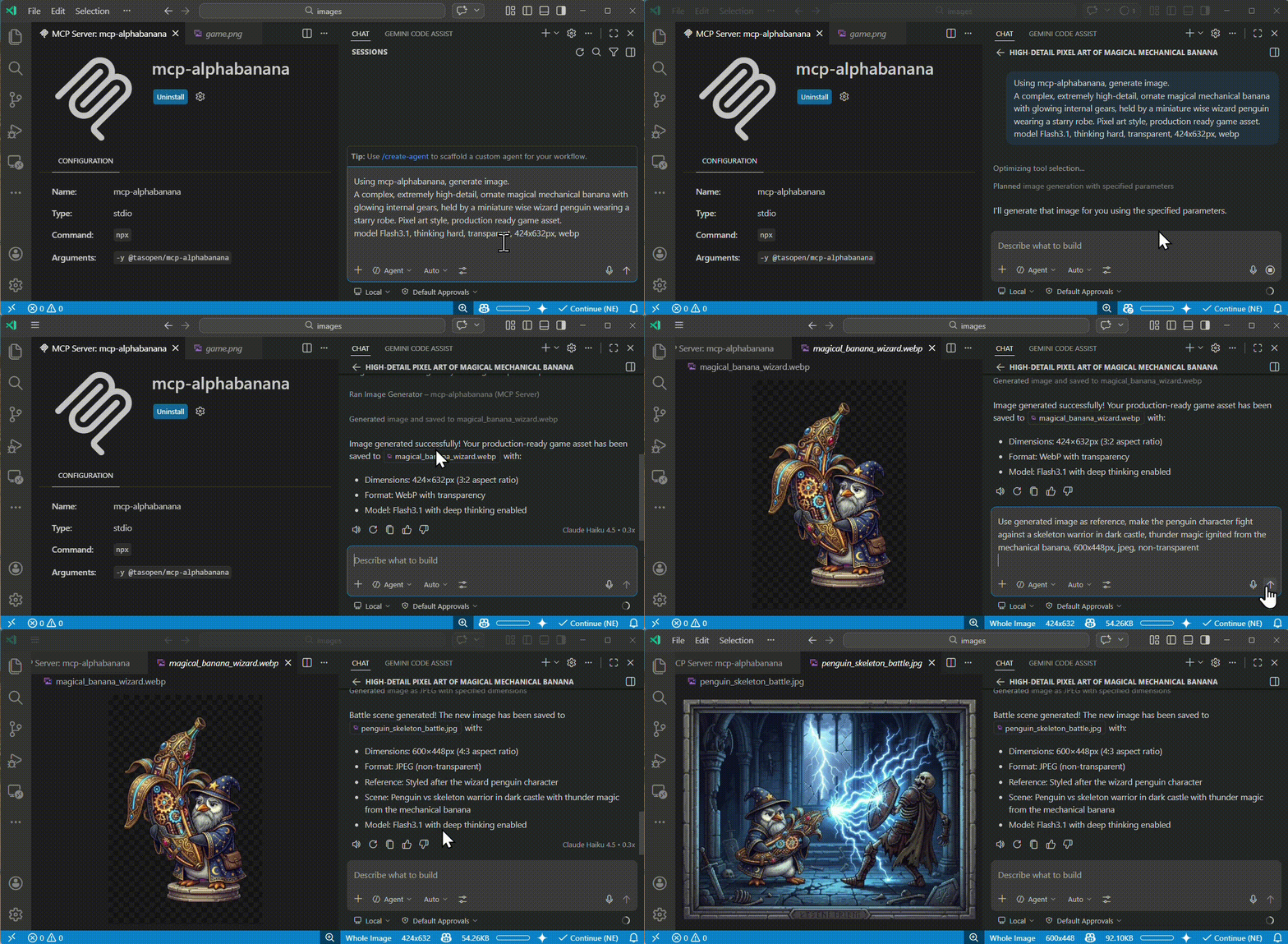
Quick Start
Run the MCP server with npx:
npx -y @tasopen/mcp-alphabanana
Or add it to your MCP configuration:
{
  "mcp": {
    "servers": {
      "mcp-alphabanana": {
        "command": "npx",
        "args": ["-y", "@tasopen/mcp-alphabanana"],
        "env": {
          "GEMINI_API_KEY": "${env:GEMINI_API_KEY}"
        }
      }
    }
  }
}
Set GEMINI_API_KEY before starting the server.
For Claude Desktop,
Download mcp-alphabanana-latest.mcpb, then add it as Extension from Claude Desktop Settings. For Windows, Recommend add ‘FileSystem’ extension for better local file handling.

Claude Registry
The Claude registry / MCPB package metadata is defined in manifest.json and ships with the static 512x512 icon at images/mcp-alphabanana.png.
Native sharp runtime packages are declared as optional dependencies so .mcpb installs can resolve the correct prebuilt binary on each supported platform without relying on postinstall hooks.
- Stable MCPB URL:
https://github.com/tasopen/mcp-alphabanana/releases/latest/download/mcp-alphabanana-latest.mcpb - Versioned MCPB URL pattern:
https://github.com/tasopen/mcp-alphabanana/releases/download/vVERSION/mcp-alphabanana-VERSION.mcpb - Support: GitHub Issues
MCP Server
This repository provides an MCP server that enables AI agents to generate images using Google Gemini.
It can be used with MCP-compatible clients such as:
- Claude Desktop
- VS Code MCP
- Cursor
Built with FastMCP 3 for a simplified codebase and flexible output options.
安装
npx -y @tasopen/mcp-alphabanana