
达芬奇Resolve Studio的MCP服务器集成
概览
一个模型上下文协议(MCP)服务器,允许AI助手通过官方脚本API控制达芬奇Resolve Studio。它提供完整的API覆盖,以及为编辑、媒体池组织、渲染设置、评审标记、调色、Fusion、Fairlight、项目生命周期任务、扩展创作和源代码安全媒体分析提供保护的工作流辅助。 服务器自带本地浏览器控制面板,用于检查Resolve状态、执行安全分析、钻研分析片段和镜头,以及在线编辑分析输出。完整教程请参见控制面板指南。 连接前,打开DaVinci Resolve Studio并设置为 。npm启动器会在您的用户application-data目录下安装一个托管副本,然后运行通用Python安装程序。安装程序创建虚拟环境,检测Resolve路径,并可配置Claude Desktop、Claude Code、Cursor、VS Code、Windsurf、Zed、Continue、Cline、Roo Code、OpenCode和JetBrains IDE。
概述(AI 翻译)
英文 |简体中文
-blue.svg) -18%20tools-blueviolet.svg)
一个模型上下文协议(MCP)服务器,允许AI助手通过官方脚本API控制达芬奇Resolve Studio。它提供完整的API覆盖,以及为编辑、媒体池组织、渲染设置、评审标记、调色、Fusion、Fairlight、项目生命周期任务、扩展创作和源代码安全媒体分析提供保护的工作流辅助。
服务器自带本地浏览器控制面板,用于检查Resolve状态、执行安全分析、钻研分析片段和镜头,以及在线编辑分析输出。完整教程请参见控制面板指南。
快速启动
连接前,打开DaVinci Resolve Studio,并将偏好设置>通用 > 外部脚本使用设置为本地。(在免费版上,这个偏好设置无效——详见下方免费版。)npm启动器会在您的用户application-data目录下安装一个管理副本,然后运行通用Python安装程序。
本页由 AI 翻译,技术细节请以原文为准。
README
以下为原文 README 节选,完整内容请查看原文。
DaVinci Resolve MCP Server
English | 简体中文



-blue.svg)
-18%20tools-blueviolet.svg)




A Model Context Protocol (MCP) server that lets AI assistants control DaVinci Resolve Studio through the official Scripting API. It provides full API coverage plus guarded workflow helpers for editing, media pool organization, render setup, review markers, grading, Fusion, Fairlight, project lifecycle tasks, extension authoring, and source-safe media analysis.
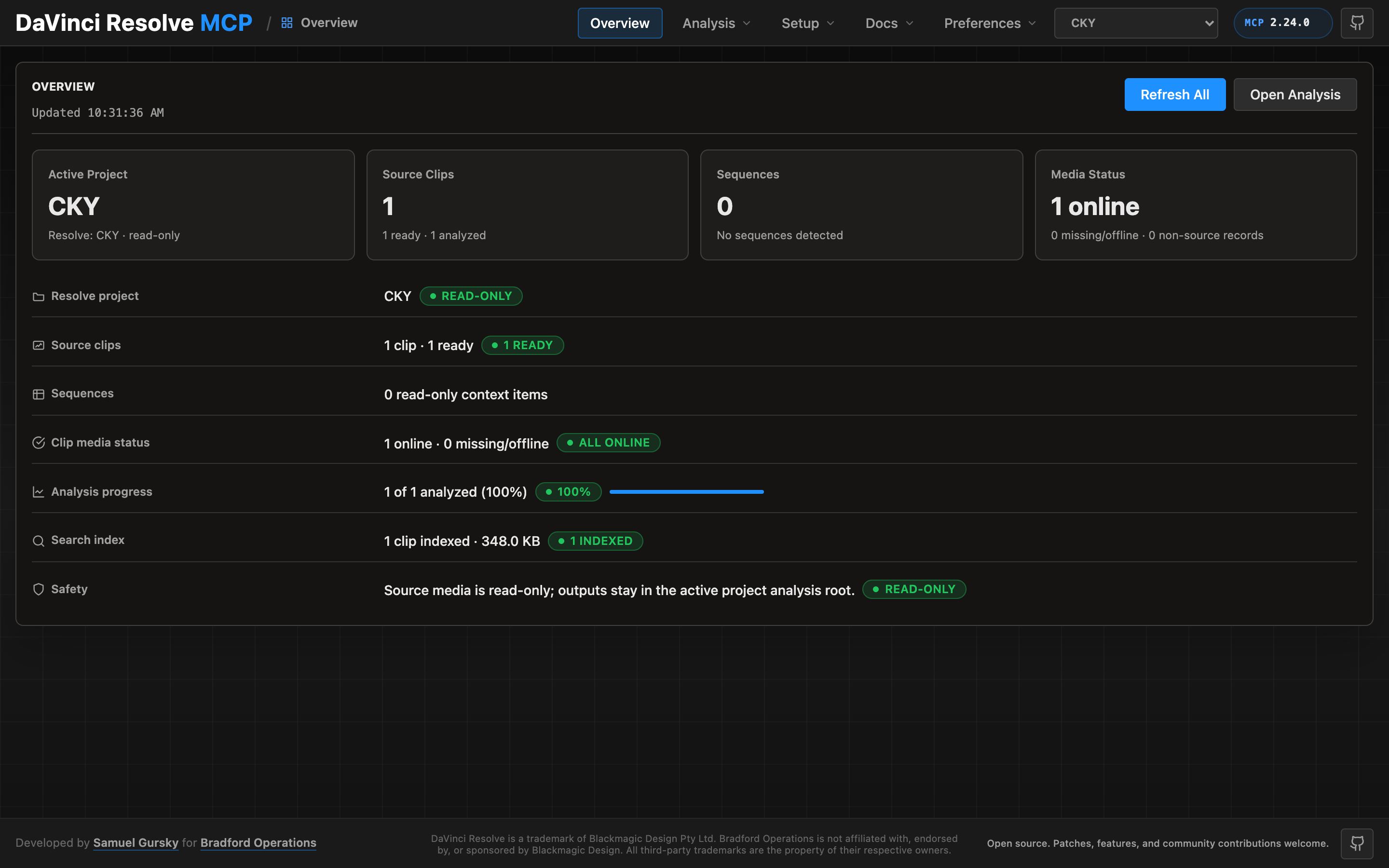
A local browser control panel ships with the server for inspecting Resolve state, running source-safe analysis, drilling into analyzed clips and shots, and editing analysis output inline. See the Control Panel Guide for the full tour.
Quick Start
npx davinci-resolve-mcp setup
Before connecting, open DaVinci Resolve Studio and set Preferences > General > External scripting using to Local. (On the free edition that preference does not help — see Free edition below.) The npm launcher installs a managed copy under your user application-data directory, then runs the universal Python installer. The installer creates a virtual environment, detects Resolve paths, and can configure Claude Desktop, Claude Code, Cursor, VS Code, Windsurf, Zed, Continue, Cline, Roo Code, OpenCode, Codex CLI, and JetBrains IDEs.
For source installs:
git clone https://github.com/samuelgursky/davinci-resolve-mcp.git
cd davinci-resolve-mcp
python install.py
For platform paths, client-specific config, and manual setup, see Installation and Configuration.
安装
npx davinci-resolve-mcp setup配置
{
  "mcpServers": {
    "davinci-resolve": { "command": "<python>", "args": ["<path>/src/server.py"] },
    "davinci-resolve-advanced": { "command": "node", "args": ["<path>/bin/davinci-resolve-advanced-mcp.mjs"] }
  }
}