
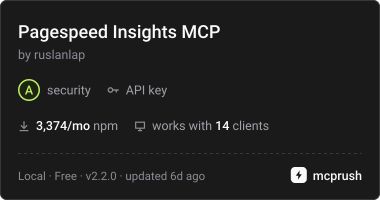
ruslanlap/pagespeed-insights-mcp 是从 https://github.com/ruslanlap/pagespeed-insights-mcp. 导入的 MCP 候选服务器。
概览
ruslanlap/pagespeed-insights-mcp 是从 https://github.com/ruslanlap/pagespeed-insights-mcp. 导入的 MCP 候选服务器。
概述(AI 翻译)
六工具MCP服务器,用于Google PageSpeed Insights和Chrome UX报告API。通过Claude、Cursor或任何兼容MCP的AI客户端,直接分析、比较和优化网页性能。
⚡ 快速入门(复制粘贴)
在 Google Cloud 控制台获取免费 API 密钥→粘贴到 Claude Desktop 的 claude_desktop_config.json →重启中。完成。(Codex/OpenAI 配置,Docker )
🔥 它有什么不同
大多数 PageSpeed MCP 服务器会封装一个工具:“在 URL 上运行 PSI”。该服务器自带了六个工作流工具,涵盖完整的性能工作流——不仅是评分,还有一个行动计划:
- 完整工具包:页面分析、CrUX真实用户数据(URL + 来源)、Lighthouse审计、多页与批次比较、基线和回归跟踪
- 深度诊断:元素层级、网络、JavaScript、图像优化、渲染阻挡和第三方影响分析
- 可操作输出:一个推荐引擎,将原始Lighthouse数据转化为优先修复,并提供截图的可视化分析
- 实用附加功能:缓存以支持重复运行,以及为AI代理调整的智能推荐
本页由 AI 翻译,技术细节请以原文为准。
README
以下为原文 README 节选,完整内容请查看原文。
PageSpeed Insights MCP Server

Six-tool MCP server for Google PageSpeed Insights & Chrome UX Report APIs. Analyze, compare, and optimize web performance directly through Claude, Cursor, or any MCP-compatible AI client.
⚡ Quick Start (Copy & Paste)
{
  "mcpServers": {
    "pagespeed-insights": {
      "command": "npx",
      "args": ["-y", "pagespeed-insights-mcp"],
      "env": { "GOOGLE_API_KEY": "your-google-api-key" }
    }
  }
}
Get a free API key at Google Cloud Console → paste into Claude Desktop’s claude_desktop_config.json → restart. Done. (Codex/OpenAI config, Docker)







🔥 What Makes It Different
Most PageSpeed MCP servers wrap one tool: “run PSI on a URL.” This server ships six workflow tools covering the full performance workflow — not just a score, but an action plan:
安装
npx -y pagespeed-insights-mcp配置
{
  "mcpServers": {
    "pagespeed-insights": {
      "command": "npx",
      "args": ["-y", "pagespeed-insights-mcp"],
      "env": { "GOOGLE_API_KEY": "your-google-api-key" }
    }
  }
}