
本页由 AI 翻译,技术细节请以原文为准。 查看原文
模型上下文协议(MCP)服务器实现通过自然语言展示文档处理能力,支持直接的人类交互和AI代理工具调用。
概览
该MCP服务器通过自然语言展示文档处理能力,支持直接的人工交互和AI代理工具调用。 你在仓库里。当你需要自托管/本地文档工作流和部署控制时,选择这个。 - 生态系统概览:营养 AI 基础设施- 产品着陆页:营养 MCP 服务器 配置完成后,您(或您的代理)可以通过自然语言与文档交互: “我有哪些文件可用?”“我看到你有三份文件:annual-report.pdf、contract-draft.pdf和tax-form-2023.pdf。你想让我分析其中任何一份吗?” “从这些发票中提取所有姓名和电话号码” “我找到了12个联系人:约翰·史密斯(555-0123)、莎拉·约翰逊(555-0456)......” “从这些报税表中删除所有社会安全号码” “我已经识别并涂黑了两份文件中的3个社会安全号码。涂黑后的版本已经准备好了。
概述(AI 翻译)
将AI代理连接到文档处理。
该MCP服务器通过自然语言展示文档处理能力,支持直接的人工交互和AI代理工具调用。
我应该使用哪个MCP服务器?
| 服务器 | 最佳 | 部署 | 核心能力 |
|---|---|---|---|
| 营养 DWS MCP 服务器 | 云文档工作流程 | 营养托管 API(API 密钥) | 转换、OCR、遮蔽、签名、提取、水印、自动化 |
| 营养文档引擎MCP服务器 | 自托管文档工作流 | 本地/私有云 | 带部署控制和数据驻留的文档处理 |
你现在在文档引擎MCP服务器仓库中。当你需要自托管/本地文档工作流和部署控制时,选择这个。
- 生态系统概览:营养素人工智能基础设施
- 产品登陆页:Nutrient MCP 服务器
对话示例
配置完成后,您(或您的代理)可以通过自然语言与文档交互:
你: “我有哪些文件可用?” AI: “我看到你有三份文件:annual-report.pdf、contract-draft.pdf和tax-form-2023.pdf。你想让我分析其中任何一份吗?”
本页由 AI 翻译,技术细节请以原文为准。
README
以下为原文 README 节选,完整内容请查看原文。
Nutrient Document Engine MCP Server
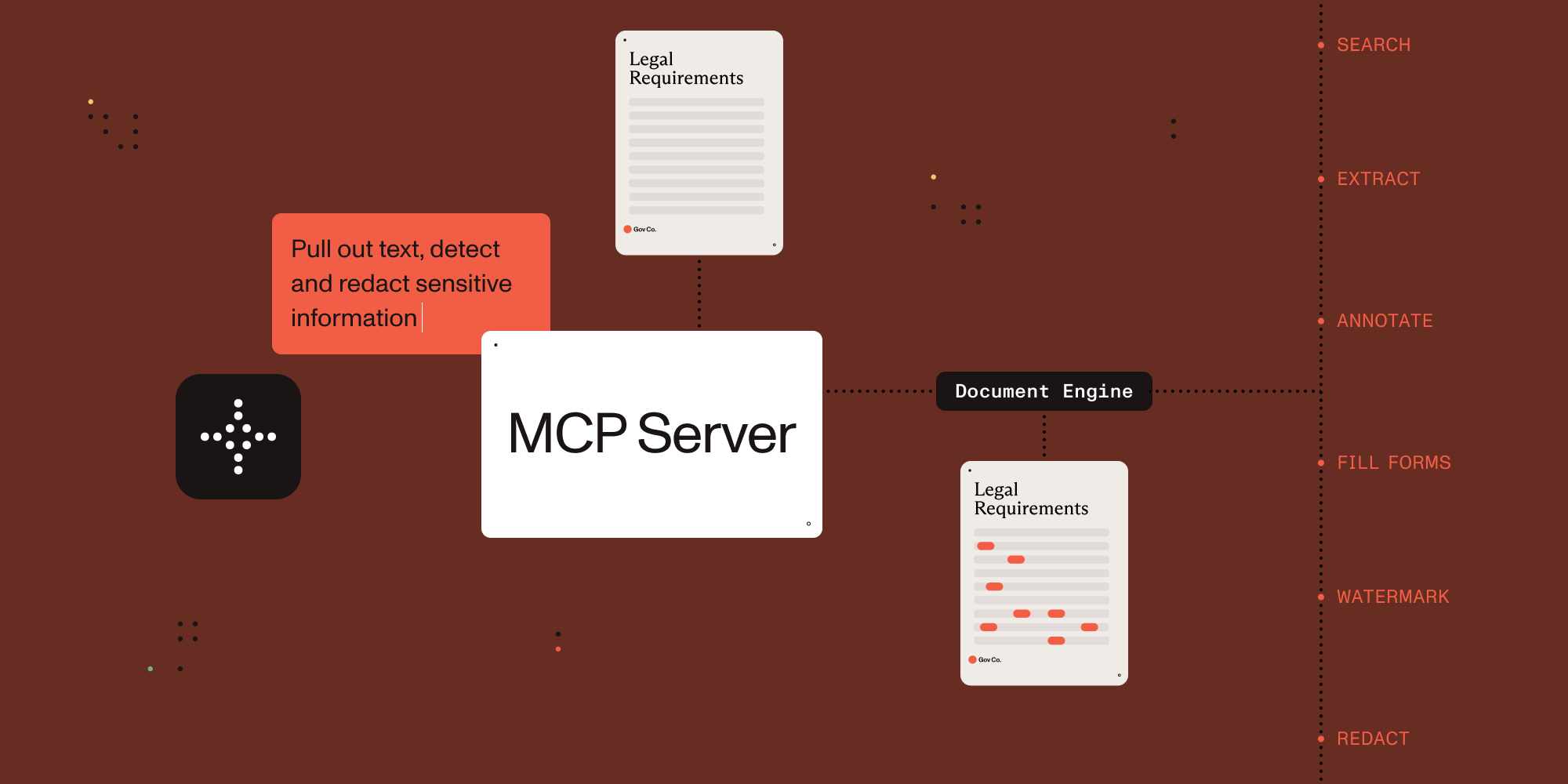

Connect AI agents to document processing.
This MCP server exposes document processing capabilities through natural language, supporting both direct human interaction and AI agent tool calling.
Which MCP Server Should I Use?
| Server | Best for | Deployment | Core capabilities |
|---|---|---|---|
| Nutrient DWS MCP Server | Cloud document workflows | Nutrient-hosted API (API key) | Convert, OCR, redact, sign, extract, watermark, automation |
| Nutrient Document Engine MCP Server | Self-hosted document workflows | On-prem/private cloud | Document processing with deployment control and data residency |
You are in the Document Engine MCP Server repo. Choose this when you need self-hosted/on-prem document workflows and deployment control.
- Ecosystem overview: Nutrient AI Infrastructure
- Product landing page: Nutrient MCP Server
Example Conversations
Once configured, you (or your agent) can interact with documents through natural language:
You: “What documents do I have available?”
AI: “I can see you have 3 documents: annual-report.pdf, contract-draft.pdf, and tax-form-2023.pdf. Would you like me to analyze any of these?”
You: “Extract all the names and phone numbers from these invoices”
AI: “I found 12 contacts: John Smith (555-0123), Sarah Johnson (555-0456)…”
You: “Redact all social security numbers from these tax forms”
AI: “I’ve identified and redacted 3 SSNs across 2 documents. The redacted versions are ready.”
You: “Split this 50-page contract into separate sections”
AI: “I’ve split the contract into 5 sections: Terms (pages 1-8), Payment (pages 9-15)…”
Setup with Claude Desktop
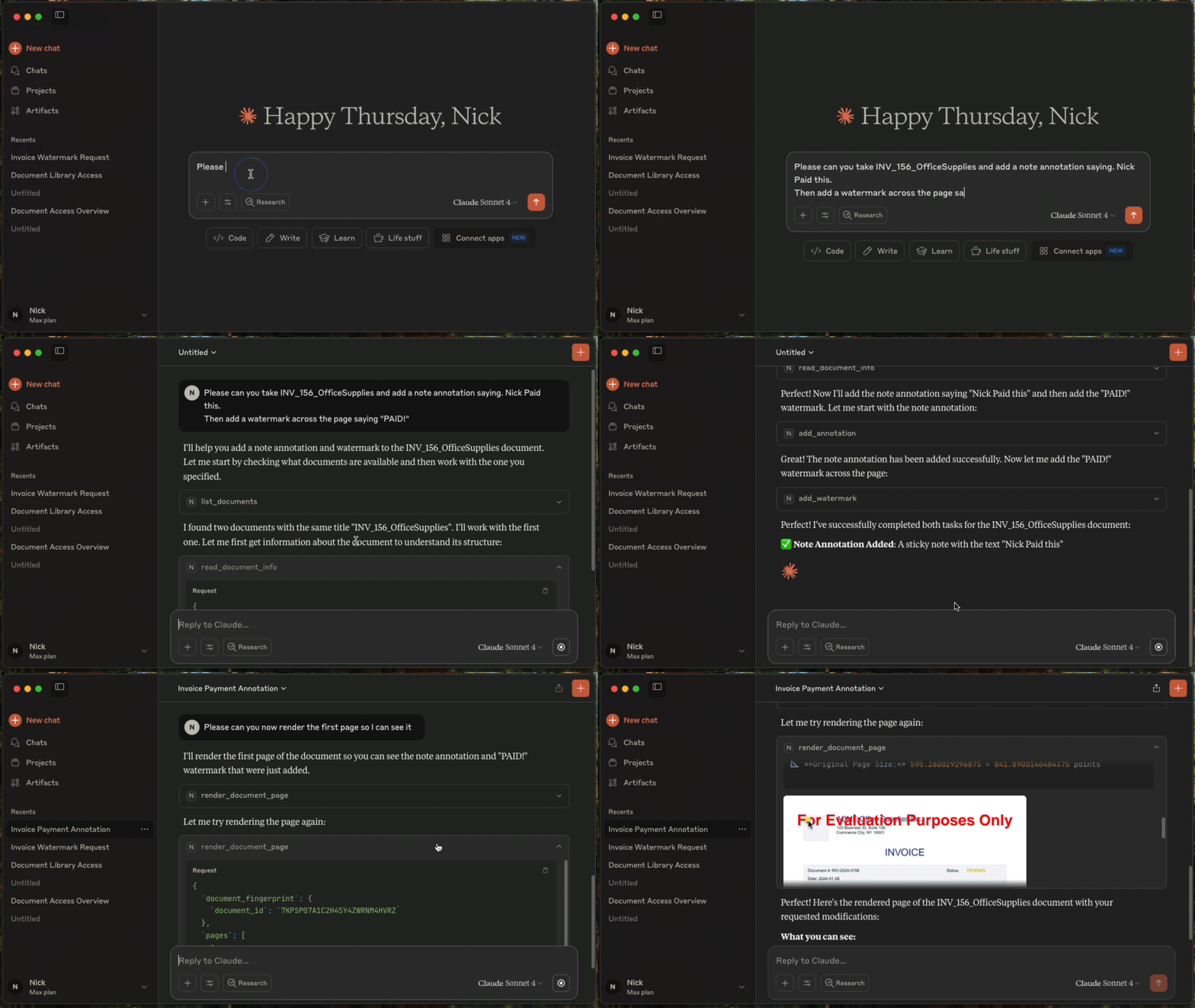
Prerequisites
- Claude Desktop - Download from Anthropic.
- Docker Compose - Download from Docker. For running Nutrient Document Engine locally.
- Node.js 22.x (22.23.4+), 24.x (24.22.1+), or 26.x (26.12.1+) - This MCP server runs via
npx.
Licensing
安装
npx -y @nutrient-sdk/document-engine-mcp-server配置
{
  "mcpServers": {
    "nutrient-document-engine": {
      "command": "npx",
      "args": ["-y", "@nutrient-sdk/document-engine-mcp-server"],
      "env": {
        "DASHBOARD_USERNAME": "admin",
        "DASHBOARD_PASSWORD": "password",
        "DOCUMENT_ENGINE_BASE_URL": "http://localhost:5000",
        "DOCUMENT_ENGINE_API_AUTH_TOKEN": "secret"
      }
    }
  }
}