
Self-hosted MCP server for Obsidian: semantic + full-text search, wikilink graph, note CRUD, OAuth, and a self-describing vault guide.
概览
A self-hosted Model Context Protocol server over an Obsidian vault. Three things it does that the alternatives mostly don't: - No imposed note format, no sidecar syntax, no "memory" folder you have to adopt. Agents read what you read, follow your wikilinks, and pick up your folder layout, frontmatter schema and tag conventions from the vault itself. - OAuth 2.0 PKCE and API keys, so claude.ai, Claude Desktop, Claude mobile, ChatGPT, Claude Code and n8n all read and write the same files, each user confined to their own vault root. - expected_hash preconditions refuse an edit made from a stale read, every publish is atomic and no-clobber by default, deletes go to .trash/, and dry_run returns the diff before anything lands. In claude.ai, Claude Desktop or ChatGPT, add a custom connector at https://obsidian-mcp. /mcp and sign in through the OAuth consent page. Connect a client has the rest. Stack: Python 3.12, FastAPI, PostgreSQL with pgvector.
README
以下为原文 README 节选,完整内容请查看原文。
Obsidian MCP Server




Your agents’ memory, in the vault you already have, reachable from claude.ai, ChatGPT, Claude Code and your phone.
A self-hosted Model Context Protocol server over an Obsidian vault. Three things it does that the alternatives mostly don’t:
- Your existing vault, served in place. No imposed note format, no sidecar syntax, no “memory” folder you have to adopt. Agents read what you read, follow your wikilinks, and pick up your folder layout, frontmatter schema and tag conventions from the vault itself.
- Remote and multi-user. OAuth 2.0 PKCE and API keys, so claude.ai, Claude Desktop, Claude mobile, ChatGPT, Claude Code and n8n all read and write the same files, each user confined to their own vault root.
- Writes cannot clobber.
expected_hashpreconditions refuse an edit made from a stale read, every publish is atomic and no-clobber by default, deletes go to.trash/, anddry_runreturns the diff before anything lands.
Connect from Claude Code:
claude mcp add obsidian --transport http \
  --url "https://obsidian-mcp./mcp" \
  --header "Authorization: Bearer omcp_..."
In claude.ai, Claude Desktop or ChatGPT, add a custom connector at
https://obsidian-mcp./mcp and sign in through the OAuth
consent page. Connect a client has the rest.
Stack: Python 3.12, FastAPI, PostgreSQL with pgvector. Pluggable
embeddings (Ollama bge-m3, or OpenAI text-embedding-3-{small,large}).
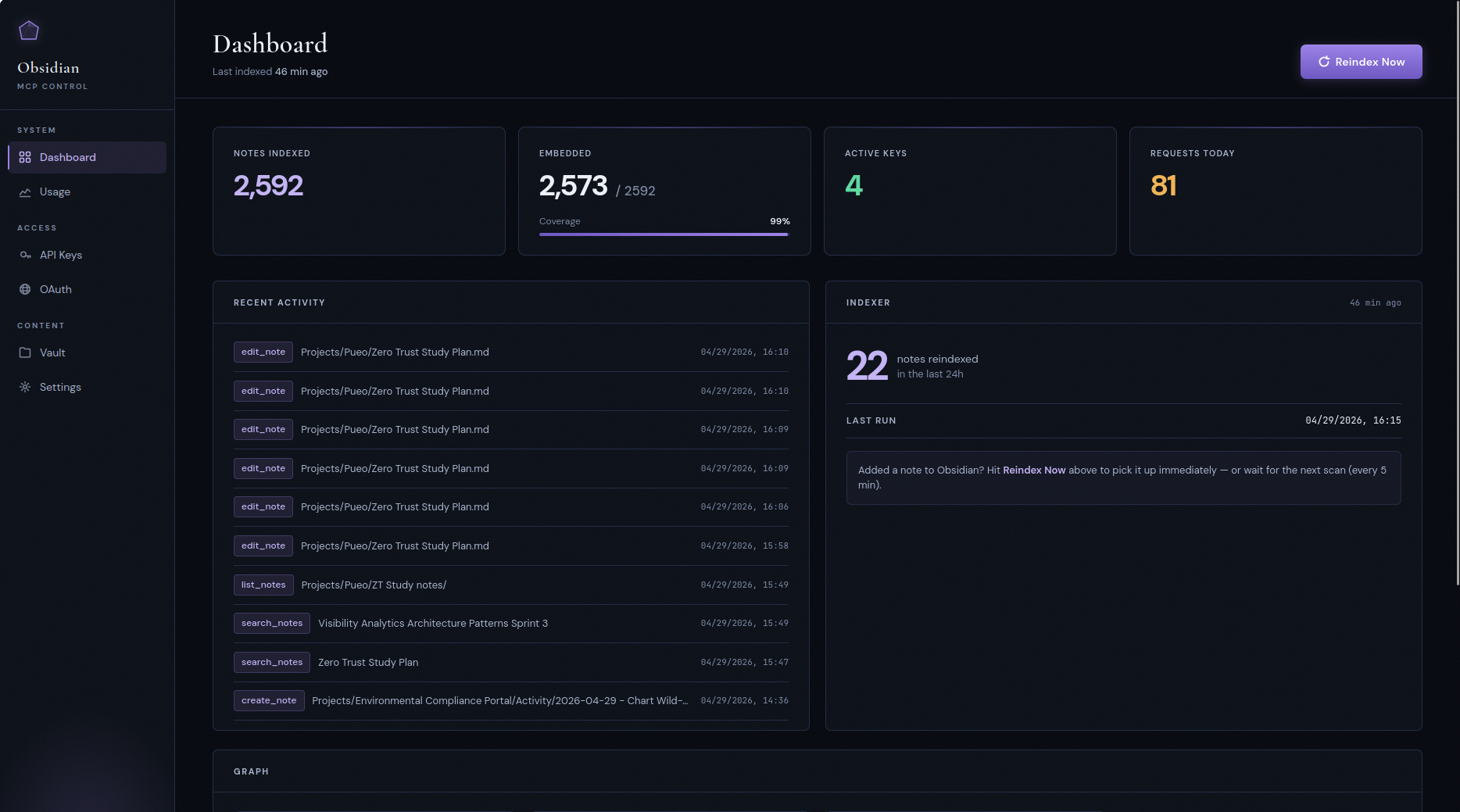
Contents
- Why this exists
- A session at the keyboard
- A session away from the keyboard
- What’s in the box
- vs. other Obsidian MCP servers
- Who this is for
- Control panel
- Quick start
- Upgrading
- Cost expectations
- The self-describing vault
- Multi-user mode
- Configuration
- Architecture
- Project layout
- Development
- Security notes
Why this exists
安装
This server does not publish a one-line install command.
Open the repository installation guide 新手?先看 mcpskill.org 教程 →配置
{
  "mcpServers": {
    "obsidian": {
      "url": "https://obsidian-mcp.<your-domain>/mcp",
      "headers": { "Authorization": "Bearer omcp_..." }
    }
  }
}