
This repository is a showcase of the GitHub Copilot's capabilities in generating code and assisting with various programming tasks.
概览
This repository is a showcase of the GitHub Copilot's capabilities in generating code and assisting with various programming tasks. It includes examples of code generation, documentation, and other features that demonstrate the power of AI in software development and how to extend the capabilities of GitHub Copilot by using various MCP servers that are configured in .vscode/mcp.json file. Please create a fork of this repository to your own GitHub account. This will allow you to make changes and experiment with the code without affecting the original repository. Please watch the following video to learn more about MCP and how to use it with GitHub Copilot: The official documentation for MCP in VS Code can be found here. To use GitHub Copilot with MCP, you need to create a GitHub Personal Access Token (PAT). Follow the instructions in the following video to create a PAT. Use this link to create a PAT: Create GitHub PAT This repository is configured to work with GitHub Codespaces.
README
以下为原文 README 节选,完整内容请查看原文。
GitHub Copilot MCP Showcase repository
This repository is a showcase of the GitHub Copilot’s capabilities in generating code and assisting with various programming tasks. It includes examples of code generation, documentation, and other features that demonstrate the power of AI in software development and how to extend the capabilities of GitHub Copilot by using various MCP servers that are configured in .vscode/mcp.json file. The main purpose of this repository is to provide a hands-on experience with GitHub Copilot, the new agent mode and its integration with MCP servers.
Prerequisites
Fork this repository
Please create a fork of this repository to your own GitHub account. This will allow you to make changes and experiment with the code without affecting the original repository.
Introduction to MCP
Please watch the following video to learn more about MCP and how to use it with GitHub Copilot:
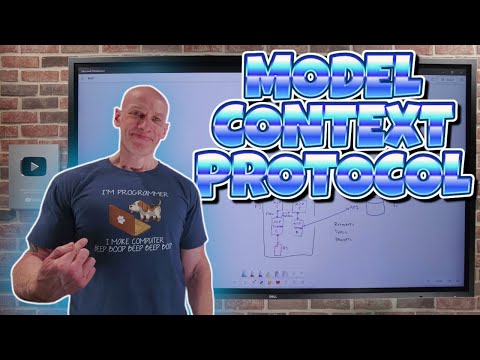
MCP in VS Code
The official documentation for MCP in VS Code can be found here.
GitHub PAT
To use GitHub Copilot with MCP, you need to create a GitHub Personal Access Token (PAT). Follow the instructions in the following video to create a PAT.
Use this link to create a PAT: Create GitHub PAT
Codespaces
This repository is configured to work with GitHub Codespaces. You can create a codespace by clicking the green “Code” button and selecting “Open with Codespaces”. This will create a new codespace with all the necessary dependencies and configurations already set up for you.
[!NOTE]
MCP Server Options: Codespaces vs Docker
In your
.vscode/mcp.json, you will find two different configurations for the GitHub MCP server based on how you have started this exercise - either on your local machine or in a GitHub Codespace.
github-codespace: Runs the MCP server as a native Go binary built directly in your Codespace or dev container. This is typically faster and allows for easier debugging and direct integration with your environment. The command points to the built binary (e.g.,
${workspaceFolder}/github-mcp-server/cmd/github-mcp-server/github-mcp-server).github-docker: Runs the MCP server inside a Docker container using the published image (
ghcr.io/github/github-mcp-server) on your local machine. This is more portable and ensures a consistent environment, but may be slower to start and less convenient for debugging or development.
MCP Servers
We are using the following MCP servers in this repository:
安装
This server does not publish a one-line install command.
Open the repository installation guide 新手?先看 mcpskill.org 教程 →