
kiliczsh/mcp-mongo-server 是从 https://github.com/kiliczsh/mcp-mongo-server. 导入的 MCP 服务器候选
概览
kiliczsh/mcp-mongo-server 是从 https://github.com/kiliczsh/mcp-mongo-server. 导入的 MCP 服务器候选
概述(AI 翻译)
一个模型上下文协议(MCP)服务器,让AI助手能够操作你的MongoDB数据库。它会暴露你的集合,推断其模式,并通过标准界面运行查询、聚合和写入——这样像Claude Desktop和Cursor这样的工具就能读取并推理你的数据。
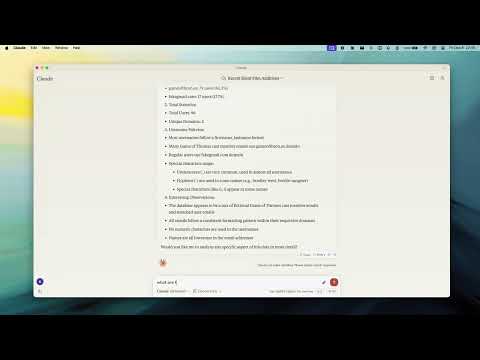
演示
为什么要用它
- 用通俗易懂的语言与数据库对话 — 助理会自动发现你的收藏及其形状。
- 默认安全 — 开启只读模式,让助手探索时无需更改数据。
- 无处不在 — 通过纯连接或TLS连接独立、副本集、分片和Atlas部署。
主要特色
- 只读模式 — 阻断所有写入路径(插入、更新、索引创建和聚合阶段,如
$out/$merge,可能修改数据)。 - Smart ObjectId 处理 — 可配置
auto/none/force转换 24 字符十六进制字符串 ObjectId。 - 模式推理 — 自动从文档样本中检测模式收集。
- 查询与聚合 — 完整的查询和聚合流水线支持,附带可选的
explain计划。
本页由 AI 翻译,技术细节请以原文为准。
README
以下为原文 README 节选,完整内容请查看原文。
MCP MongoDB Server



A Model Context Protocol (MCP) server that lets AI assistants work with your MongoDB databases. It exposes your collections, infers their schemas, and runs queries, aggregations, and writes through a standard interface — so tools like Claude Desktop and Cursor can read and reason about your data.
Demo
Why use it
- Talk to your database in plain language — the assistant discovers your collections and their shape automatically.
- Safe by default — turn on read-only mode to let an assistant explore without any risk of changing data.
- Works everywhere — connects to standalone, replica set, sharded, and Atlas deployments, over plain or TLS connections.
Key Features
- Read-Only Mode — blocks every write path (insert, update, index creation, and aggregation stages like
$out/$mergethat could modify data). - Smart ObjectId Handling — configurable
auto/none/forceconversion of 24-character hex strings to ObjectIds. - Schema Inference — automatic collection schema detection from document samples.
- Query & Aggregation — full query and aggregation pipeline support, with optional
explainplans. - Write Operations — insert, update, and index creation (when read-only mode is off).
- Time Conversion — a
convertTimehelper turns Unix timestamps and date strings into UTC/GMT/ISO, so date queries stay unambiguous across timezones. - Progress & Cancellation — long operations report progress and can be cancelled mid-flight.
- Two Transports — run locally over stdio, or expose an HTTP endpoint for remote access.
Requirements
- Node.js 20 or newer
Quick Start
Point the server at your database — no install step needed:
npx -y mcp-mongo-server mongodb://localhost:27017/mydatabase
Explore safely, without any chance of changing data:
npx -y mcp-mongo-server mongodb://localhost:27017/mydatabase --read-only
Usage
Local (stdio)
This is the default, used by Claude Desktop, Cursor, and other local clients:
npx -y mcp-mongo-server "mongodb://user:pass@localhost:27017/mydatabase"
Remote (HTTP)
Expose an HTTP endpoint at /mcp for remote or multi-client access:
npx -y mcp-mongo-server "mongodb://user:pass@localhost:27017/mydatabase" --transport http --port 3001
By default, only requests without a browser Origin (CLIs, IDEs) and requests
from localhost are accepted; everything else is rejected with 403 to guard
against DNS-rebinding attacks. Allow specific browser origins with
--allowed-origins:
安装
npx -y mcp-mongo-server mongodb://localhost:27017/mydatabase