
官方 draw.io MCP(模型上下文协议)服务器,使LLM能够在 draw.io 编辑器中创建和打开图表。
概览
官方 draw.io MCP(模型上下文协议)服务器,使LLM能够在 draw.io 编辑器中创建和打开图表。 本仓库提供四种将 draw.io 与AI助手集成的方法。选择最适合你配置的方案: MCP 应用服务器使用 MCP Apps 协议在 AI 聊天界面中渲染 draw.io 图。图解不会打开浏览器标签页,而是直接以交互式 iframe 形式出现在对话中。 官方托管端点可访问: 将该URL添加为 Claude.ai 或任何兼容MCP应用的主机的远程MCP服务器——无需安装。 你也可以通过Node.js本地运行服务器,或者将自己的实例部署到 Cloudflare Workers。 - — 在聊天中内联渲染 draw.io XML的交互式图- - 通过关键词搜索所有 draw.io 库(AWS、Azure、GCP、P&ID、ELECTRICAL、Cisco、Kubernetes、UML、BPMN等)中的10,000+个形状。返回可直接用于XML的精确样式字符串。
概述(AI 翻译)
官方 draw.io MCP(模型上下文协议)服务器,使LLM能够在 draw.io 编辑器中创建和打开图表。
▶ 观看视频,并在 drawio.com/mcp 的AI助理中设置 draw.io。
制作图表的四种方法
本仓库提供四种将 draw.io 与AI助手集成的方法。选择最适合你配置的方案:
| MCP 应用服务器 | MCP 工具服务器 | 辅助插件 | 项目说明 | |
|---|---|---|---|---|
| 工作原理 | 在聊天中内联渲染图表 | 在浏览器中打开图表 | 生成.drawio文件,可选PNG/SVG/PDF导出或浏览器URL |
Claude通过Python生成 draw.io URL |
| 图示输出 | 嵌入对话中的交互式查看器 | 新标签页中的 draw.io 编辑器 | .drawio、.drawio.png / .svg / .pdf,或浏览器URL |
可点击链接 draw.io |
| 需要安装 | 否(托管在mcp.draw.io) |
是的(npm包) | 一行插件安装(draw.io 桌面仅用于PNG/SVG/PDF导出) | 否——只需粘贴指令 |
| 支持 XML、CSV、美人鱼 | XML 和美人鱼 | ✅三者皆支持 | XML 与美人鱼(美人鱼需要 draw.io 桌面) | ✅三者皆支持 |
| **可在图纸中编辑。 |
本页由 AI 翻译,技术细节请以原文为准。
README
以下为原文 README 节选,完整内容请查看原文。
Draw.io MCP Server
The official draw.io MCP (Model Context Protocol) server that enables LLMs to create and open diagrams in the draw.io editor.
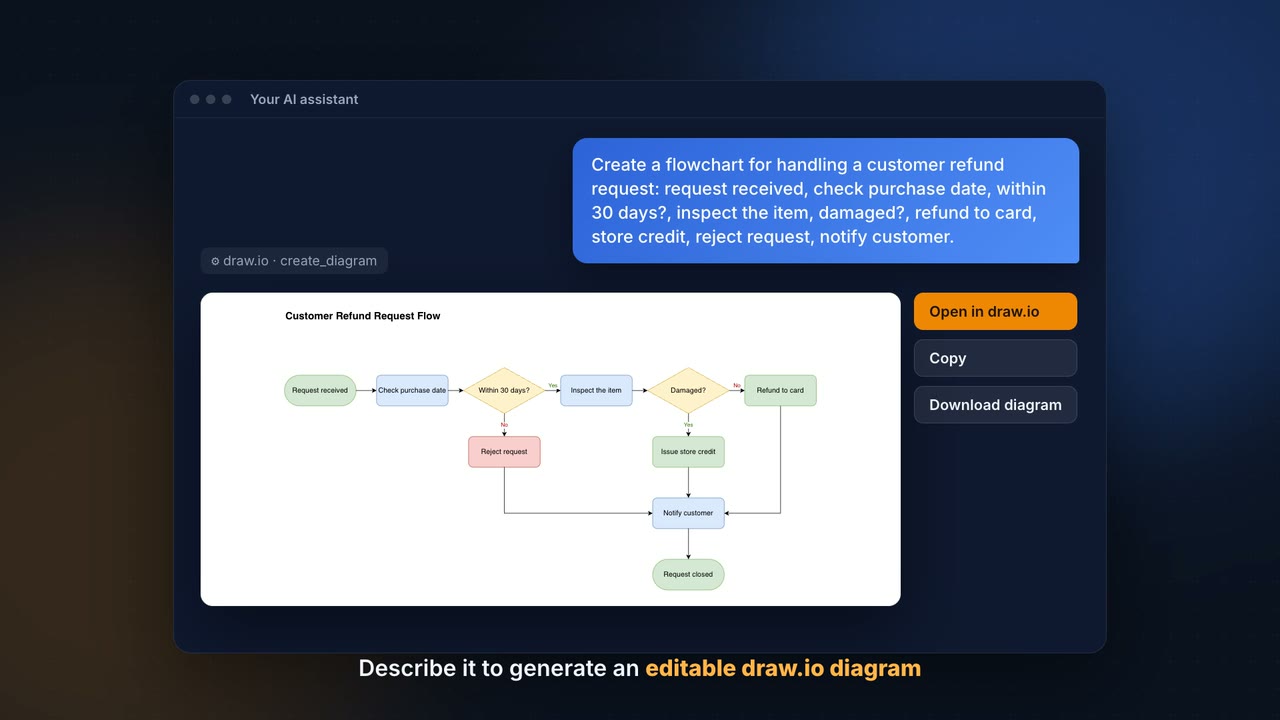
▶ Watch the video and set up draw.io in your AI assistant on drawio.com/mcp.
Four Ways to Create Diagrams
This repository offers four approaches for integrating draw.io with AI assistants. Pick the one that fits your setup:
| MCP App Server | MCP Tool Server | Assistant Plugins | Project Instructions | |
|---|---|---|---|---|
| How it works | Renders diagrams inline in chat | Opens diagrams in your browser | Generates .drawio files, optional PNG/SVG/PDF export or browser URL |
Claude generates draw.io URLs via Python |
| Diagram output | Interactive viewer embedded in conversation | draw.io editor in a new tab | .drawio, .drawio.png / .svg / .pdf, or browser URL |
Clickable link to draw.io |
| Requires installation | No (hosted at mcp.draw.io) |
Yes (npm package) | One-line plugin install (draw.io Desktop only for PNG/SVG/PDF export) | No — just paste instructions |
| Supports XML, CSV, Mermaid | XML and Mermaid | ✅ All three | XML and Mermaid (Mermaid needs draw.io Desktop) | ✅ All three |
| Editable in draw.io | Via “Open in draw.io” button | ✅ Directly | ✅ Directly | Via link |
| Works with | Claude.ai, ChatGPT, VS Code, Cursor, GitHub Copilot CLI, any MCP Apps host | Claude Desktop, Cursor, OpenCode, any MCP client | Claude Code, Codex CLI, GitHub Copilot, Cursor, Antigravity, OpenCode | Claude.ai (with Projects) |
| Best for | Inline previews in chat | Local desktop workflows | Local development workflows | Quick setup, no install needed |
Guides
User guides with tested prompts and examples are in the draw.io documentation, and the setup for each assistant is on drawio.com/mcp:
- Write prompts: Mermaid or draw.io XML, speed and models
- Diagram types and examples and the gallery of every diagram type
- Change and style diagrams: changes by prompt, color themes, styles
- Install options and output formats
- Diagram viewer
安装
This server does not publish a one-line install command.
Open the repository installation guide 新手?先看 mcpskill.org 教程 →