
自托管的MCP网关和LLM代理。支持OAuth 2.1后的任何MCP服务器或REST API,按需运行stdio/git MCP服务器,并通过以下方式代理AI提供商(OpenAI、Anthropic、Gemini、Grok、Ollama)提供代理。
概览
自托管的MCP网关和LLM代理。从一个地址提供OAuth 2.1背后的任何MCP服务器或REST API,并通过一个兼容OpenAI的API(带有模型别名和虚拟密钥)代理你的LLM提供者(OpenAI、Anthropic、Gemini、Grok、Ollama 等)。你的Grok订阅也正常工作,无需API密钥。 任何MCP服务器都可以。SKGet可以帮你运行这些服务器,所以你不需要每个服务器都有一个容器。 “sk”是很多SI API密钥的起始,“gate”是gateway的。名字不太好,但这是我们的。 标志里的飞机是个内部笑话。公众不会理解,我也不会解释。抱歉。 你需要一个拥有保密客户端的 OIDC 提供商来使用 skgate。管理员登录只能用 OIDC。在一台机器上尝试吗?docs/quickstart.md 用捆绑的服务提供商运行 skgate,没有账户。 1. docker compose up -d 2.打开 https://skgate.example.com/admin 并通过你的 OIDC 提供商登录。3.
概述(AI 翻译)
SKGATE
自托管的MCP网关和LLM代理。从一个地址提供OAuth 2.1背后的任何MCP服务器或REST API,并通过一个兼容OpenAI的API(带有模型别名和虚拟密钥)代理你的LLM提供者(OpenAI、Anthropic、Gemini、Grok、Ollama 等)。你的Grok订阅也正常工作,无需API密钥。
任何MCP服务器都可以。SKGet可以帮你运行这些服务器,所以你不需要每个服务器都有一个容器。
名称由来
skgate /ɛsˈkɑːɡeɪt/ (ess-KAH-gate)
“sk”是很多SI API密钥的起始,“gate”是gateway的。名字不太好,但这是我们的。
标志里的飞机是个内部笑话。公众不会理解,我也不会解释。抱歉。
质量
好吗?
是的
快速开始
你需要一个拥有保密客户端的 OIDC 提供商来使用 skgate。管理员登录只能用 OIDC。在一台机器上尝试吗?docs/quickstart.md 用捆绑的服务提供商运行 skgate,没有账户。
docker compose up -d- 打开
https://skgate.example.com/admin并通过你的OIDC提供商登录。
本页由 AI 翻译,技术细节请以原文为准。
README
以下为原文 README 节选,完整内容请查看原文。
skgate
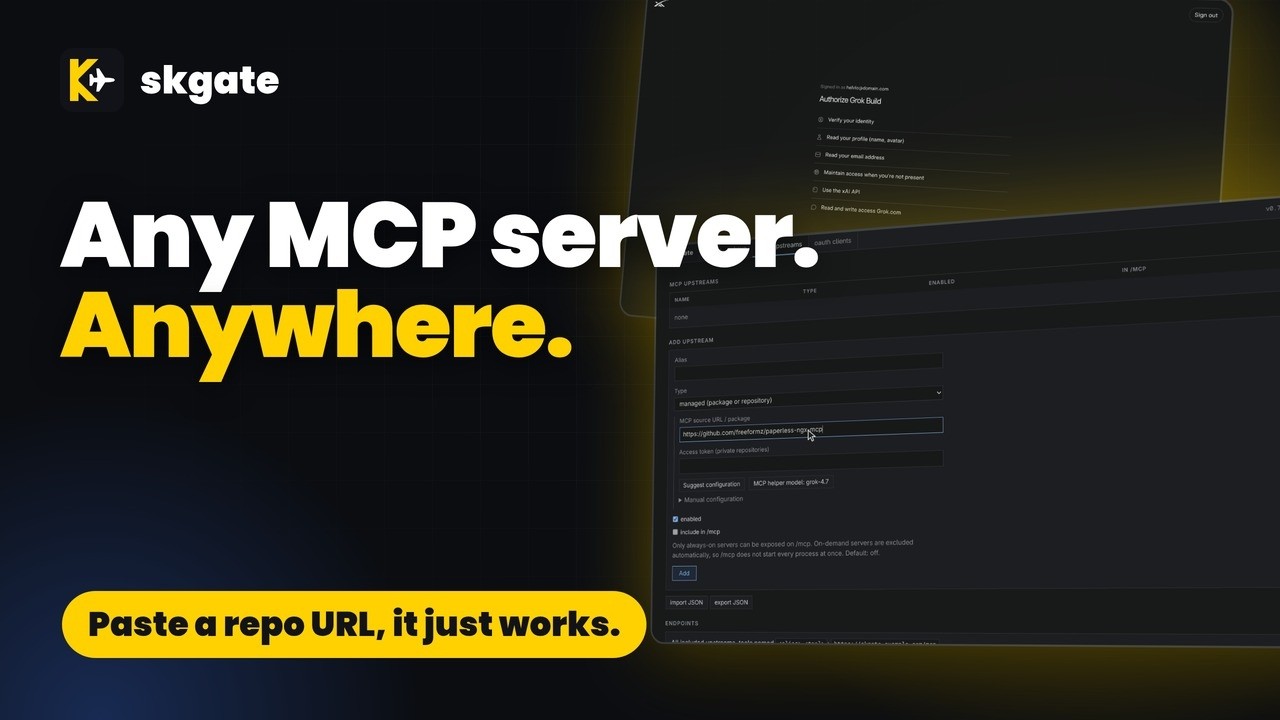
Self-hosted MCP gateway and LLM proxy. Serve any MCP server or REST API behind OAuth 2.1 from one address, and proxy your LLM providers (OpenAI, Anthropic, Gemini, Grok, Ollama and more) through one OpenAI-compatible API with model aliases and virtual keys. Your Grok subscription works too, no API key needed.
Any MCP server. skgate can run them for you, so you do not need one container per server.
Name Origin
skgate /ɛsˈkɑːɡeɪt/ (ess-KAH-gate)
“sk” is how a lot of SI API keys start, and “gate” is for gateway. Not a great name, but it’s ours.
The plane in the logo is an inside joke. The public wouldn’t understand it, and I’m not about to explain it. Sorry.
Quality
Quick start
You need an OIDC provider with a confidential client for skgate. Admin login is OIDC only. Trying it on one machine? docs/quickstart.md runs skgate with a bundled provider and no accounts.
# docker-compose.yml
services:
  skgate:
    container_name: skgate
    image: ghcr.io/helv-io/skgate:latest
    restart: always
    ports:
      - 8080:8080
    environment:
      - PUBLIC_URL=https://skgate.example.com
      - OIDC_ISSUER=https://auth.example.com
      - OIDC_CLIENT_ID=skgate
      - OIDC_CLIENT_SECRET=change-me
    volumes:
      - ./data:/data
    healthcheck:
      test: ["CMD", "/skgate", "healthcheck"]
      interval: 30s
      timeout: 5s
      retries: 3
docker compose up -d- Open
https://skgate.example.com/adminand sign in through your OIDC provider. - mcp upstreams > Add upstream: a remote MCP server, or a GitHub repository, npm package, or PyPI package that skgate runs for you (see Add an MCP server with Suggest configuration).
- Point your MCP client at
https://skgate.example.com/mcpor the site root for every included upstream, or athttps://skgate.example.com/mcp/for one upstream. Sign in when it asks.
Image tags:
latest: proxy + managed MCP servers. Bundles Node.js (npx), pnpm, Bun (bunx), Deno, Python (uv,uvx), Go, .NET and git.slim: proxy only
To upgrade, back up ./data, then docker compose pull && docker compose up -d.
Proxy your SI providers
skgate is also an OpenAI-compatible API in front of your SI providers. Point your apps at one address; switch the provider behind them without changing the apps. User-defined model aliases give your apps a stable model name of your choosing.
安装
uvx mcp-server-time配置
{"mcpServers": {"skgate": {"type": "http", "url": "https://skgate.example.com/mcp/<alias>",
  "headers": {"Authorization": "Bearer sk-..."}}}}