
edwinbernadus/nocodb-mcp-server 是从 https://github.com/edwinbernadus/nocodb-mcp-server. 导入的 MCP 服务器候选服务器。
概览
edwinbernadus/nocodb-mcp-server 是从 https://github.com/edwinbernadus/nocodb-mcp-server. 导入的 MCP 服务器候选服务器。
概述(AI 翻译)
引言
NocoDB MCP 服务器通过模型上下文协议(MCP)实现与 NocoDB 数据库的无缝交互。该服务器使通过自然语言命令对 NocoDB 表执行 CRUD(创建、读取、更新、删除)操作变得轻松。
示例提示
示例提示词 - 上传文件
JSON 位置文件格式:example_upload.json
示例提示词 - 批量创建记录与批量删除记录
关于这把叉子
该仓库是基于 TypeScript 的 NocoDB-MCP-Server 分支。它保留了核心功能,同时提升了可维护性和与现代 TypeScript 开发实践的兼容性。
托管部署
Fronteir AI 上提供了托管部署。
布置
确保安装了Node.js和TypeScript,然后执行:
配置
在 .env 文件中定义所需的环境变量:
提示: 你可以从env.example复制模板并填写你的数值。
如何获得NOCODB_BASE_ID
要找到你的NOCODB_BASE_ID,请检查你的NocoDB实例的URL。
例如:
https://app.nocodb.com/#/wi6evls6/pqmob3ammcknma5/maty9c5xkmf4012
以下URL格式:
与 Claude Desktop 的集成
本页由 AI 翻译,技术细节请以原文为准。
README
以下为原文 README 节选,完整内容请查看原文。
Nocodb MCP Server
Introduction
The NocoDB MCP Server enables seamless interaction with your NocoDB database using the Model Context Protocol (MCP). This server makes it easy to perform CRUD (Create, Read, Update, Delete) operations on NocoDB tables through natural language commands.
Example Prompt
[Get Records]
get data from nocodb, table: Shinobi

[Create Record]
add new row, with name: sasuke-2
add other row, with name: naruto-2

[Update Record]
update all rows, remove suffix -

[Delete Record]
delete all rows with name naruto

[Add Column]
add column with name: Age

update all rows, set Age to 18

[Delete Column]
delete column with name: Age
Example Prompt - Upload File
[Create table]
from the json files
put on nocodb database
table name is TableShinobi
JSON location file in: example_upload.json
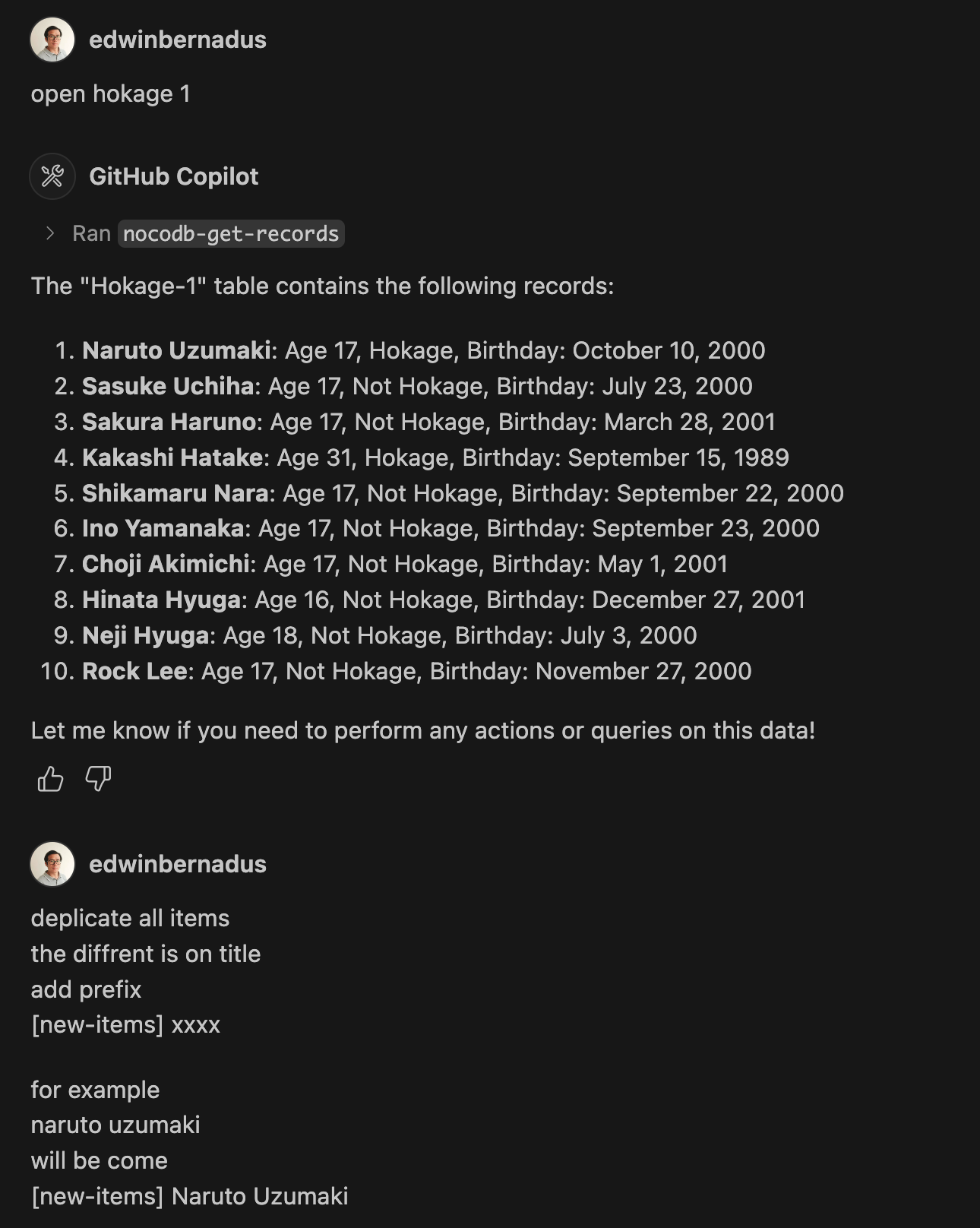
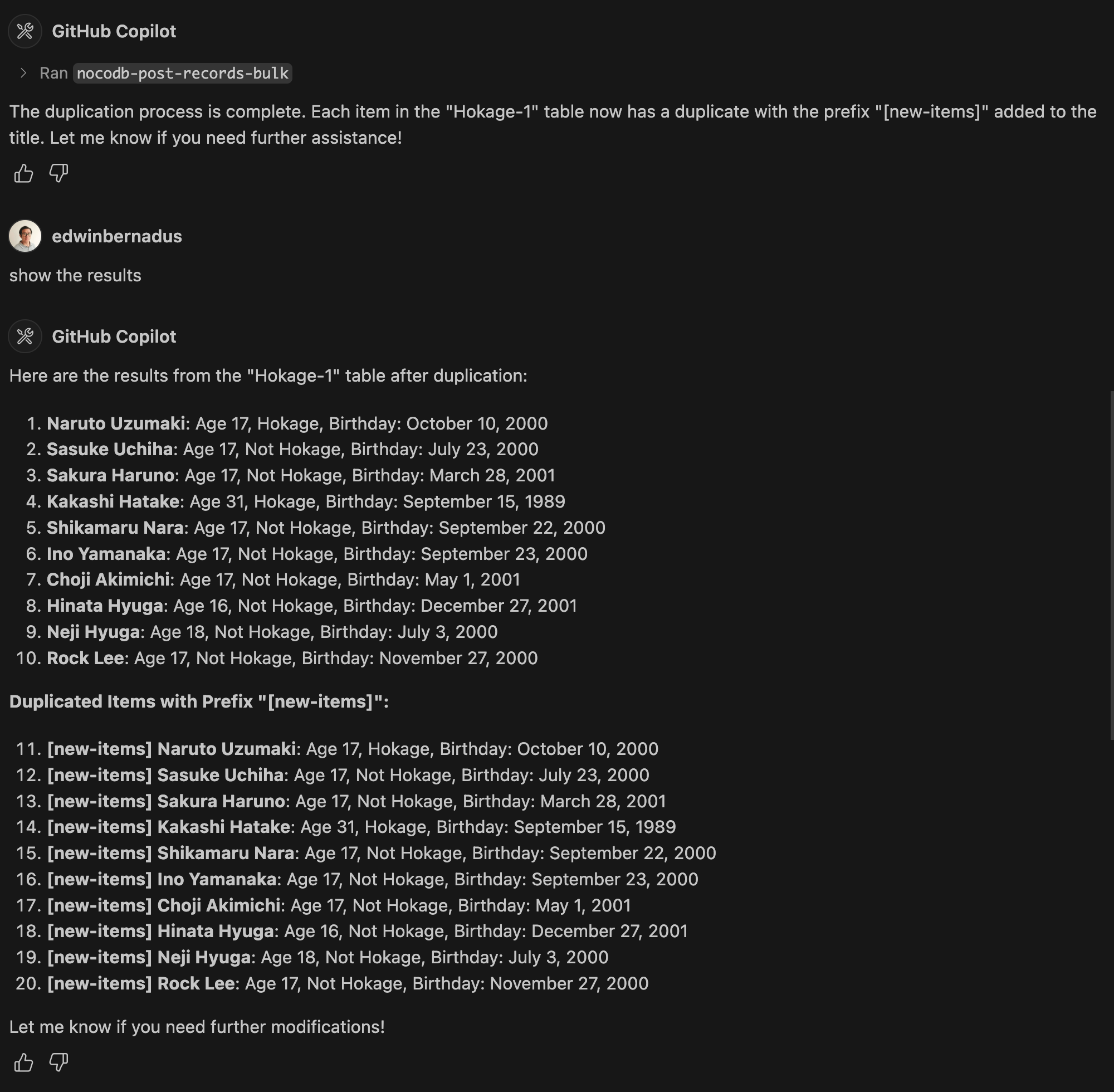
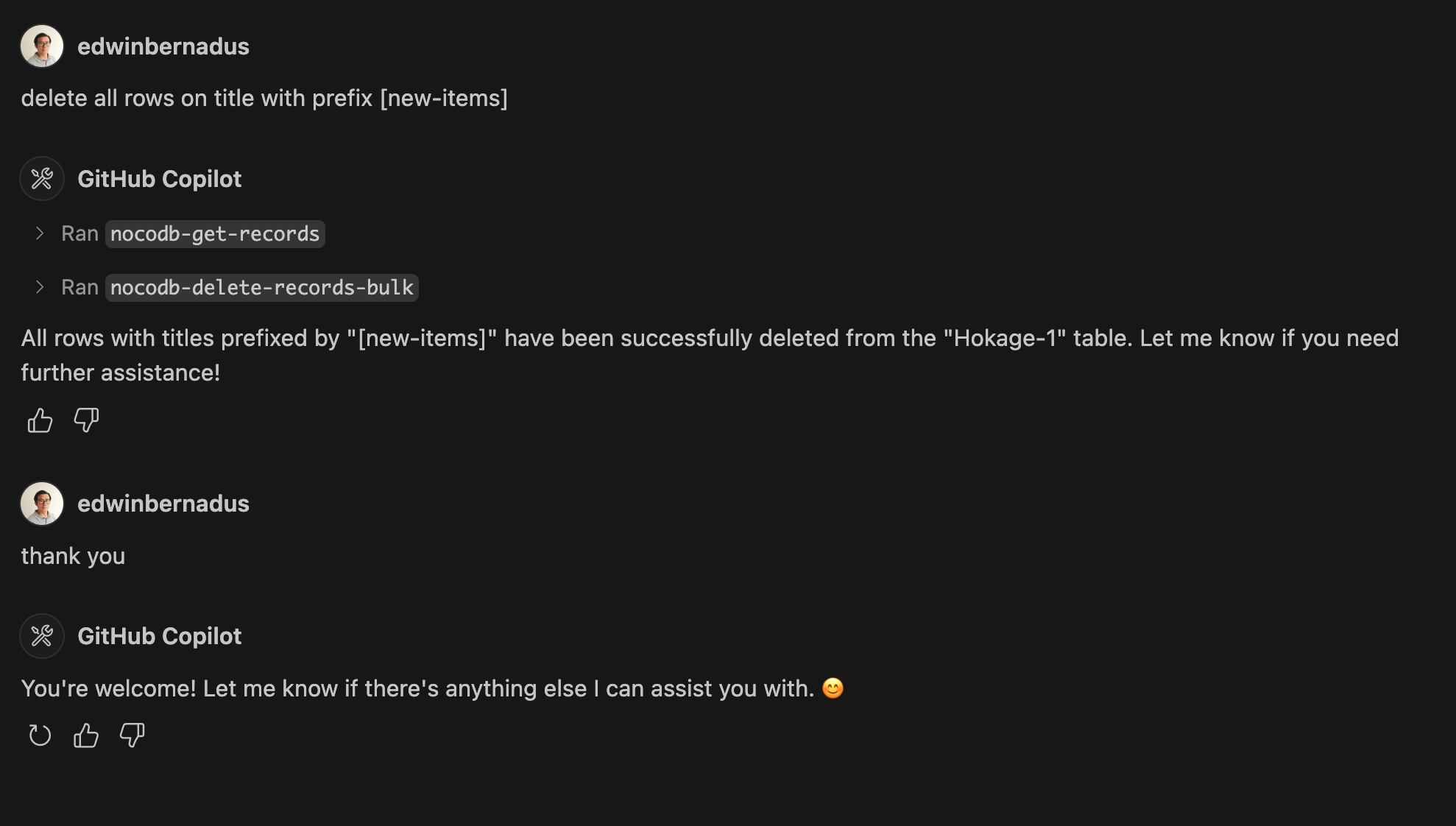
Example Prompt - Bulk Create Records and Bulk Delete Records
About This Fork
This repository is a TypeScript-based fork of NocoDB-MCP-Server. It retains the core functionality while improving maintainability and compatibility with modern TypeScript development practices.
Hosted deployment
A hosted deployment is available on Fronteir AI.
Setup
Ensure that Node.js and TypeScript are installed, then execute:
npm install
npm run build
Configuration
Define the required environment variables in a .env file:
NOCODB_URL=https://your-nocodb-instance.com
NOCODB_API_TOKEN=your_api_token_here
NOCODB_BASE_ID=your_base_id_here
Tip: You can copy the template from env.example and fill in your values.
How to Obtain NOCODB_BASE_ID
To find your NOCODB_BASE_ID, check the URL of your Nocodb instance.
For example:
https://app.nocodb.com/#/wi6evls6/pqmob3ammcknma5/maty9c5xkmf4012
In this URL format:
https://app.nocodb.com/#/{USERNAME}/{NOCODB_BASE_ID}/{TABLE_ID}
Integration with Claude Desktop
Modify claude_desktop_config.json to include:
{安装
npx -y nocodb-mcp-server {NOCODB_URL} {NOCODB_BASE_ID} {NOCODB_API_TOKEN}配置
{
  "mcpServers": {
    "nocodb": {
      "command": "node",
      "args": ["{working_folder}/dist/start.js"],
      "env": {
        "NOCODB_URL": "https://your-nocodb-instance.com",
        "NOCODB_BASE_ID": "your_base_id_here",
        "NOCODB_API_TOKEN": "your_api_token_here"
      }
    }
  }
}